

 Greek
Greek  English
  Arabic
  German
  French
  Spanish
  Turkish
  Italian
  Russian
  Persian
  Bengali
  Hebrew
  Persian (Afghanistan)
  Scottish Gaelic
  Panjabi
  Croatian
  Slovenian
  Afrikaans
  Czech
Czech  Korean
  Japanese
  Portuguese





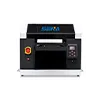
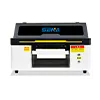
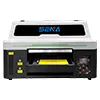
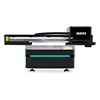

Which UV Printer Meets a 100 m²/Day Production Target?
A production target of 100 square meters per day is common for advertising companies, sign manufacturers, furniture panel producers and industrial printing businesses. However, selecting a UV printer for 100 sqm per day requires more than comparing the maximum speeds shown in a machine specification sheet.
A machine may reach a high speed under draft settings, color-only printing and ideal test conditions. Real production may include white ink, 4 Pass or 6 Pass printing, material loading, image processing, printhead cleaning, quality inspection and occasional reprinting. These factors reduce the number of saleable square meters produced during an eight-hour shift.
This guide explains how to calculate the required hourly output, compare 1390 and 2513 UV flatbed printers, decide between unidirectional and bidirectional printing, evaluate 4 Pass and 6 Pass quality modes, and determine when a conveyor UV printer is more suitable for flexible materials. It also includes an ROI model based on five-year depreciation and 80% capacity utilization.
Quick Answer: What UV Printer Is Suitable for 100 m² per Day?
For rigid materials such as PVC boards, acrylic sheets, wood panels, glass and aluminum composite panels, an industrial 2513 UV flatbed printer is generally a more practical starting point for a stable 100 m² daily target. Its larger platform can accommodate standard boards, reduce loading cycles and provide more production reserve than a medium-format machine.
A 1390 UV printer may also contribute to this production target when most products fit within a 1300 × 900 mm print area. However, one 1390 may require longer operating hours, a faster production configuration or additional equipment running in parallel.
For leather, advertising fabric, soft PVC, wallpaper, short-pile carpet and other flexible materials, a conveyor or belt UV printer may be more efficient than a flatbed printer. Continuous feeding and better material support can be more important than the nominal platform size.
The correct selection principle is simple: choose a machine that can produce 100 m² of saleable output within approximately 80% of the scheduled production time. Do not choose a printer that only reaches the target under its highest advertised speed.
Define the 100 m²/Day Production Scenario
Before comparing machines, the customer and supplier must define exactly what the daily target represents. A useful capacity test requires a clear production scenario.
Example Customer Profile
Consider an advertising manufacturer with the following requirements:
- Eight scheduled production hours per day
- 100 m² of finished and saleable output
- PVC boards, acrylic panels and aluminum composite panels
- A combination of color-only and white ink printing
- Standard commercial image quality
- Medium and large production batches
- Delivery periods of one to three working days
This customer does not simply need a printer that can move 100 m² of material across its platform. The machine must produce 100 m² that passes inspection and can be delivered to the buyer.
Total Material Area vs Saleable Output
Three different measurements are often confused:
- Total material area: all materials entering the production area.
- Printed image area: the surface actually covered by the printed design.
- Saleable finished area: the accepted products remaining after testing, waste and reprinting.
For production planning, the target should be defined as 100 m² of saleable finished output.
Full Coverage vs Partial Coverage
A small logo printed on a white board cannot be compared directly with a full-color image covering an entire panel. Full coverage normally requires more ink and may require more carriage passes. White ink underprinting, varnish and embossed effects can further increase the production cycle.
Capacity calculations should therefore separate at least these production modes:
- CMYK color only
- CMYK plus partial white ink
- CMYK plus full white ink
- CMYK, white ink and varnish
- Multilayer embossed printing
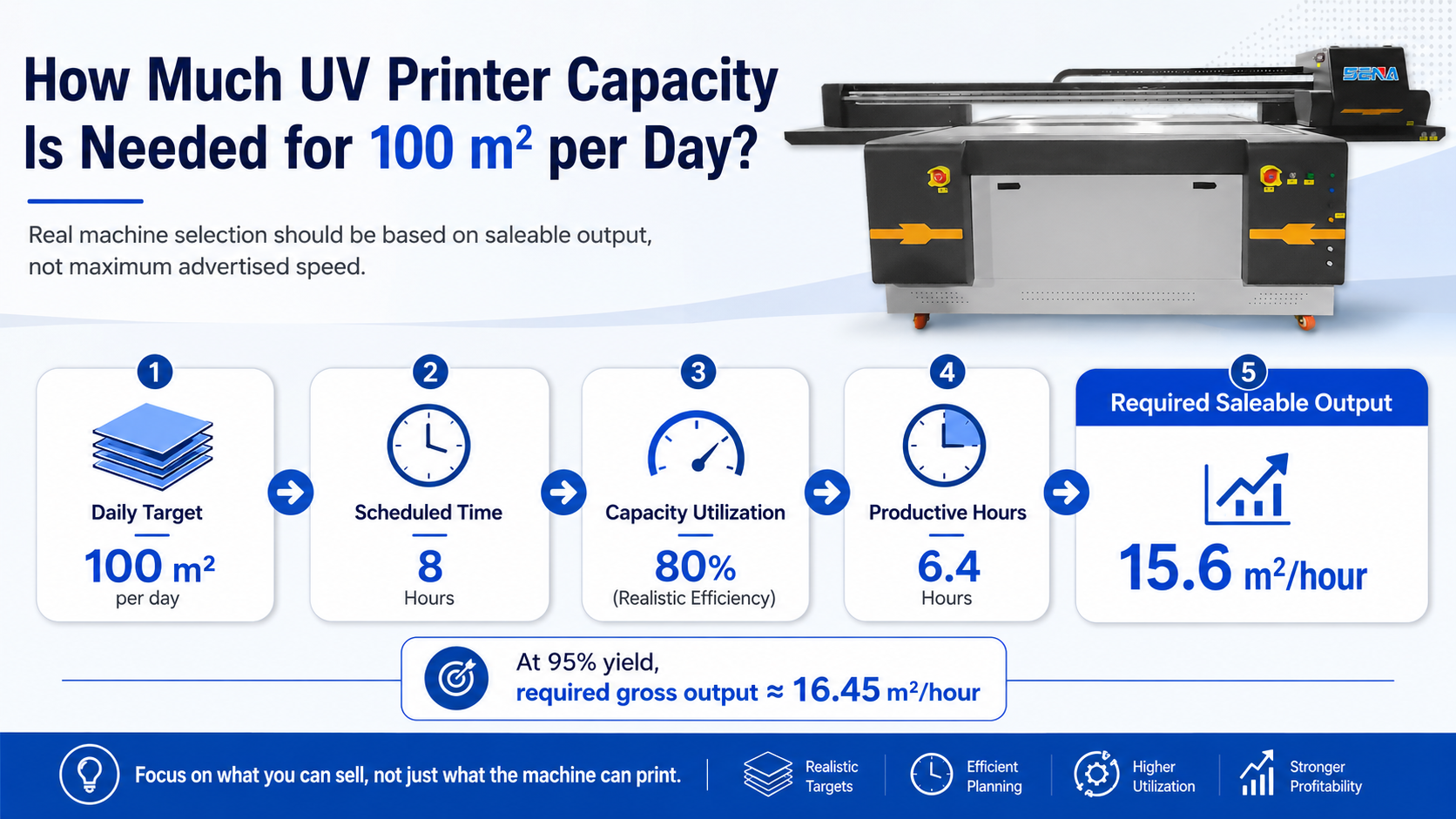
How Much Capacity Does a UV Printer Need for 100 Sqm per Day?
Basic Eight-Hour Calculation
If the printer could operate continuously for all eight scheduled hours, the minimum required output would be:
Required Hourly Output = 100 m² ÷ 8 hours = 12.5 m²/hour
This is only a theoretical minimum. It assumes no loading, cleaning, testing, maintenance, file preparation or downtime.
Adjust for 80% Capacity Utilization
A more practical plan assumes that approximately 80% of the scheduled shift becomes productive machine time.
Productive Hours = 8 hours × 80% = 6.4 hours
The required saleable production speed becomes:
Required Saleable Speed = 100 m² ÷ 6.4 hours = 15.625 m²/hour
The machine should therefore be capable of producing approximately 15.6 m² per productive hour at the required quality level.
Adjust for Yield Rate
If the expected yield rate is 95%, the printer needs more gross output to deliver 100 m² of accepted products.
Required Gross Output = Daily Saleable Target ÷ Productive Hours ÷ Yield Rate
100 m² ÷ 6.4 hours ÷ 95% ≈ 16.45 m²/hour
This calculation is a planning example, not a fixed speed claim for a specific printer. Actual output depends on printheads, image coverage, Pass mode, material loading and ink configuration.
Keep a Capacity Reserve
A factory should not plan to operate permanently at 100% of theoretical capacity. A production reserve is needed for:
- Urgent orders
- Printhead cleaning
- Color adjustment
- Material changes
- Operator delays
- Test printing
- Reprinting rejected products
- Unexpected maintenance
A machine that only reaches the target under perfect conditions provides little protection against delivery delays.
Speed and Stability Selection Criteria
Advertised Speed vs Saleable Production Speed
UV printer specifications may show several speed modes. Buyers should understand what each number represents.
Maximum or Draft Speed
Maximum speed is normally achieved under a low-pass or draft-quality setting. It may be suitable for distant-view graphics, tests or applications with limited image-quality requirements.
Standard Production Speed
Standard production speed is more useful for normal advertising, panel and commercial printing. Machine selection for a 100 m² target should normally be based on this mode.
High-Quality Speed
High-quality settings are used for small text, smooth gradients, close-view decorative products and detailed graphics. These settings reduce hourly capacity and increase machine-time cost.
The most useful figure is therefore the saleable output at the customer’s required print quality, not the maximum carriage speed.
Important Stability Indicators
An industrial UV printer must maintain output over a complete shift. Important stability indicators include:
- Continuous eight-hour printing performance
- White ink circulation and agitation
- Printhead cleaning frequency
- Platform movement accuracy
- Material positioning consistency
- Color repeatability between batches
- Stable UV curing
- Availability of ink, printheads and spare parts
- Supplier response time and technical support
Use Standardized Test Conditions
Two machine tests are not comparable unless they use the same:
- Artwork and image coverage
- Material and product dimensions
- Ψήφισμα
- Pass mode
- Printing direction
- White ink coverage
- Varnish requirement
- Loading and unloading process
A supplier should record the complete cycle, including loading, alignment, printing and unloading.
Unidirectional vs Bidirectional UV Printing
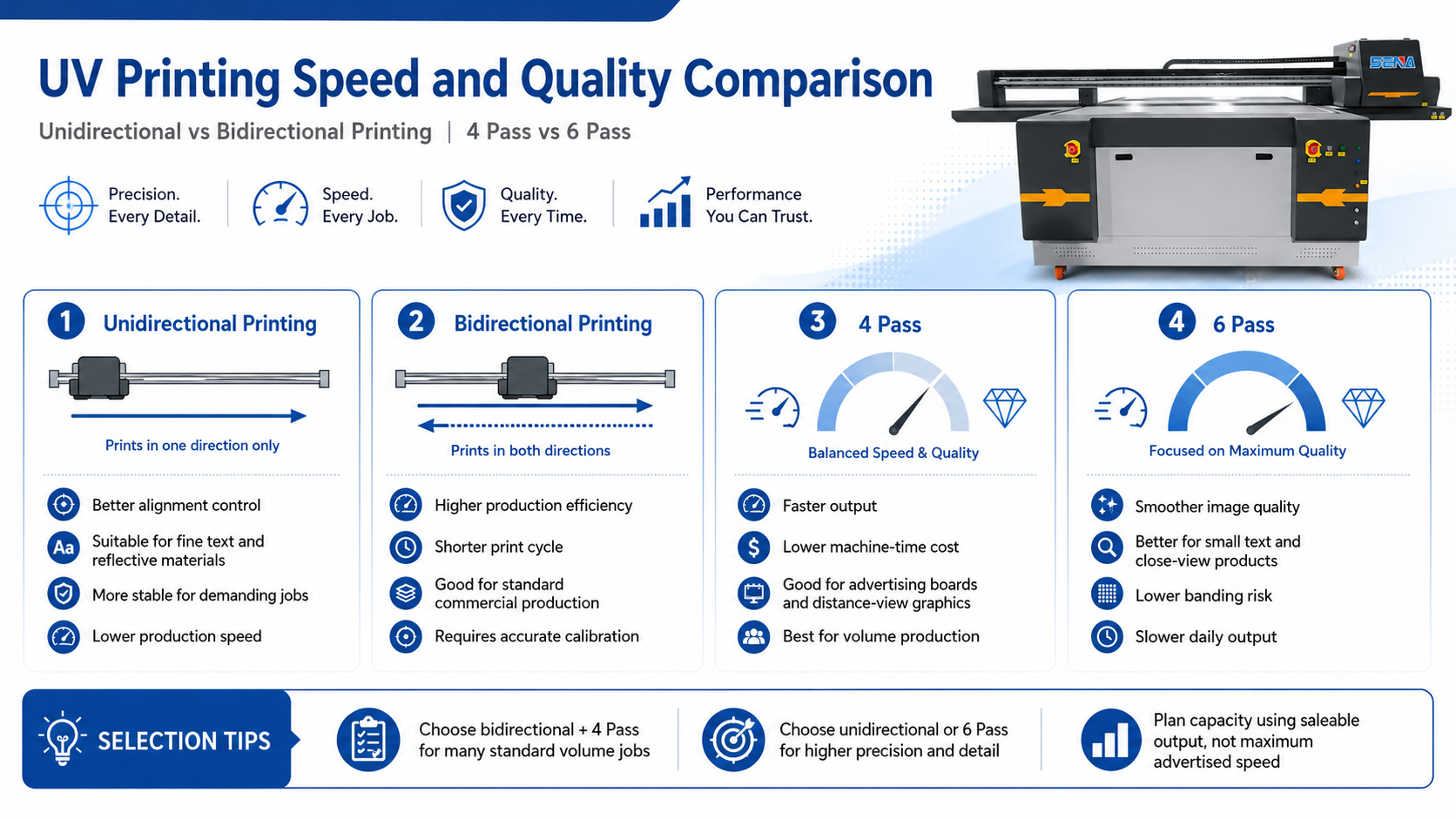
Unidirectional Printing
In unidirectional mode, the carriage prints while moving in one direction and returns without printing. This mode can reduce directional color differences and make alignment easier to control.
It may be useful for reflective materials, demanding graphics, small text and applications where edge accuracy is more important than production speed.
The disadvantage is lower hourly output because the return movement does not produce printed content.
Bidirectional Printing
In bidirectional mode, the carriage prints while moving in both directions. This can shorten the printing cycle and improve production efficiency.
However, bidirectional calibration must be accurate. Poor calibration can create shadows around small text, misaligned edges or visible differences between carriage directions. Material height variations can also influence registration.
Which Mode Is Better for 100 m² per Day?
Stable bidirectional printing is normally more suitable for standard advertising boards, large graphics and products viewed from a distance. Unidirectional printing may be required for high-precision signs, barcodes, small labels and difficult reflective surfaces.
A realistic production plan should not assume that every job can use the fastest bidirectional mode.
4 Pass vs 6 Pass: Speed and Quality Trade-Off
When 4 Pass Is Suitable
Four-pass printing may be suitable for:
- Large advertising boards
- Distance-view graphics
- Standard signs
- High-volume production
- Materials with stable and even surfaces
Its main advantage is higher output and lower machine-time cost. However, the final result must still meet the customer’s inspection standard.
When 6 Pass Is Better
Six-pass printing is often selected for:
- Small text and fine lines
- Close-view products
- Smooth gradients
- Detailed decorative images
- Applications with a low tolerance for visible banding
The improved quality comes with a longer printing cycle and lower daily capacity.
Calculate a Mixed Production Schedule
A company may process different order types during one shift. For example:
- 60% of orders printed at 4 Pass
- 30% of orders printed at 6 Pass
- 10% of time used for setup, tests and reprinting
In this situation, the machine should be evaluated using a weighted production average. Building the complete capacity plan around 4 Pass alone may produce an unrealistic result.
Related article: Sizing Your UV Printer: Capacity Comparison & Pricing Tactics.
Industrial 2513 vs 1390 UV Printer with an Extended Shift
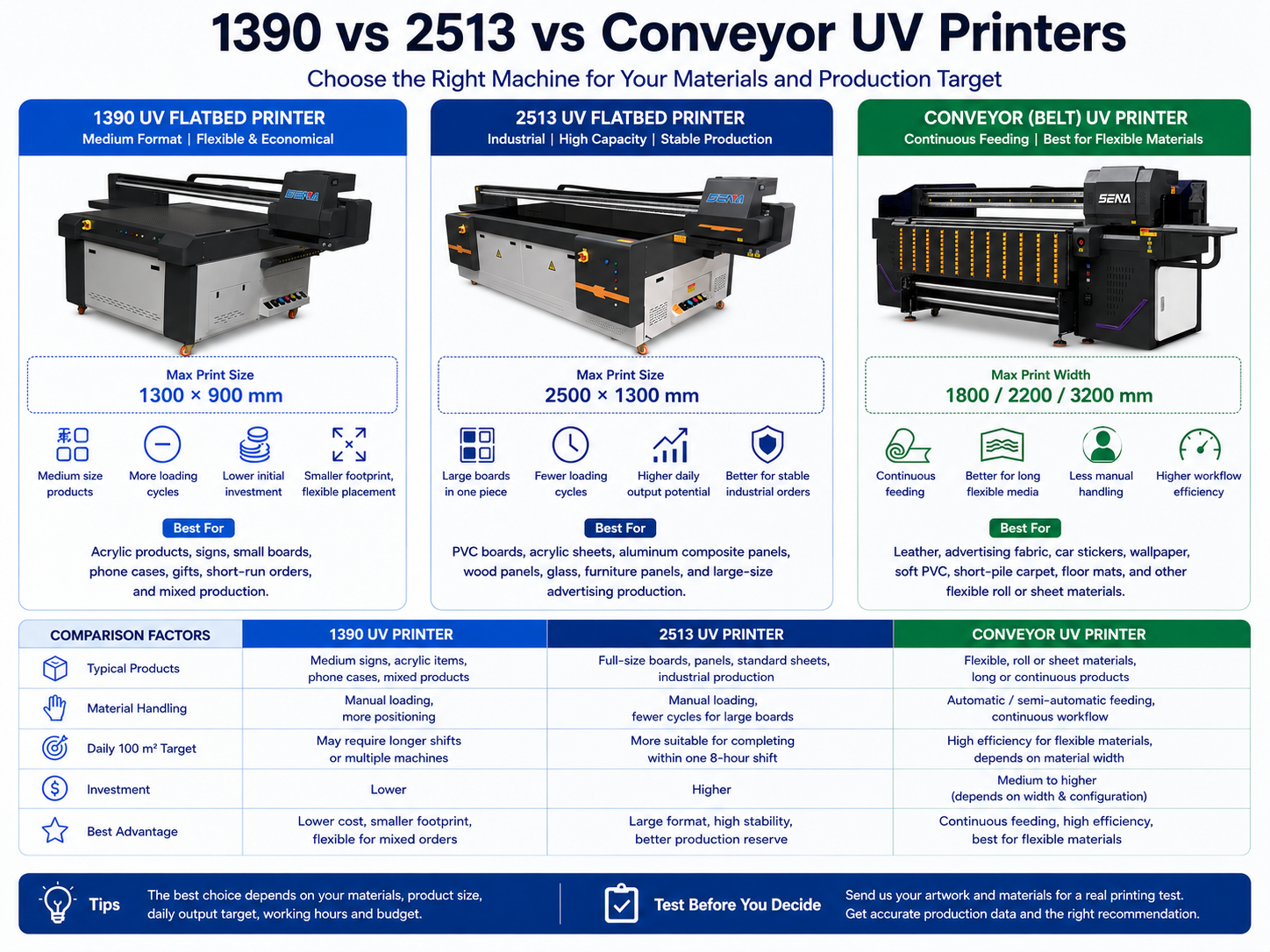
2513 UV Printer for Industrial Production
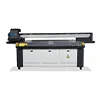
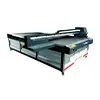
A 2513 UV printer provides a 2500 × 1300 mm platform and is commonly used for PVC boards, acrylic sheets, glass, wood panels, aluminum composite panels and furniture materials.
Main advantages
- Larger printing area
- Compatibility with many standard boards
- Fewer loading and unloading cycles
- Reduced need to split large artwork
- Greater production reserve
- Better suitability for stable industrial orders
Main limitations
- Higher initial investment
- Greater factory-space requirement
- More demanding material handling
- Lower ROI when large-format orders are insufficient
A 2513 is generally more appropriate when the business must complete large board orders within one eight-hour shift and has limited tolerance for overtime.
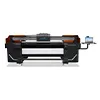
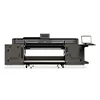
Product information: View the 2513 industrial UV flatbed printer.
1390 UV Printer with Longer Working Hours
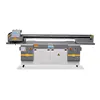
A 1390 UV printer normally provides a 1300 × 900 mm print area. It is suitable for medium-sized signs, decorative boards, acrylic products and mixed production orders.
Main advantages
- Lower initial equipment investment
- Smaller production footprint
- Flexibility for medium-sized products
- Suitable for varied short and medium orders
- Lower entry risk for a growing company
Main limitations
- More frequent loading cycles
- Some boards cannot be printed in one piece
- More operator labor
- Possible overtime requirement
- Less production reserve during urgent periods
A 1390 may be suitable when the 100 m² target is occasional rather than daily, most products fit the platform and longer production shifts are acceptable.
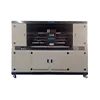
Product information: View the 1390 UV flatbed printer for medium-format production.
1390 vs 2513 UV Printer Comparison
| Comparison Factor | 1390 UV Printer | 2513 UV Printer |
|---|---|---|
| Typical products | Medium signs and mixed products | Full-size boards and industrial panels |
| Loading cycles | Πιο συχνά | Fewer for large orders |
| Factory space | Lower requirement | Higher requirement |
| 100 m² daily target | May require longer shifts or parallel machines | Generally more suitable for board production |
| Production reserve | More limited | Greater potential reserve |
| Initial investment | Χαμηλότερος | Πιο ψηλά |
| Best order structure | Varied medium-format orders | Stable large-board production |
The final decision must be based on a real capacity test. Printer size alone cannot confirm whether a specific configuration will achieve 100 m² per day.
When a Conveyor UV Printer Is the Better Choice
Flatbed UV printers are designed primarily for rigid or individually positioned materials. When the business mainly prints flexible products, the material-feeding structure becomes an important part of production capacity.
Flatbed Limitations for Flexible Materials
Printing flexible materials on a fixed platform may require manual flattening, adhesive tape, fixtures or repeated positioning. Long materials may exceed the platform, and wrinkles can affect printhead clearance and image accuracy.
Advantages of a Conveyor or Belt UV Printer
- Continuous material feeding
- Better support for long flexible products
- Reduced manual positioning
- Easier batch production
- More efficient roll or sheet workflow
- Better handling of materials that cannot remain flat by themselves
Suitable Materials
- Δέρμα
- Advertising fabric
- Car stickers
- Ταπετσαρία
- Soft glass
- Flexible PVC
- Short-pile carpet
- Floor mats and flexible decorative materials
For these products, comparing only the 1390 and 2513 printing areas can lead to the wrong decision. A conveyor printer may deliver higher workflow efficiency even when its nominal print width appears smaller than a large flatbed platform.
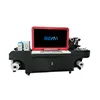
Product information: View the flexible material conveyor UV printer.
UV Printer ROI Calculation with Five-Year Depreciation
Purchase price is important, but equipment should be compared according to the value of the saleable production it creates.
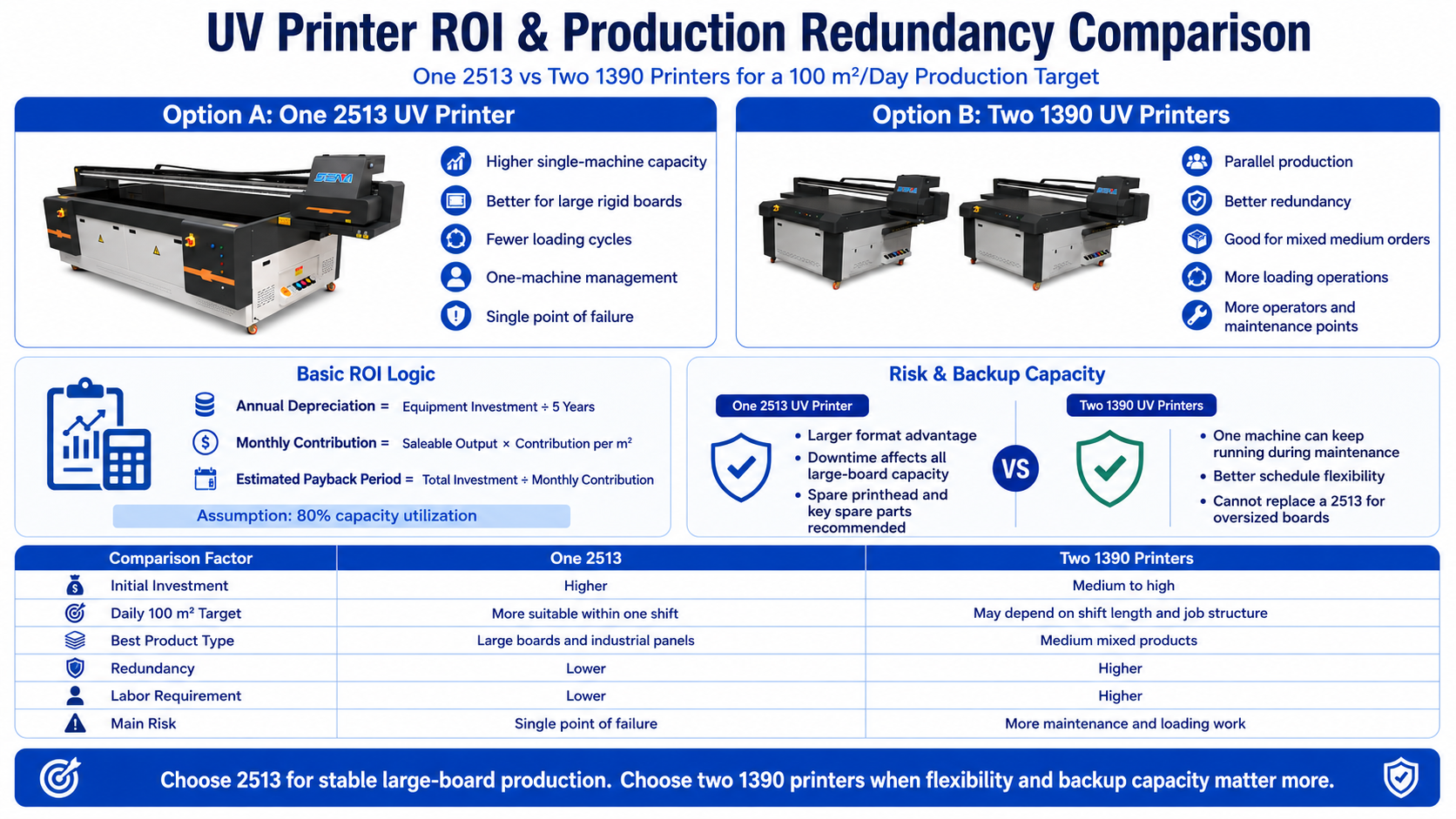
Five-Year Depreciation Formula
A simplified straight-line depreciation model can be calculated as:
Annual Equipment Depreciation = Equipment Investment ÷ 5 Years
Monthly Equipment Depreciation = Equipment Investment ÷ 60 Months
A company may include equipment residual value according to its accounting method. For a simple planning model, depreciation over 60 months provides an easy comparison.
Capacity Utilization Assumption
This article uses an 80% utilization rate because a machine cannot normally spend every scheduled hour producing saleable orders. Maintenance, setup, testing and changes between jobs reduce productive time.
Be careful not to deduct utilization twice. If the daily 100 m² target already represents output after an 80% utilization adjustment, do not multiply it by 80% again when estimating monthly output.
Monthly Saleable Output
When 100 m² is the final daily saleable target:
Monthly Saleable Output = 100 m² × Working Days per Month
For 22 working days:
100 m² × 22 days = 2,200 m² per month
Monthly Contribution
Monthly Contribution = Monthly Saleable Output × Contribution per Square Meter
Contribution per square meter means the selling price remaining after deducting direct variable costs such as materials, ink, direct labor and order-specific finishing.
Estimated Payback Period
Estimated Payback Period = Total Equipment Investment ÷ Monthly Equipment Contribution
A 2513 may cost more than a 1390, but it may produce more saleable output, reduce overtime and prevent the loss of large-format orders. Its payback period is not necessarily longer.
Related guide: Total Cost of Ownership for a UV Flatbed Printer.
Cost analysis: 7 Hidden Factors That Drive Your UV Printing Cost.
Risk Assessment and Production Redundancy
Main Production Risks
- Printhead damage
- White ink sedimentation or blockage
- UV curing system failure
- Motion-system fault
- RIP computer or software problems
- Material supply delays
- Operator absence
- Unexpected reprinting
Spare Printhead and Spare-Part Strategy
A business depending on one machine should evaluate:
- Cost of keeping a spare printhead
- Correct printhead storage conditions
- Local installation capability
- Supplier delivery time
- Remote technical support
- Inventory of filters, dampers, pumps and sensors
A spare printhead does not always need to be installed immediately, but the company should have a clear replacement and support plan.
One 2513 vs Two 1390 Printers
One 2513 UV Printer
Main advantages include larger-format compatibility, fewer loading cycles, simpler management and better full-board production.
The main risk is a single point of failure. If the machine stops, the factory may lose its complete large-format printing capacity.
Two 1390 UV Printers
Two machines can run different jobs simultaneously and provide partial production redundancy. If one machine requires maintenance, the second can continue processing compatible products.
However, two machines may require more operator labor, more maintenance work and careful color management between equipment. They also cannot replace a 2513 when the product is larger than the 1390 platform.
Estimate Downtime Risk Cost
Annual Downtime Risk Cost = Expected Downtime Hours × Lost Contribution per Hour
Compare the estimated downtime cost with the price of spare parts, a spare printhead or a second machine. Redundancy should be treated as a business investment rather than only an equipment expense.
Practical Industrial UV Printer Selection Process
Step 1: Confirm the Material Type
- Rigid boards and panels: flatbed UV printer
- Flexible or continuously fed materials: conveyor UV printer
- Cylindrical products: rotary device or dedicated cylindrical solution
Step 2: Confirm Maximum Product Size
- Products mainly below 1300 × 900 mm: evaluate a 1390
- Standard full-size boards: evaluate a 2513
- Oversized industrial panels: consider a larger platform
Step 3: Confirm the Required Quality Mode
- Mainly 4 Pass: higher production potential
- Frequent 6 Pass: more capacity reserve required
- White ink and varnish: calculate their cycle times separately
Step 4: Confirm the Production Schedule
- Must finish within one eight-hour shift: industrial capacity is recommended
- Overtime is acceptable: a medium-format machine may be considered
- Production cannot stop: evaluate redundancy and spare parts
Step 5: Run a Real Sample Test
Provide the supplier with actual artwork, material, product dimensions, order quantity, Pass mode and white ink requirements.
The test report should record:
- Number of products or boards per platform
- Loading and alignment time
- RIP and printing time
- Unloading time
- Finished area per hour
- Quality yield rate
- Estimated daily saleable output
Related selection guide: How to Choose the Right UV Printer for Your Products and Applications.
Information to Send Your UV Printer Supplier
To receive a useful capacity recommendation, provide:
- Product length and width
- Material type and thickness
- Daily square-meter target
- Scheduled working hours
- Artwork coverage
- Required resolution and Pass mode
- White ink coverage
- Varnish or embossed effect requirements
- Maximum acceptable delivery time
- Available factory space
- Required backup capacity
The supplier should return an estimated complete production cycle, saleable hourly output, recommended machine size, printhead configuration, spare-parts plan and capacity reserve.
Request a 100 m²/Day Capacity Test
Send us your material, product dimensions, artwork, white ink requirements and daily production target. Our team can test the actual printing cycle and recommend a suitable 1390, 2513 or conveyor UV printer configuration.
Our evaluation can include:
- Product or board layout per print bed
- Expected production cycle
- Estimated saleable output per hour
- Recommended Pass mode
- Required printhead configuration
- Daily capacity reserve
- Spare-part and redundancy suggestions
Συχνές Ερωτήσεις
Can one 2513 UV printer produce 100 m² per day?
A suitable 2513 configuration may be able to complete this target, but platform size alone cannot confirm capacity. Printhead configuration, Pass mode, white ink coverage, loading time, image coverage and yield rate must be tested under actual production conditions.
Can a 1390 UV printer meet a 100 m² daily target?
A 1390 may reach the target under certain configurations or with extended working hours. When the target must be completed reliably within eight hours, the company should perform a detailed capacity test or consider multiple machines.
Is 4 Pass suitable for commercial UV printing?
Four-pass printing can be suitable for many advertising boards and distance-view graphics. Small text, detailed images and close-view products may require 6 Pass or another higher-quality mode.
Is bidirectional printing always better?
Bidirectional printing is normally faster, but accurate calibration is essential. Unidirectional printing may provide better control for demanding images, reflective materials and fine text.
Should I buy one 2513 or two 1390 printers?
Choose a 2513 when large boards are the main products. Two 1390 printers may offer better flexibility and redundancy for medium-sized mixed orders, but they cannot print products larger than their platforms.
What utilization rate should be used for UV printer planning?
A planning range of approximately 70% to 85% is often more realistic than 100%. This article uses 80% to allow time for setup, cleaning, maintenance and unexpected production changes.
How much spare capacity should a UV printing factory keep?
The required reserve depends on delivery pressure, equipment quantity and technical support. Capacity should be available for maintenance, urgent orders and reprinting rather than scheduling the machine permanently at its theoretical limit.
Is a conveyor UV printer faster than a flatbed printer?
For continuously fed flexible materials, a conveyor printer may provide a more efficient workflow. For rigid panels and accurately positioned products, a flatbed UV printer is normally more appropriate.
Σύναψη
Επιλέγοντας ένα UV printer for 100 sqm per day requires more than comparing advertised printing speeds. An eight-hour target appears to require 12.5 m² per hour, but an 80% utilization rate raises the practical requirement to approximately 15.6 m² of saleable output per productive hour. After accounting for a 95% yield rate, the required gross output may be approximately 16.45 m² per hour.
Rigid boards and large panels generally make an industrial 2513 UV printer more practical. Medium-format mixed products may be suitable for a 1390, especially when longer shifts or parallel equipment are acceptable. Flexible materials should be evaluated according to their feeding requirements, and a conveyor UV printer may provide better productivity than a fixed flatbed.
The final decision should be based on real artwork, real materials, the required Pass mode, white ink coverage, complete loading cycles and expected yield. The correct investment is not the machine with the highest advertised speed. It is the production system that can reliably deliver 100 m² of accepted products while maintaining quality, profitability and sufficient backup capacity.
Continue reading: Explore more UV printing cost and profitability guides.