

 Greek
Greek  English
  Arabic
  German
  French
  Spanish
  Turkish
  Italian
  Russian
  Persian
  Bengali
  Hebrew
  Persian (Afghanistan)
  Scottish Gaelic
  Panjabi
  Croatian
  Slovenian
  Afrikaans
  Czech
Czech  Korean
  Japanese
  Portuguese







Web-to-Print for UV Printing: 3 Ways to Automate Orders from Website to RIP
A customized printing business may successfully automate online ordering and still have a highly manual production workflow.
Imagine a personalized acrylic sign or promotional gift factory receiving 200 online orders per day. Customers choose a product, upload artwork, enter personalized text, select a quantity, and pay online. The ecommerce side looks efficient.
But after the order arrives, an employee still has to download the artwork, rename the file, check the dimensions, open the RIP, select a print preset, enter the quantity, choose the correct media profile, arrange the artwork, and add the job to the production queue.
In other words:
The website is automated, but the production workflow is not.
As order volume grows, this manual gap becomes expensive. More orders require more office staff, more repetitive data entry, more communication between departments, and more opportunities for production errors.
A properly designed Web-to-Print UV printing workflow aims to connect the entire process:
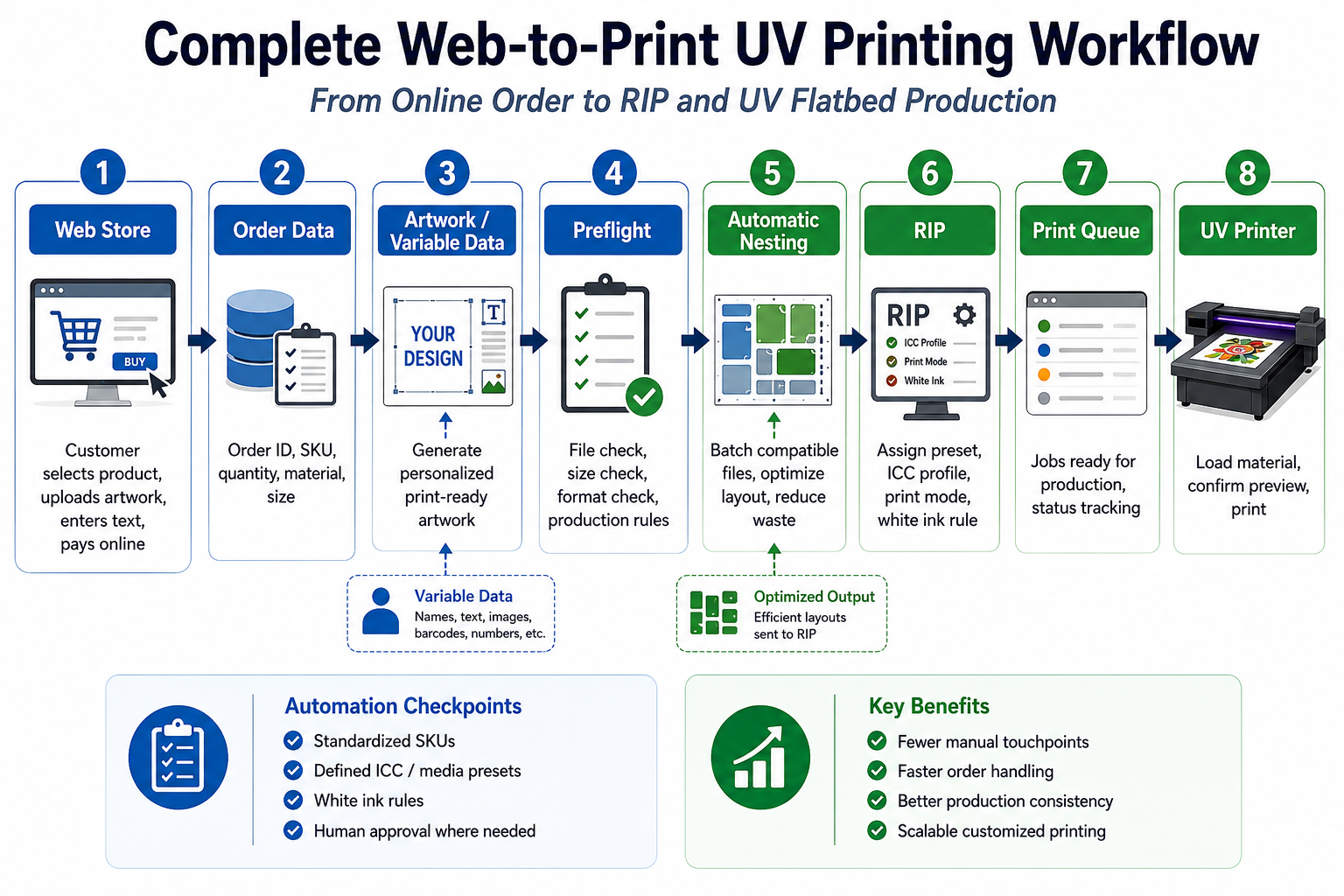
Order → Artwork → Job Data → Preflight → Production Rules → RIP → Print Queue → UV Printer
This article explains three practical architectures for connecting Web-to-Print with UV printing production:
- Web-to-Print + RIP Hotfolder
- Web-to-Print + Middleware / MIS / ERP
- Web-to-Print + RIP API
The goal is not to remove every human decision. The goal is to eliminate repetitive manual handling while preserving the production checks that protect print quality, equipment, materials, and customer orders.
What Does Web-to-Print Actually Mean for UV Printing?
Web-to-Print is often described simply as allowing customers to order customized printed products online. That definition is incomplete from a production perspective.
A website can accept an order without automating anything after checkout. If employees still manually transfer artwork and order information into production software, the business has an ecommerce system but not a fully connected Web-to-Print workflow.
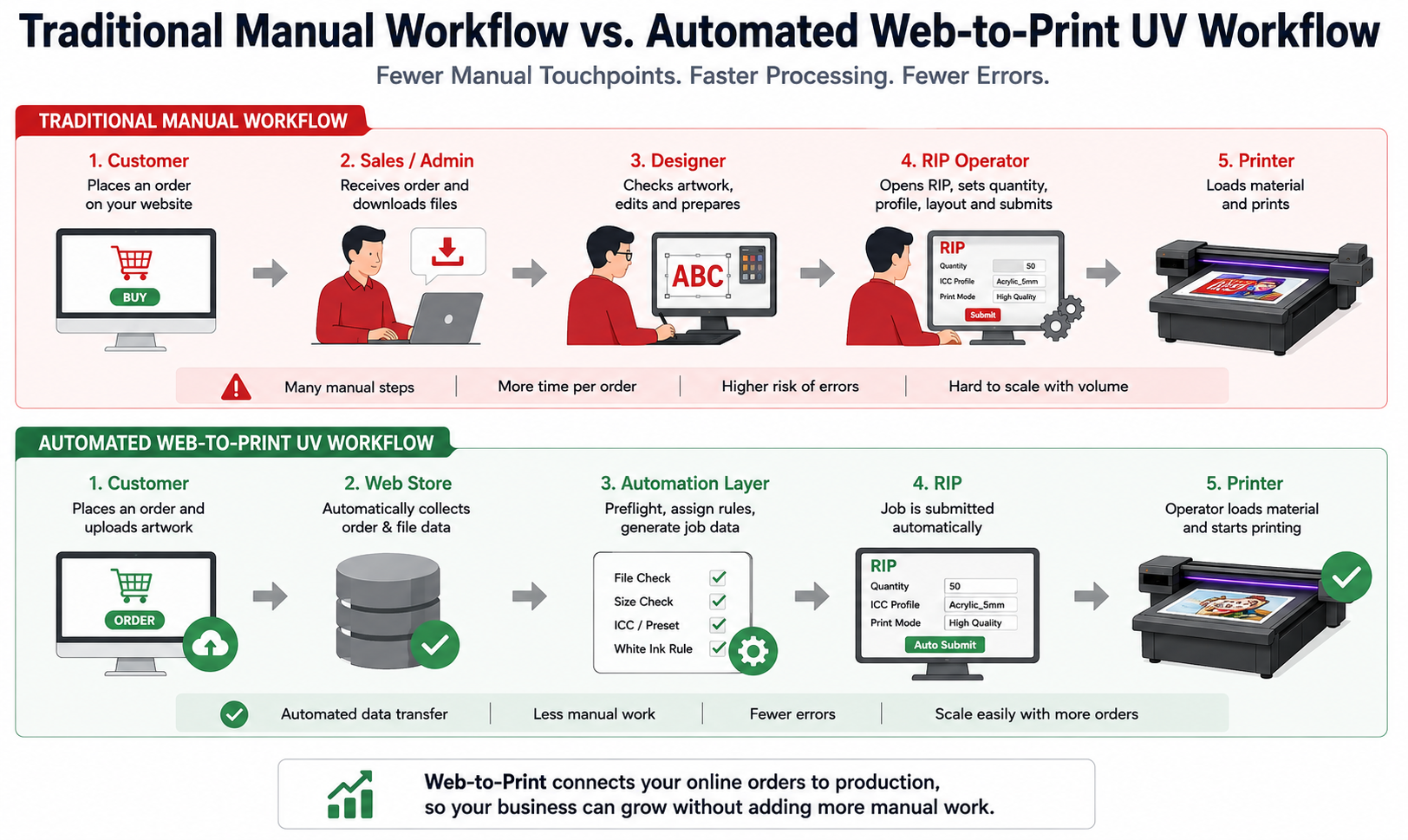
Traditional Workflow
A traditional customized printing workflow may look like this:
Customer → Sales → Designer → RIP Operator → Printer
Every handoff introduces another opportunity for waiting, miscommunication, incorrect quantities, wrong artwork versions, lost files, or duplicate data entry.
A salesperson may confirm the order. A designer prepares the artwork. Another employee renames the file. The RIP operator then needs to understand what material, size, quantity, white ink mode, quality level, and printer should be used.
Αυτοματοποιημένη ροή εργασίας
A more connected workflow looks like this:
Customer → Web Store → Automation Layer → RIP → Printer
The important difference is that the system transfers not only artwork, but also the production intent associated with that artwork.
For example, an online order should ideally tell production that a file belongs to Order 20260819-0157, requires 20 pieces of 5 mm clear acrylic, uses a defined print mode, needs a white ink layer, and should be routed to a suitable production queue.
This is what turns online ordering into print workflow automation.
Before Connecting Your Website to Production
Many automation projects fail because businesses start with software integration before standardizing production rules.
An API cannot fix an undefined workflow. In fact, poorly designed automation can simply automate chaos faster.
Before connecting an ecommerce website to RIP software, the production system should answer several basic questions consistently.
Standardize SKUs
Every online product or variant should have a clear relationship with a production definition.
For example, a SKU such as:
ACR-200X300-CW
could represent:
- Ακρυλικό
- 200 × 300 mm finished size
- Color + White printing
The exact naming structure can vary, but the key principle is consistency. The production system should not need a human operator to guess what each ecommerce product means.
Standardize Print Sizes
If the customer selects a 200 × 300 mm acrylic sign, the system should know the required artwork dimensions, bleed, safe area, orientation, and any finishing allowances.
Otherwise, every online order still requires manual interpretation.
Standardize File Formats
Define which file formats can enter production automatically. Depending on the RIP and workflow, these may include PDF, TIFF, PNG, or other production-ready formats.
A standardized workflow should also define what happens when a customer uploads an unsupported, low-resolution, corrupted, or incorrectly sized file.
Standardize ICC Profiles and Media Presets
The ecommerce product definition should eventually map to a known production material or media preset.
Names such as “Acrylic,” “Clear Acrylic,” “Gloss Acrylic,” and “5 mm Acrylic” should not mean different things in the web store, job database, and RIP.
Consistent naming allows an order to select the correct production rule without operator guesswork.
Standardize Print Modes
Define production modes such as:
- Production
- Υψηλής Ποιότητας
- Sample / Proof
The exact names are less important than ensuring each mode corresponds to a known RIP configuration.
Standardize White Ink Rules
This is especially important in UV printing.
An online product option may look simple to the customer, while its production requirements can be very different:
- CMYK only
- White + Color
- Color + White
- White + Color + White
- Color + Varnish
- White + Color + Varnish
For transparent acrylic, dark substrates, reverse printing, or special decorative effects, the white ink structure can determine the entire RIP workflow.
A Web-to-Print system should transmit production intent, not just artwork.
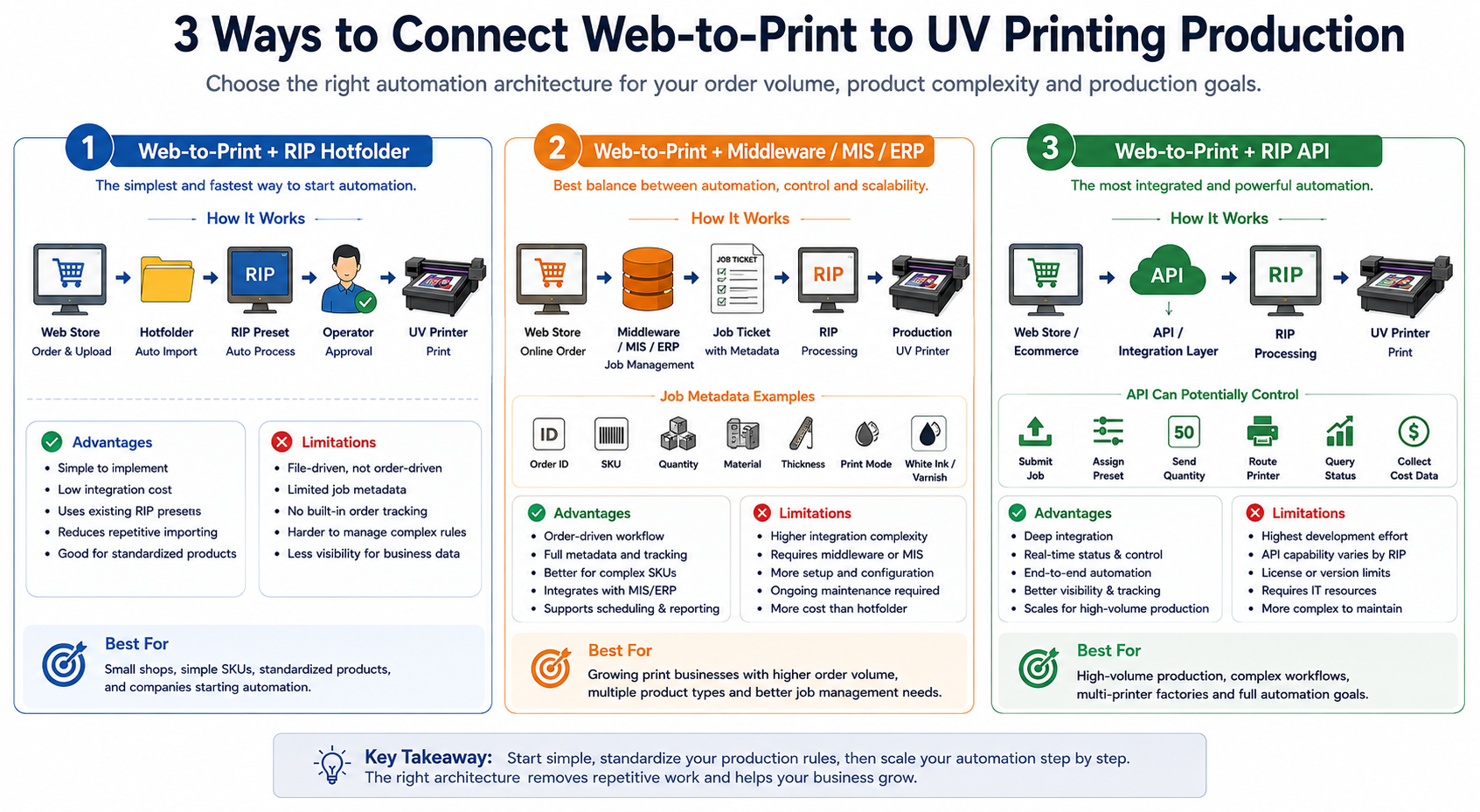
Solution 1: Web-to-Print + RIP Hotfolder
The simplest practical architecture is often a Web-to-Print system connected to predefined RIP hotfolders.
This approach is particularly useful for small shops, standardized products, and businesses beginning their first stage of UV printing automation.
Πώς λειτουργεί
A typical workflow is:
Website → Print-Ready PDF → Hotfolder → RIP Preset → Operator Approval → Print
Different products can be routed into different folders. For example:
/Acrylic_Color_White/
/PVC_CMYK/
/Glass_White_Color/
/HighQuality/
Each folder can correspond to a predefined RIP processing workflow.
Instead of manually opening the RIP, selecting the same preset, and importing the file for every order, the operator receives jobs that have already entered the correct processing path.
Φόντα
- Relatively simple to implement
- Lower integration complexity
- Reduces repetitive RIP importing
- Works well with standardized products
- Easy for production staff to understand
- Can use existing RIP presets
Περιορισμοί
A hotfolder is primarily a file-driven workflow.
It can determine that a file entering Folder A should use Preset A, but it may not automatically understand the complete business context behind that job.
For example, it may not know whether the order has been paid, whether it is urgent, whether it is a reprint, whether the material is in stock, or whether another item belongs to the same shipment.
Hotfolder automation is file-driven, but a growing factory often needs order-driven automation.
Καλύτερο για
This architecture is usually most suitable for businesses with relatively simple SKU structures, predictable materials, limited production routes, and moderate order volume.
Solution 2: Web-to-Print + Middleware / MIS / ERP
As a printing business grows, file routing alone may no longer provide enough information.
The company may need to connect ecommerce orders with production scheduling, job tracking, inventory, reprints, due dates, customer service, and multiple printers.
This is where middleware, MIS, ERP, or another workflow layer becomes valuable.
Πώς λειτουργεί
The architecture becomes:
Web Store → Middleware / MIS / ERP → Job Ticket → Prepress / RIP → Production
The middleware acts as a translator between ecommerce language and production language.
The customer sees:
Product + Size + Options + Quantity
The production system sees:
Material + Thickness + Print Mode + Ink Layers + Quantity + Due Date
What Should a Job Ticket Contain?
Order ID
A unique order or job ID is essential for tracking production, quality issues, reprints, customer communication, and shipping.
SKU
The SKU connects the product purchased online with the corresponding production rule.
Quantity
The ordered quantity should travel with the job instead of being manually re-entered at the RIP stage.
Υλικό
The system should identify whether the job uses acrylic, PVC, wood, metal, glass, foam board, or another substrate.
Thickness
Thickness is especially important for UV flatbed printing because it affects physical loading and printhead clearance.
Print Mode
The job should specify the intended production quality or RIP preset instead of leaving every operator to make an independent decision.
White Ink and Varnish Requirement
For UV printing, white and varnish information should be treated as production data rather than an informal note attached to the order.
When This Architecture Makes Sense
A middleware or MIS approach becomes particularly useful when a business processes many daily orders, has multiple product categories, operates several printers, separates office and production departments, or needs more complete job tracking.
A company processing 100–500 or more orders per day is an easy example, but there is no universal order-volume threshold. The decision depends on workflow complexity and the amount of manual administration required for each job.
Solution 3: Web-to-Print + RIP API
The most integrated architecture connects external business systems directly with RIP functionality through an API.
The simplified architecture is:
Web Store → Integration Layer / API → RIP → Print Queue → Printer
Some modern professional RIP platforms provide APIs for connecting external systems such as ecommerce software, ERP platforms, or custom production applications.
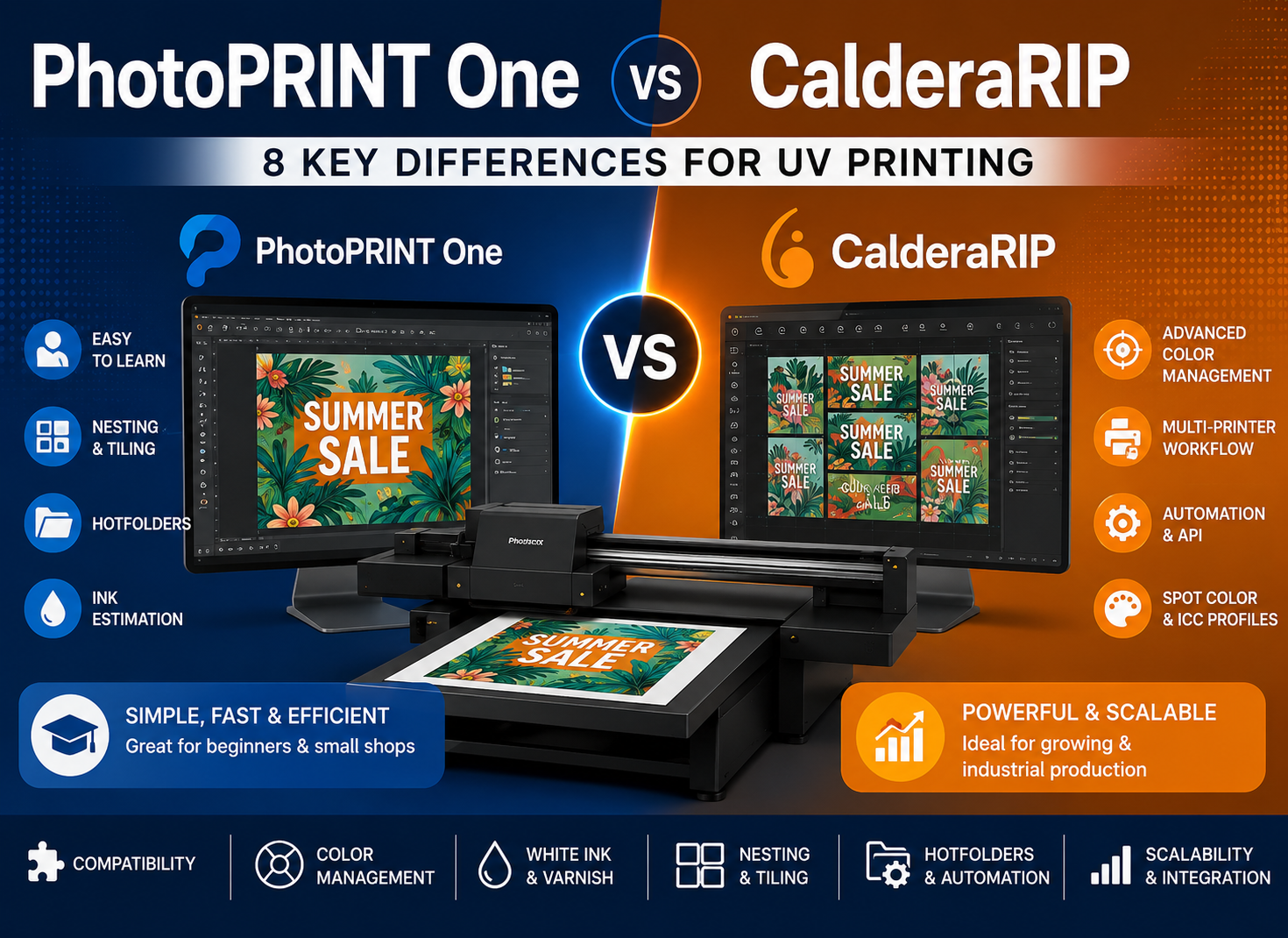
For example, Caldera provides its CalderaConnect REST API as an integration option for connecting Caldera workflows with third-party business systems.
Learn more about CalderaConnect REST API
How API-Based RIP Automation Works
The web store produces artwork and order information. An integration layer converts that information into commands or job data that the RIP can understand.
Depending on the RIP environment, the system may then submit the job, associate production parameters, place it into a queue, and return processing or device status information.
This enables a workflow in which production systems communicate rather than relying on employees to manually transfer data from one application to another.
What Can a RIP API Potentially Control?
Depending on the RIP vendor, software version, license, and printer integration, API functions may include:
- Submitting print jobs
- Assigning or selecting production settings
- Transmitting quantities
- Routing jobs to an available device
- Querying job status
- Monitoring printer or queue activity
- Collecting workflow or cost information
- Returning production status to another business system
This makes API-based integration fundamentally different from simply placing a PDF into a folder.
A hotfolder mainly reacts to a file. An API can potentially exchange structured data, commands, responses, and job status.
Important: Not Every RIP Has the Same API Capabilities
API capability varies by RIP vendor, version, license, printer integration, and configuration.
Before designing a Web-to-Print API project, confirm:
- Whether an API is available
- License or subscription requirements
- Supported job submission functions
- Available job-status information
- Printer compatibility
- Authentication requirements
- Network architecture
- Error and retry behavior
- What still requires operator approval
Never assume that every RIP can be connected directly to every ecommerce store without additional development.
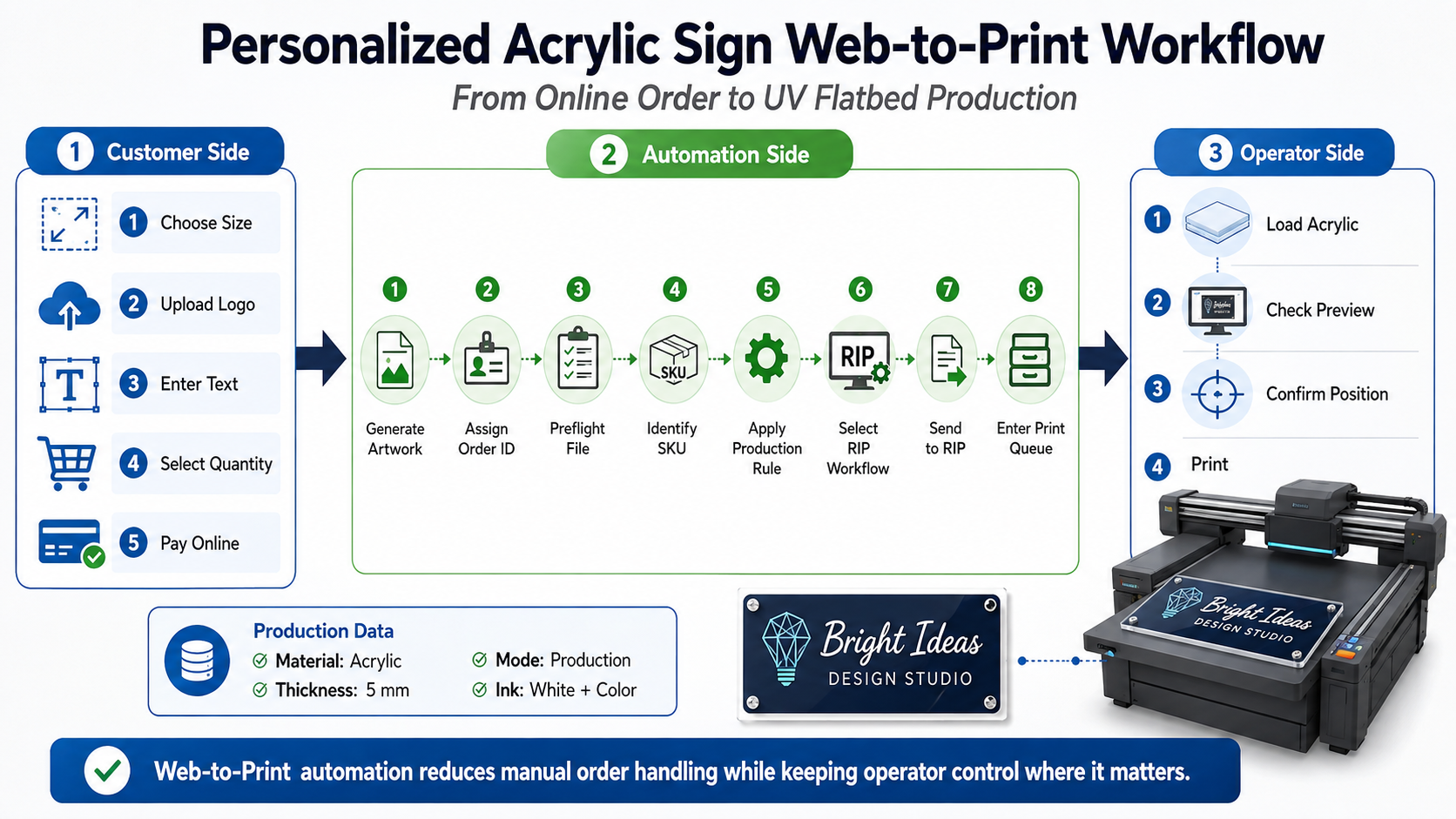
Example: A Web-to-Print Workflow for Personalized Acrylic Signs
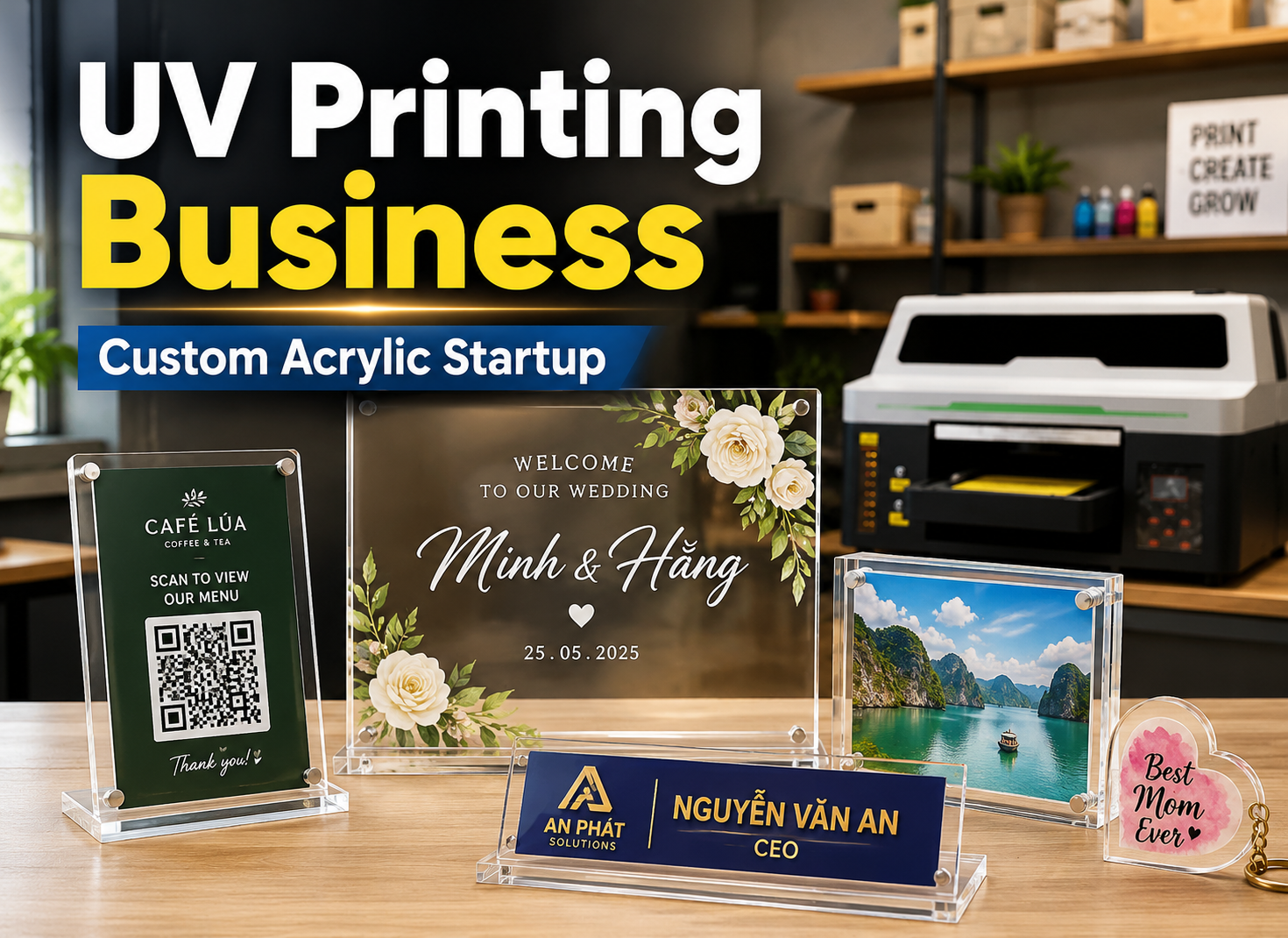
Personalized acrylic signs provide a useful example because they combine ecommerce customization with typical UV flatbed production requirements.
Customer Side
The customer may:
- Select an acrylic size
- Choose a product style
- Upload a logo or image
- Enter personalized text
- Select quantity
- Confirm options
- Pay online
Automation Side
After checkout, the workflow can automatically perform a series of actions:
Generate Artwork → Assign Order ID → Preflight File → Identify SKU → Apply Production Rule → Select RIP Workflow → Submit Job → Enter Production Queue
The order record can contain the required material, dimensions, thickness, quantity, white ink structure, and production preset.
Instead of an office employee rebuilding the production instructions manually, the information generated during ordering follows the job downstream.
Operator Side
The operator still performs the physical tasks that matter:
- Load the correct acrylic
- Confirm material thickness
- Check the job preview
- Verify positioning or origin
- Confirm fixture conditions when required
- Check surface preparation
- Start production
This distinction is important.
A practical UV flatbed workflow should not casually promise that an online order can automatically start printing without human involvement. Physical material loading, substrate height, adhesion treatment, positioning, fixtures, and equipment safety still matter.
How Variable Data Fits into Web-to-Print
Web-to-Print and variable data printing solve different parts of the automation problem.
Web-to-Print captures the customer’s choices and personalization data. Variable data processing converts those inputs into individualized production artwork.
For example:
Customer Name: David → Design Template → Personalized Artwork → Print-Ready Job
When hundreds of customers order different names, photographs, serial numbers, QR codes, or designs, the goal should not be to manually edit hundreds of files.
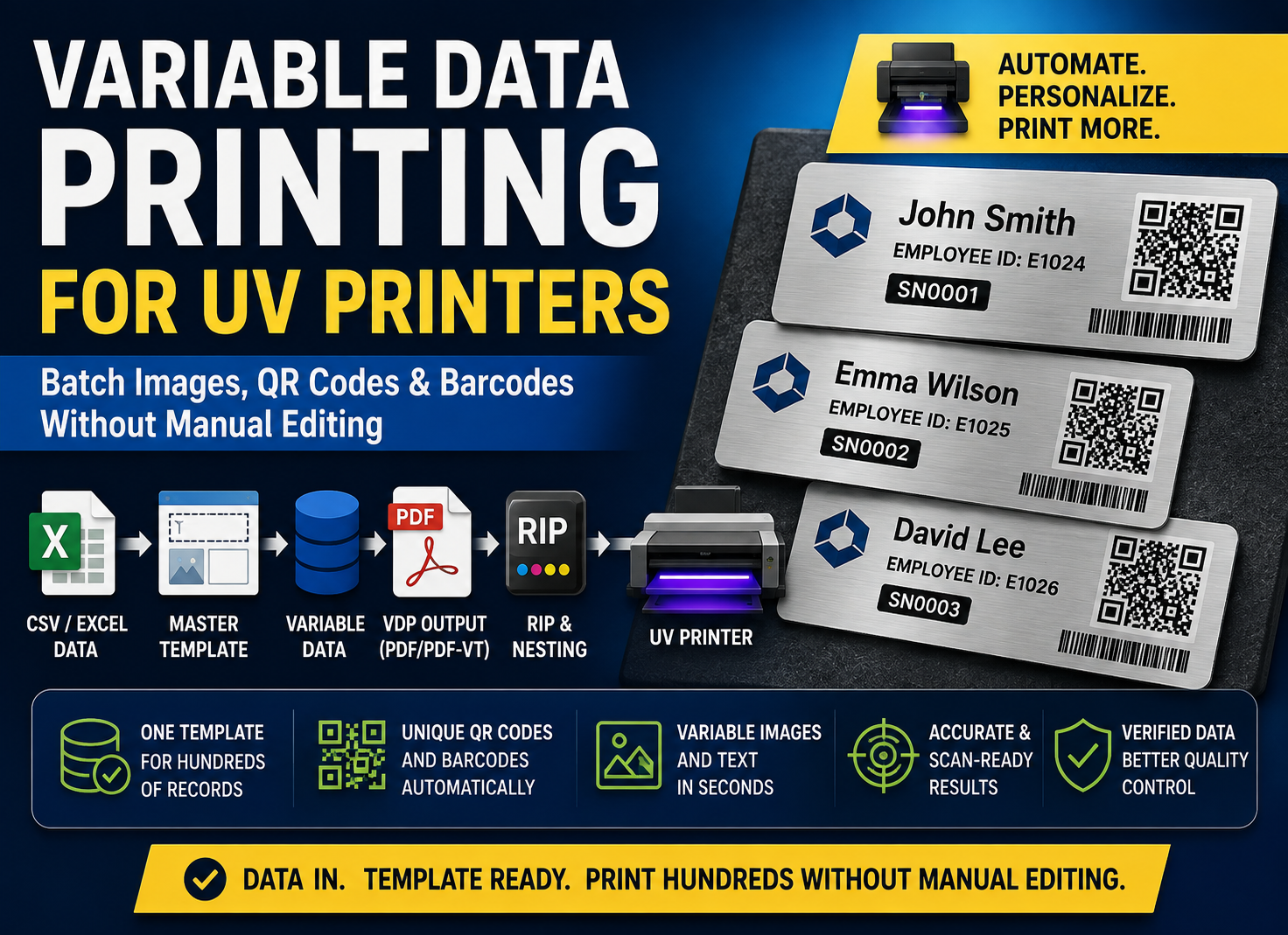
This topic is covered in more detail in our Variable Data Printing and Batch Personalization Guide.
How Automatic Nesting Fits into Web-to-Print
Once personalized files have been generated, another problem appears: there may now be dozens or hundreds of finished print files waiting for production.
Instead of arranging every customer file manually, compatible jobs can be grouped into a production batch and automatically nested.
The workflow becomes:
Approved Web Orders → Production Batch → Automatic Nesting → RIP → UV Printer
This is where the previous article in this series becomes part of the larger Web-to-Print architecture.
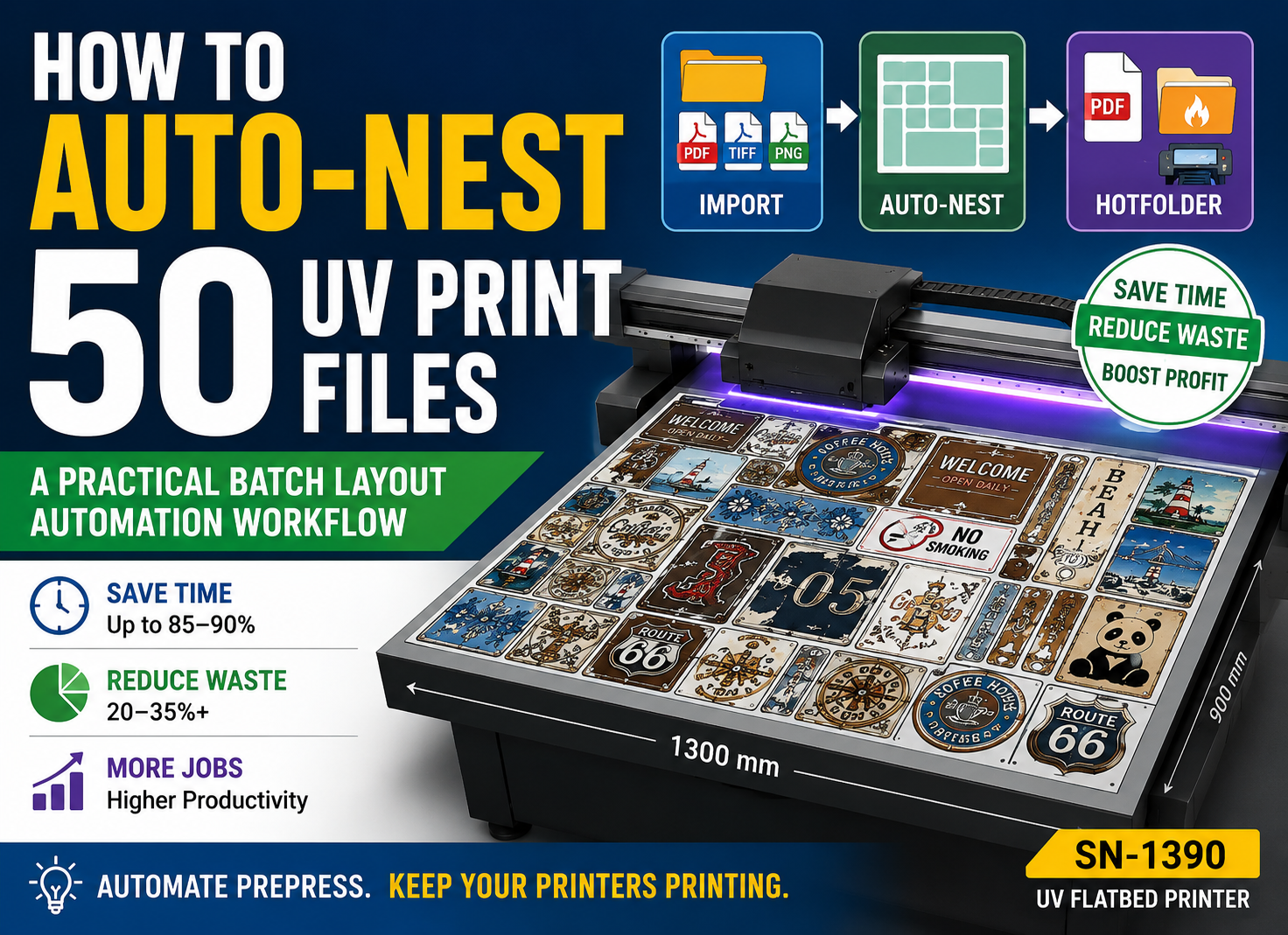
See How to Auto-Nest 50 UV Print Files: A Practical Batch Layout Automation Workflow for a detailed explanation of rule-based nesting, layout optimization, and RIP hotfolder workflows.
The Biggest Risks in a Fully Automated UV Workflow
Automation can reduce repetitive mistakes, but it can also amplify incorrect rules.
A wrong manual decision may affect one job. A wrong automation rule can affect hundreds of jobs.
For this reason, validation and exception handling are essential.
Wrong Customer File
If the system selects an outdated or incorrect artwork version, automation may process the wrong file perfectly. File version control should therefore be part of the workflow.
Wrong Material
An incorrect SKU-to-material mapping can send a job into the wrong production group or cause operators to prepare the wrong substrate.
Wrong Print Mode
A production job accidentally assigned to a high-quality or draft mode can create a mismatch in quality, speed, ink usage, or delivery time.
Wrong White Layer
Incorrect white ink configuration is particularly serious when printing transparent acrylic, dark materials, reverse-print applications, or multilayer effects.
Duplicate Jobs
If an API request times out and the external system resubmits the same order without proper duplicate protection, the RIP may receive the same production job twice.
Unique job IDs and submission logic should be designed to reduce this risk.
Missing Orders
A job may successfully leave the website but fail before reaching the production queue.
A mature system should therefore track workflow status instead of assuming that “file sent” means “job ready.”
Reliable automation requires:
Logging + Status Tracking + Alerts + Exception Handling
—not simply automatic file transfer.
Human Approval vs. Fully Automatic Printing
Automation should be matched to the stability of the production process.
For many UV printing businesses, keeping strategic human approval is more practical than aiming immediately for unattended production.
| Automation Level | Typical Workflow |
|---|---|
| Level 1 | Automated preparation + manual approval |
| Level 2 | Automated RIP processing + manual material loading |
| Level 3 | Highly automated standardized production workflow |
Level 1: Automated Preparation + Manual Approval
The system handles naming, sorting, preflight, file preparation, and job data. An operator reviews the result before submission.
This is often an excellent first automation step because it removes repetitive office work without removing final production control.
Level 2: Automated RIP + Manual Loading
The system may also assign presets, create layouts, submit RIP jobs, and organize the print queue.
Operators still load materials, verify thickness, check fixtures, position substrates, and approve physical production.
Level 3: Highly Automated Production Workflow
Greater automation becomes more realistic when the products are highly standardized and repeatable.
Examples include workflows with fixed SKUs, known materials, predictable dimensions, stable fixtures, repeatable print modes, and controlled material handling.
Automation level should follow process stability, not ambition.
Which Web-to-Print Architecture Should You Choose?
The most advanced architecture is not automatically the best architecture.
| Production Type | Recommended Architecture |
|---|---|
| Small custom print shop | Web Store + Hotfolder |
| Growing UV printing business | Web Store + Middleware / MIS / ERP |
| High-volume standardized production | Web Store + RIP API |
| Many personalized orders | Web-to-Print + Variable Data + RIP |
| Many small files per production batch | Web-to-Print + Automatic Nesting + RIP |
| Multi-printer factory | MIS / ERP + API + Centralized Workflow |
The correct question is not:
“How can we build the most automated system possible?”
The better question is:
“What is the simplest architecture that can reliably process our current and expected order volume?”
Final Checklist Before Automating Your UV Production
Before investing in a more advanced automated print production system, review the following questions:
- Are your product SKUs standardized?
- Does every SKU map to a known material?
- Is substrate thickness defined?
- Are finished print sizes standardized?
- Are artwork dimensions and bleed rules defined?
- Are accepted file formats clearly specified?
- Can files be automatically preflighted?
- Does each product map to a known RIP or media preset?
- Is the required print mode defined?
- Are white ink rules standardized?
- Is varnish requirement defined?
- Can every job be traced by Order ID?
- Can the system identify duplicate submissions?
- Can missing or failed jobs trigger an alert?
- Does your RIP support hotfolders, APIs, or another integration method?
- Which production steps still require operator approval?
If many of these questions do not yet have clear answers, API development should probably not be the first priority.
Standardize the production rules first. Then automate them.
Frequently Asked Questions About Web-to-Print UV Printing
What is Web-to-Print for UV printing?
Web-to-Print for UV printing is a workflow that connects online product ordering and artwork submission with downstream production processes such as file generation, preflight, job data, RIP processing, nesting, print queues, and UV printer production.
Can a website send print jobs directly to RIP software?
Potentially yes. The connection may use hotfolders, middleware, MIS/ERP software, or an API. The available options depend on the Web-to-Print platform, RIP software, version, license, printer integration, and required production controls.
What is the difference between a hotfolder and a RIP API?
ΕΝΑ hotfolder is primarily a file-based automation method. Files placed into a defined folder are processed using preset rules.
ΕΝΑ RIP API can potentially exchange structured data, commands, status information, and workflow events between applications, depending on the API’s capabilities.
Does every RIP support Web-to-Print integration?
No. Integration capabilities vary significantly between RIP products and versions. Some provide hotfolders, some provide APIs, and others may require middleware or custom development. Always verify capabilities before designing the workflow.
Can Web-to-Print automate personalized UV products?
Yes. Personalized names, graphics, numbers, images, QR codes, and other variable elements can be collected online and converted into production artwork using an appropriate variable data workflow.
Do I still need an operator after RIP automation?
In most UV flatbed production environments, yes. Automation can reduce repetitive data entry and file preparation, but operators may still need to load substrates, verify thickness, check positioning, manage fixtures, perform surface treatment, inspect output, and supervise equipment safety.
Should a small UV print shop use a RIP API?
Not necessarily. If the business handles a relatively small number of standardized products, hotfolder automation may solve most of the repetitive work at much lower integration complexity. API integration becomes more valuable when order volume, product complexity, system connectivity, or production tracking requirements increase.
Conclusion: From Online Order to UV Production
A true Web-to-Print workflow does not end when the customer clicks “Pay.”
The larger opportunity is to connect the entire production chain:
Website Order → Artwork → Job Data → Preflight → Variable Data → Automatic Nesting → RIP → Print Queue → UV Printer
The right automation architecture may be as simple as a set of carefully configured hotfolders, or as advanced as an ecommerce platform connected through middleware and a RIP API.
The objective is the same: reduce repetitive manual handling while keeping the production controls that protect quality and equipment.
For a growing UV printing company, this connected architecture can improve order capacity without requiring office workload to increase at the same rate as sales volume.
Tell us your UV printer model, daily order volume, product type, and current RIP software. Our technical team can help you evaluate which workflow architecture is suitable for your production.