

 Hebrew
  English
  Arabic
  German
  French
  Spanish
  Turkish
  Italian
  Russian
  Persian
  Bengali
  Persian (Afghanistan)
  Scottish Gaelic
  Panjabi
  Croatian
  Slovenian
  Greek
Greek  Afrikaans
  Czech
Czech  Korean
  Japanese
  Portuguese



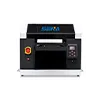
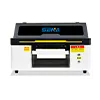
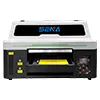
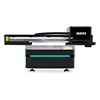
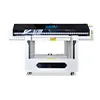
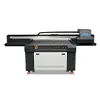
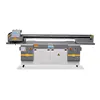

How to Print on Cylindrical Products with a UV Printer and Rotary Device
UV printing is not limited to flat materials. With the help of a rotary device, a UV printer can also print directly on many cylindrical products, such as wine bottles, aluminum cans, stainless steel tumblers, cosmetic bottles, perfume bottles and other round objects.
For many businesses, rotary UV printing is not only a printing method, but also a new business opportunity. It allows users to produce customized bottles, promotional gifts, packaging samples and small-batch personalized products without making plates, molds or labels.
This article explains how a UV printer for cylindrical objects works, what products can be printed, how to control printing quality, and what common problems should be avoided during rotary UV printing.

Can a UV Printer Print on Cylindrical Products?
Yes. A UV printer can print on cylindrical products when it is equipped with a suitable rotary device. A standard UV flatbed printer is mainly designed for flat materials, but the rotary system allows round objects to rotate during printing. This makes it possible to print images around curved surfaces.
The key point is that the product should be a regular cylindrical object. Smooth round bottles, cans, cups and tubes are easier to print. Products with a large taper, uneven surface, strong texture or irregular shape may be more difficult to print accurately.
In most cases, a complete cylindrical printing solution includes the UV printer, rotary device, correct software settings, suitable ink configuration and proper product positioning.
What Cylindrical Products Can Be Printed?
א bottle UV printer with a rotary device can be used for many different industries. It is especially useful for gift customization, packaging samples, beverage branding, cosmetic packaging and personalized products.
Common printable cylindrical products include:
- Glass wine bottles
- Aluminum cans
- Stainless steel tumblers
- Cosmetic bottles
- Perfume bottles
- Plastic water bottles
- Candle jars
- Sports bottles
- Round gift boxes
- Small cylindrical tubes
Compared with stickers or traditional screen printing, UV direct printing is more flexible for small orders and multiple designs. Customers can print logos, names, patterns, QR codes, brand graphics and limited-edition designs directly on the product surface.
Printable Size Range for Cylindrical Objects
The printable size depends on the UV printer model and the rotary device configuration. Before choosing a UV printer for cylindrical objects, customers should confirm the diameter, length, weight and printable area of their products.
Different rotary devices support different product sizes. Some are suitable for small bottles and cosmetic containers, while others are designed for larger tumblers, cans or long cylindrical products.
| Item | What to Check |
|---|---|
| Diameter | Whether the rotary device can hold and rotate the product smoothly |
| Length | Whether the product fits within the printer working area |
| Weight | Whether the rotary motor can rotate the object steadily |
| מִשׁטָח | Whether the material surface is smooth and suitable for UV ink |
| אזור הדפסה | Whether the job requires partial printing or full-wrap printing |
If you need to print a specific bottle or cup, it is better to provide the supplier with the product diameter, length, material and sample photos before purchasing the machine. This helps confirm whether the rotary device is suitable for your application.
How Does the Rotary Device Work?
The rotary device works by rotating the cylindrical product while the UV printer prints the image. Instead of placing the object flat on the printing platform, the product is fixed on the rotary device. During printing, the object rotates according to the printing movement.
The printhead sprays UV ink onto the curved surface, and the UV lamp cures the ink quickly. Through the cooperation of the printer and the rotary device, the image can be printed around the product surface.
This is the basic principle of rotary UV printing. Good results depend on stable rotation, accurate positioning and correct artwork size.

Printing Process for Cylindrical Products
Cylindrical UV printing requires careful preparation. Even if the printer and rotary device are ready, the final result still depends on correct setup and operation.
Step 1: Check the Product Surface
Different materials have different ink adhesion. Glass, metal, stainless steel, aluminum and plastic may require different surface treatment methods. Some materials can be printed directly, while others may need coating or primer to improve adhesion.
Step 2: Install the Rotary Device
The rotary device should be installed correctly and kept level. The bottle, can or tumbler must be fixed firmly. If the product shakes during rotation, the printed image may become blurred or misaligned.
Step 3: Measure the Diameter and Printing Area
Before printing, users should measure the product diameter and confirm the printing height and width. For full-wrap printing, the circumference of the product is very important. If the artwork size does not match the circumference, the image may overlap or leave a gap.
Step 4: Prepare the Artwork
The artwork should be adjusted according to the printable area. Logos, text, QR codes and barcodes should be placed carefully. For curved surfaces, small text and detailed graphics require higher positioning accuracy.
Step 5: Adjust Positioning
Positioning is one of the most important steps in cylindrical printing. The operator needs to confirm the starting point of the image and make sure the product is aligned correctly. This is especially important when printing brand logos, front labels or designs that must appear in a fixed position.
Step 6: Start Printing and UV Curing
After setup, the UV printer starts printing while the rotary device rotates the object. UV ink is cured quickly by UV light, which helps improve production efficiency and makes the printed image ready for handling soon after printing.

Image Positioning and Full-Wrap Printing
There are two common printing methods for cylindrical products: partial printing and full-wrap printing.
Partial printing is used for logos, labels, names, small patterns and product information. It is easier to control because the image only covers part of the product surface.
Full-wrap printing means the image goes around the cylindrical product. This type of printing requires more accurate measurement and artwork preparation. The operator needs to calculate the circumference correctly and adjust the file size before printing.
If the artwork is too long, the image may overlap at the joint position. If the artwork is too short, there may be a visible blank gap. For products such as bottles and tumblers, it is usually recommended to make a sample test before batch production.
For logos, QR codes, barcodes and small text, it is better not to place them at the connection point of a full-wrap design. This can reduce the risk of visible misalignment.
Common Problems in Cylindrical UV Printing
Rotary UV printing can create attractive products, but some problems may happen if the setup is not correct. Understanding these problems helps users improve printing stability.
1. Image Misalignment
Image misalignment is often caused by incorrect product positioning, unstable rotation or wrong starting point setting. The product should be fixed firmly, and the rotary device should rotate smoothly during printing.
2. Image Stretching or Compression
If the product diameter or circumference is measured incorrectly, the image may look stretched or compressed. Accurate measurement is especially important for full-wrap printing.
3. Poor Ink Adhesion
Poor adhesion may happen on glass, metal or some plastic materials. In this case, coating, primer or surface cleaning may be required. The correct treatment depends on the product material and final use environment.
4. Uneven Printing on Curved Surface
Some products are not perfectly cylindrical. If the surface has a large taper, uneven thickness, raised texture or special shape, the distance between the printhead and the product surface may change during printing. This can affect image clarity.
5. White Ink Coverage Problems
For transparent or dark-colored products, white ink is often needed as a base layer. If the white ink setting is not correct, the color may not look bright enough. Proper white ink configuration is important for glass bottles, black tumblers and dark packaging.
6. Scratches After Printing
Scratches may be caused by insufficient curing, poor surface treatment or high wear resistance requirements. For products that will be used frequently, such as tumblers and bottles, users may need to test adhesion and abrasion resistance before mass production.
Is Rotary UV Printing Worth Investing In?
For many customers, rotary UV printing is a valuable investment because it expands the application range of a UV printer. Instead of only printing flat products, users can also print cylindrical products and offer more customized services.
This application is especially suitable for businesses that need small-batch production, fast design changes and personalized customization.
Suitable customer types include:
- Promotional gift companies
- Custom bottle printing shops
- Cosmetic packaging suppliers
- Wine and beverage brands
- E-commerce personalized product sellers
- Advertising and branding companies
- Small production workshops
- Packaging sample manufacturers
עם א bottle UV printer and rotary device, users can produce custom products without traditional plate-making. This makes it easier to accept small orders, test new designs and provide faster delivery for customers.
Business Opportunities for Bottle and Tumbler UV Printing
Cylindrical UV printing has strong business potential because many products in daily life are round. Personalized bottles, branded cups and customized packaging are widely used in gifts, retail, events and product promotion.
Popular business applications include:
- Personalized water bottles
- Custom wine bottles
- Logo printed tumblers
- Promotional aluminum cans
- Cosmetic sample bottles
- Wedding gift bottles
- Sports club bottles
- Brand packaging samples
- Limited-edition product packaging
For small and medium businesses, UV printing can reduce the cost of customization. Customers do not need to order large quantities of labels or screens. They can print different designs directly on different products.

How to Choose a UV Printer for Cylindrical Objects
כאשר בוחרים א UV printer for cylindrical objects, customers should not only look at the printer size. The rotary device, ink configuration, software support and technical service are also important.
Important factors to consider:
- Whether the UV printer supports rotary device installation
- The supported diameter and length of cylindrical products
- The maximum product height and working area
- Whether the machine supports white ink and varnish
- Whether the printer is suitable for glass, metal, plastic and stainless steel
- Whether the software can set correct printing size and positioning
- Whether the supplier can provide sample printing and operation guidance
- Whether ink, spare parts and technical support are available after purchase
Before buying a bottle UV printer, it is recommended to send your product samples or detailed product size to the supplier. A professional supplier can help confirm whether the machine and rotary device are suitable for your products.
מַסְקָנָה
A UV printer with rotary device can print on many regular cylindrical products, including wine bottles, aluminum cans, tumblers, cosmetic bottles, perfume bottles and other round objects. This makes UV printing more flexible and opens more business opportunities for customization and packaging production.
To achieve stable results, users should pay attention to product size, surface material, rotary device setup, image positioning, circumference calculation and ink adhesion. These factors directly affect the final printing quality.
For businesses that want to offer customized bottles, promotional gifts, tumblers, cans or packaging samples, rotary UV printing can be a practical and profitable application. If you want to print cylindrical products, SENA can help you choose a suitable UV printer and rotary device according to your product size, material and production needs.