

 Hebrew
  English
  Arabic
  German
  French
  Spanish
  Turkish
  Italian
  Russian
  Persian
  Bengali
  Persian (Afghanistan)
  Scottish Gaelic
  Panjabi
  Croatian
  Slovenian
  Greek
Greek  Afrikaans
  Czech
Czech  Korean
  Japanese
  Portuguese





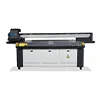
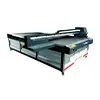
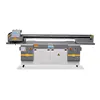
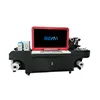
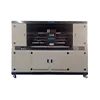
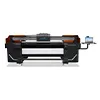
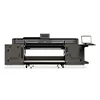

PhotoPRINT One vs CalderaRIP for UV Printing: 8 Key Differences Beginners Should Know
Choosing a UV printer is only one part of building a reliable digital printing workflow. After selecting the printer, printhead configuration, ink system and applications, another important decision appears: which RIP software should you use?
For many new operators, the comparison eventually becomes PhotoPRINT One vs CalderaRIP. Both are designed to help turn artwork into production-ready print jobs, but choosing between them should not be based on brand recognition alone. The better question is whether the RIP matches your printer, operator experience, color requirements, job volume and future production plan.
A small custom-gift shop running one UV printer has very different workflow requirements from a factory operating several flatbed printers, processing hundreds of files and trying to connect online orders to production. Paying for functions you do not use can unnecessarily complicate the workflow. On the other hand, choosing a RIP only because it looks simple today may create limitations when production expands.
This guide compares PhotoPRINT One and CalderaRIP from the perspective of a real UV printing business. Instead of declaring one universal winner, we will examine eight practical areas: compatibility, ease of use, color management, white ink and varnish, nesting, hotfolder automation, multi-printer production and future workflow integration.
What Does RIP Software Actually Do for a UV Printer?
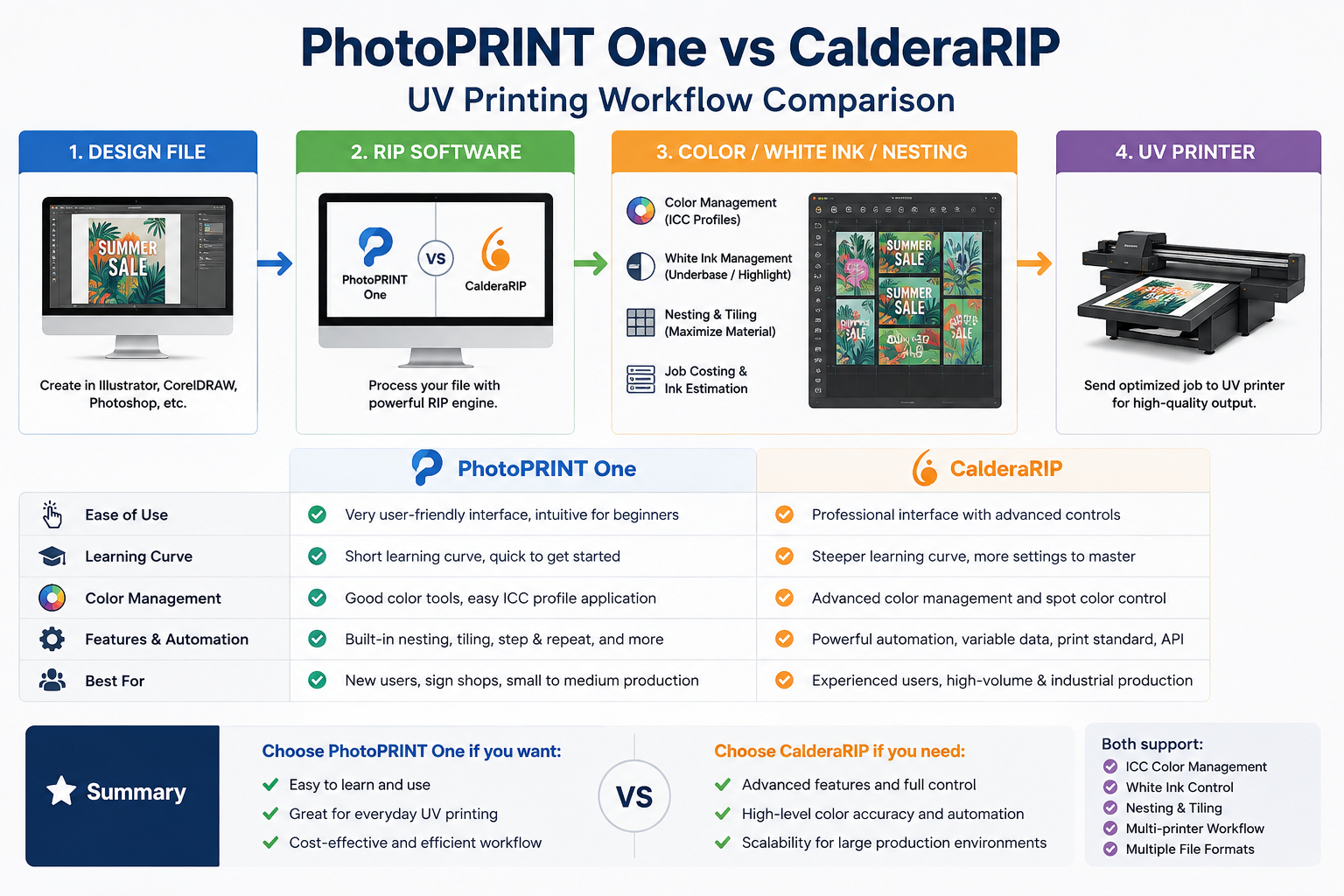
RIP stands for Raster Image Processor. In practical terms, RIP software acts as an important bridge between your design file and your UV printer.
A designer may prepare artwork in Adobe Illustrator, Photoshop, CorelDRAW or another design program. That artwork contains visual information, but the printer still needs production instructions. The RIP processes the file and converts it into data that the printer and its driver can use.
RIP Is More Than a Printer Driver
Depending on the printer, driver and RIP configuration, a production workflow may involve:
- print resolution and pass settings;
- color conversion and ICC profiles;
- ink limits and color output;
- white ink generation;
- spot-color handling;
- varnish or special ink channels;
- job scaling and duplication;
- nesting multiple files on one sheet or bed;
- tiling oversized graphics;
- job queues and production presets;
- batch processing and workflow automation.
This explains why two operators using the same printer can sometimes obtain different production results. The mechanical machine may be identical, but the RIP settings, color profile, pass mode, white ink strategy and job-preparation method can be different.
For a UV printing business, choosing RIP software is therefore not simply an IT decision. It is part of the entire UV printing workflow.
What Is PhotoPRINT One?
PhotoPRINT One is a RIP and print-production solution from SAi. Its current positioning focuses strongly on making professional production tools easier to learn and adopt. Features promoted for the workflow include ink estimation, nesting, hot folders and tiling.
That combination can be attractive to a shop where the operator wants to move from artwork to production without building an unnecessarily complicated prepress environment.
Where PhotoPRINT One Can Make Sense
Imagine a small production shop operating one UV printer for personalized signs, acrylic products, promotional items or short-run graphics. Most jobs use a limited number of standard materials and production presets.
In this situation, the most valuable RIP feature may not be the longest list of advanced functions. The real priority may be:
- short operator training time;
- fast job preparation;
- repeatable daily operation;
- simple nesting;
- basic workflow automation;
- better visibility of estimated ink usage.
PhotoPRINT One can therefore be worth evaluating when simplicity and day-to-day productivity are more important than building a complex production-management architecture from the beginning.
However, this does not mean that PhotoPRINT One is automatically the best RIP for every beginner. Printer compatibility and the required ink configuration must still be verified first.
What Is CalderaRIP?
CalderaRIP is positioned as a complete RIP and production workflow solution for professional large-format printing. Its ecosystem places significant emphasis on color management, multiple production devices, job management, batch preparation and automation.
This becomes increasingly relevant as a printing company grows. When a business operates more equipment, prints on more substrates and employs several operators, workflow consistency becomes as important as the individual print settings.
Where CalderaRIP Becomes Valuable
Consider a company that initially operated one UV printer but later added a second flatbed printer, a wider production machine and perhaps cutting or finishing equipment. Jobs now arrive from several salespeople or online channels. Different materials require different ICC profiles and production settings.
The company may begin asking questions such as:
- How can we manage several production devices more efficiently?
- How can we keep colors consistent across different jobs?
- How can operators reuse validated settings?
- How can we reduce repetitive prepress work?
- Can the RIP eventually communicate with our ERP or online ordering system?
At this stage, RIP selection becomes less about simply sending a file to a printer and more about designing a scalable production workflow.
PhotoPRINT One vs CalderaRIP: 8 Key Differences
1. Printer and Driver Compatibility
This should be the first comparison you make.
A RIP with excellent color management or automation features is not useful if it cannot correctly drive your exact printer configuration. Do not assume that support for a printer brand means support for every model, controller or ink setup.
Before purchasing or changing RIP software, verify:
- the exact printer model;
- printhead type and configuration;
- CMYK channel configuration;
- white ink channels;
- varnish or other special channels;
- required print modes;
- operating-system requirements;
- the correct driver version.
This is particularly important with OEM and customized UV printers. Two machines that look similar externally may use different electronics, printheads or driver configurations.
Practical recommendation: ask your printer supplier and RIP provider to confirm compatibility with your exact configuration before making the software purchase.
2. Ease of Learning and Daily Operation
More functions do not automatically produce a more efficient print shop. The workflow also has to match the people operating it.
If one operator runs the printer and most jobs are repeated products, a straightforward interface and reusable production settings can be more valuable than a highly configurable environment that the operator rarely uses.
When evaluating ease of use, test real daily tasks rather than only watching a software demonstration:
- import five customer files;
- resize several jobs;
- duplicate quantities;
- select the correct media profile;
- prepare white ink;
- nest jobs;
- RIP and send them to production.
Record how many manual decisions are required and how easy it is for a second operator to repeat the same workflow correctly.
PhotoPRINT One currently emphasizes fast learning and easier adoption. CalderaRIP provides a broader production environment that can become especially useful when the shop requires more extensive workflow control. The right choice depends on whether your current priority is operational simplicity or deeper production management.
3. Color Management and ICC Profiles
Color management is one of the most important reasons professional print shops use RIP software.
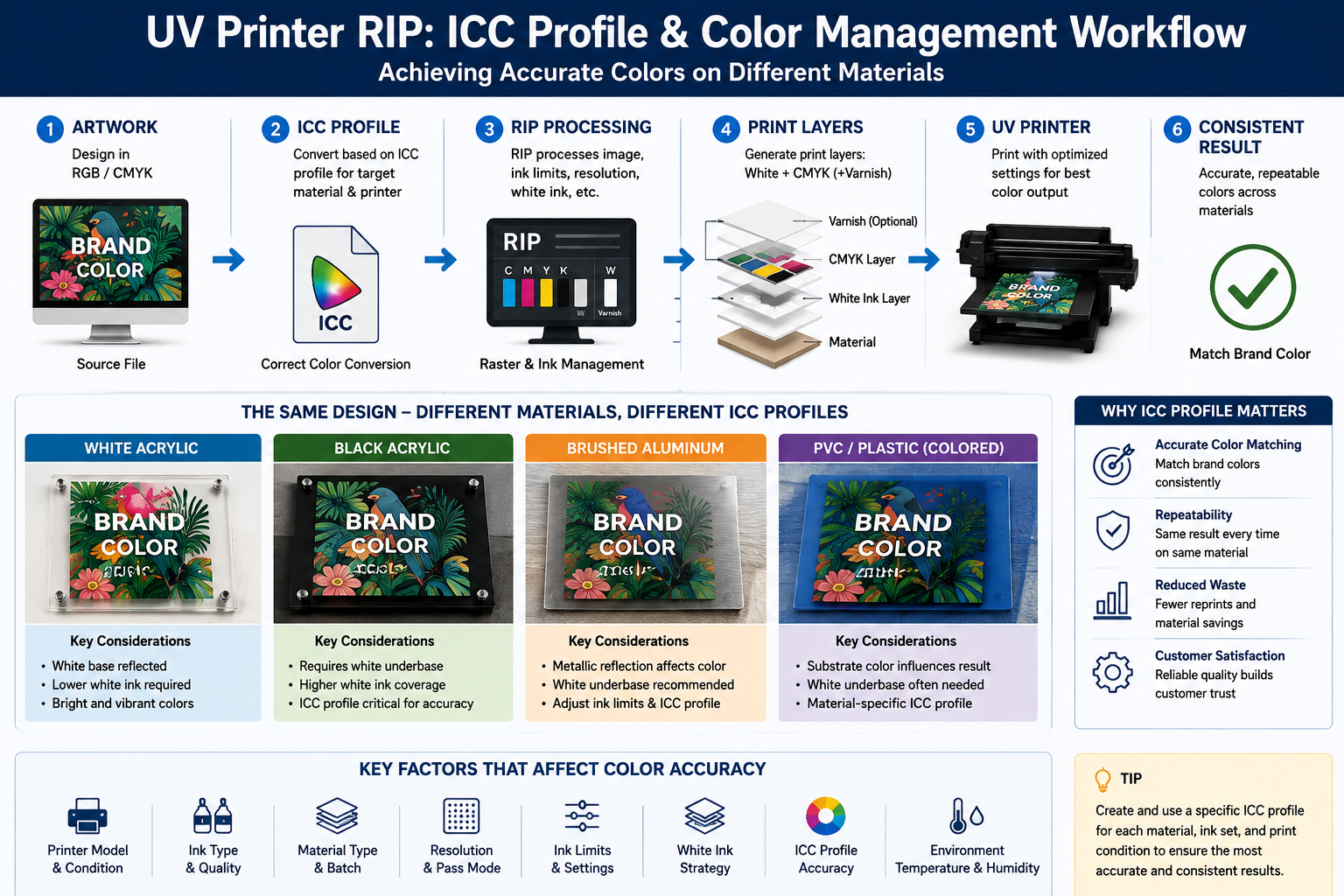
An ICC profile helps translate source colors into output values appropriate for a specific printing condition. In UV printing, that condition is influenced by more than the printer itself. It can include:
- printer model;
- ink set;
- substrate;
- resolution;
- pass mode;
- ink limits;
- white underbase strategy.
If your business prints customer logos, retail displays, branded packaging or corporate signage, color consistency can be commercially more important than maximum print speed.
CalderaRIP places substantial emphasis on ICC profiling and professional color-management workflows. When comparing it with PhotoPRINT One, however, do not ask only, “Which has better color?” Instead ask:
How much control does my actual production require, and who will create and maintain the profiles?
A sophisticated profiling system cannot compensate for clogged nozzles, unstable white ink, incorrect ink limits or inconsistent substrate batches.
For a deeper explanation of this process, see our upcoming guide:
ICC Profiles for UV Printing: How to Match Brand Colors on Dark Materials.
4. White Ink, Varnish and Special Ink Workflow
This is where a generic RIP comparison often becomes less useful for UV printer owners.
UV flatbed printing frequently involves more than CMYK. A shop may need:
- white underbase on black acrylic;
- spot white behind selected graphic areas;
- white-color-white multilayer printing;
- color plus varnish;
- selective gloss effects;
- layered printing on transparent materials.
The RIP must work correctly with the printer driver and ink-channel configuration to create the required output.
Therefore, avoid asking only:
“Does this RIP support white ink?”
A better question is:
“Does this RIP, with the driver for my exact printer configuration, support the white and varnish workflow I actually need?”
Ask the supplier to demonstrate a real file similar to your product. If you print transparent acrylic, request a transparent-material example. If you print dark PVC, test a white-underbase job. If you require varnish, test selective varnish rather than assuming a menu option guarantees the required output.
5. Nesting, Tiling and Material Utilization
Nesting becomes increasingly important when the number of short-run jobs increases.
Suppose you have 30 different acrylic signs to print on one large sheet. Placing every file manually takes operator time and may leave unnecessary gaps between jobs. A nesting workflow can arrange multiple jobs more efficiently while respecting spacing, orientation and production requirements.
PhotoPRINT One currently includes manual, one-click and automatic nesting capabilities. CalderaRIP also provides tools for preparing and batching multiple jobs within a professional production workflow.
But automatic nesting should not be evaluated only by whether the software can “fit more files.” In UV flatbed production, you also need to consider:
- material dimensions;
- safe margins;
- fixture or jig positions;
- printing direction;
- white ink requirements;
- different material thicknesses;
- cutting or finishing requirements.
For standardized jobs, nesting can save significant preparation time and reduce material waste. For irregular production, operator control may still be required.
We will cover this in detail in
How to Auto-Nest 50 UV Print Files: A Practical Batch Layout Automation Workflow.
6. Hotfolders and Workflow Automation
A traditional job-preparation workflow may look like this:
Open file → import job → select settings → RIP → send to printer.
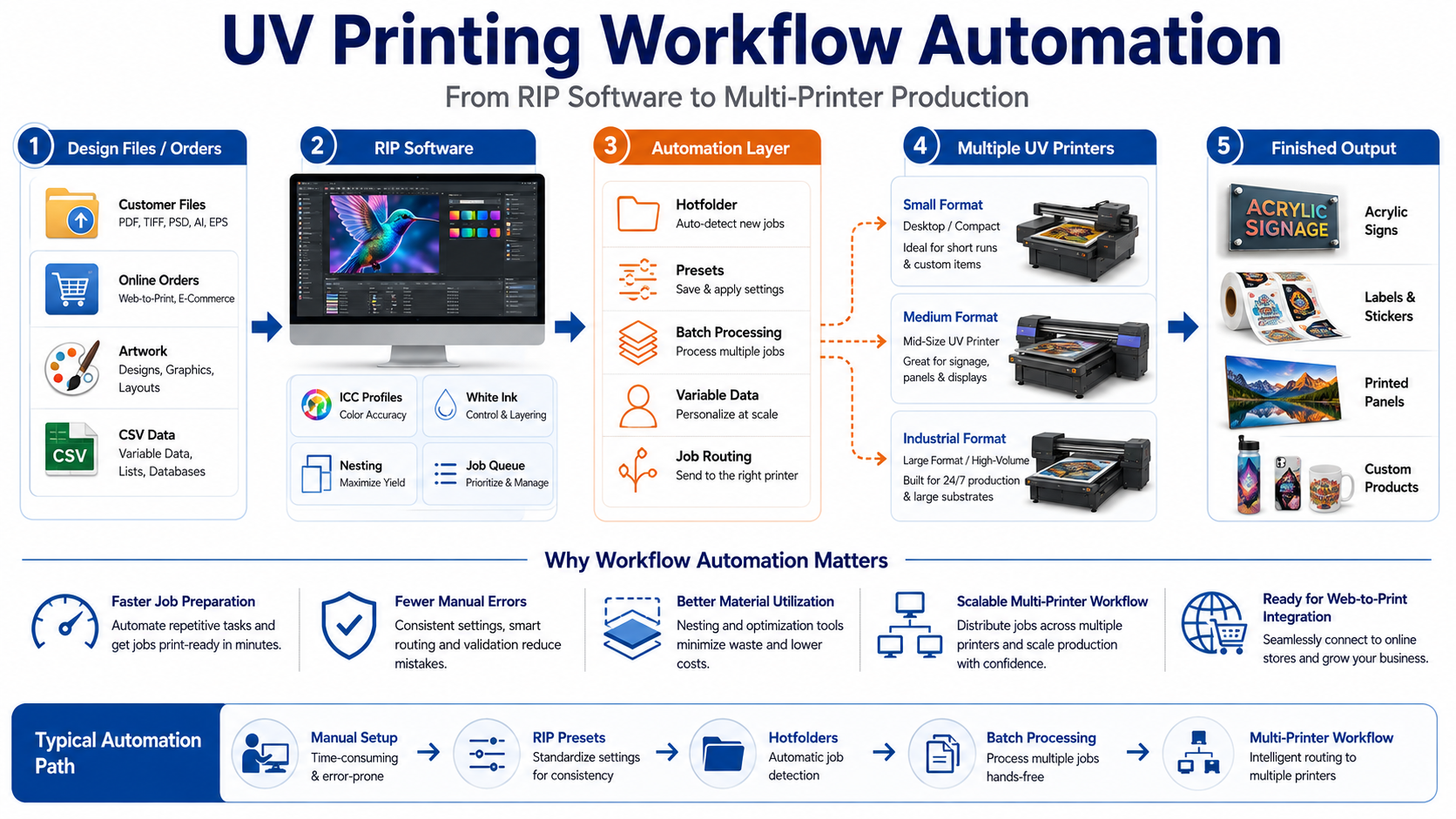
A hotfolder can reduce some of these repetitive actions. Files placed into a designated folder can enter a predefined production workflow using rules or presets configured for that folder.
For example, a company producing standardized 200 × 300 mm acrylic signs could create separate workflows for:
- clear acrylic with white underbase;
- white PVC with CMYK only;
- black acrylic with white + color;
- repeat orders requiring the same print mode.
Hotfolder automation is most valuable when jobs are standardized. If every file requires a different material, size, white layer and print mode, automatically sending files into production without checking them can create expensive errors.
Both PhotoPRINT One and Caldera workflows provide hotfolder capabilities, but the important question is how easily those capabilities fit into your actual production rules.
7. Multiple Printers and Production Scalability
A startup may begin with one desktop UV printer. Two years later, the same business could be operating several machines for different order types.
For example:
- one small UV printer for samples and personalized gifts;
- one 6090-class printer for medium-format products;
- one 1390-class machine for signs and panels;
- one 2513 UV flatbed printer for large-sheet production.
Once several printers are involved, workflow questions change. You may need consistent job settings, multiple print queues, easier operator training, better production visibility and more predictable color across devices.
CalderaRIP places strong emphasis on managing multiple compatible production devices from one RIP environment. For a company expecting to build a larger equipment fleet, this type of scalability deserves consideration during the initial software decision.
For a single-machine business, however, buying a workflow designed around future complexity may not provide immediate value. Scale should be planned—but not exaggerated.
8. Automation and Future Integration
The final difference becomes important when a print business wants to reduce manual order handling.
A mature workflow may eventually look like:
Online Order → Artwork Generation → Preflight → RIP → Production Queue → UV Printer
At that point, the RIP may need to communicate with other business systems rather than operating as an isolated workstation.
Caldera currently provides an API-based integration path for connecting its software environment with third-party tools such as ERP and e-commerce systems, subject to the relevant version, package and service requirements.
This does not mean every small UV shop needs API integration. In fact, most businesses should automate in stages:
- standardize print presets;
- standardize file naming;
- use nesting consistently;
- introduce hotfolders;
- automate variable data;
- then consider ERP or Web-to-Print integration.
Automating a disorganized workflow usually creates faster mistakes rather than higher productivity.
We will explore this final stage in our guide:
Web-to-Print for UV Printing: 3 Ways to Automate Orders from Website to RIP.
PhotoPRINT One vs CalderaRIP Comparison Table
| גוֹרֵם | PhotoPRINT One | CalderaRIP | What You Should Ask |
|---|---|---|---|
| Learning Curve | Strong emphasis on easier adoption | Broader production environment | How experienced are our operators? |
| תְאִימוּת | Verify exact driver | Verify exact driver | Is our exact printer configuration supported? |
| ניהול צבע | Production color workflow | Strong professional ICC workflow | Do we create and maintain custom profiles? |
| White / Varnish | Driver-dependent | Driver/configuration-dependent | Does it support our exact ink-channel setup? |
| Nesting | Available | Available | How many jobs do we combine per batch? |
| Hotfolders | Available | Available | Are our jobs standardized enough to automate? |
| Multi-Device Workflow | Evaluate against shop requirements | Strong production focus | Will we add more printers? |
| Advanced Integration | Evaluate available workflow options | API-based integration available | Will we connect Web-to-Print or ERP? |
Which RIP Is Better for Your UV Printing Business?
Scenario 1: One A3 Desktop UV Printer
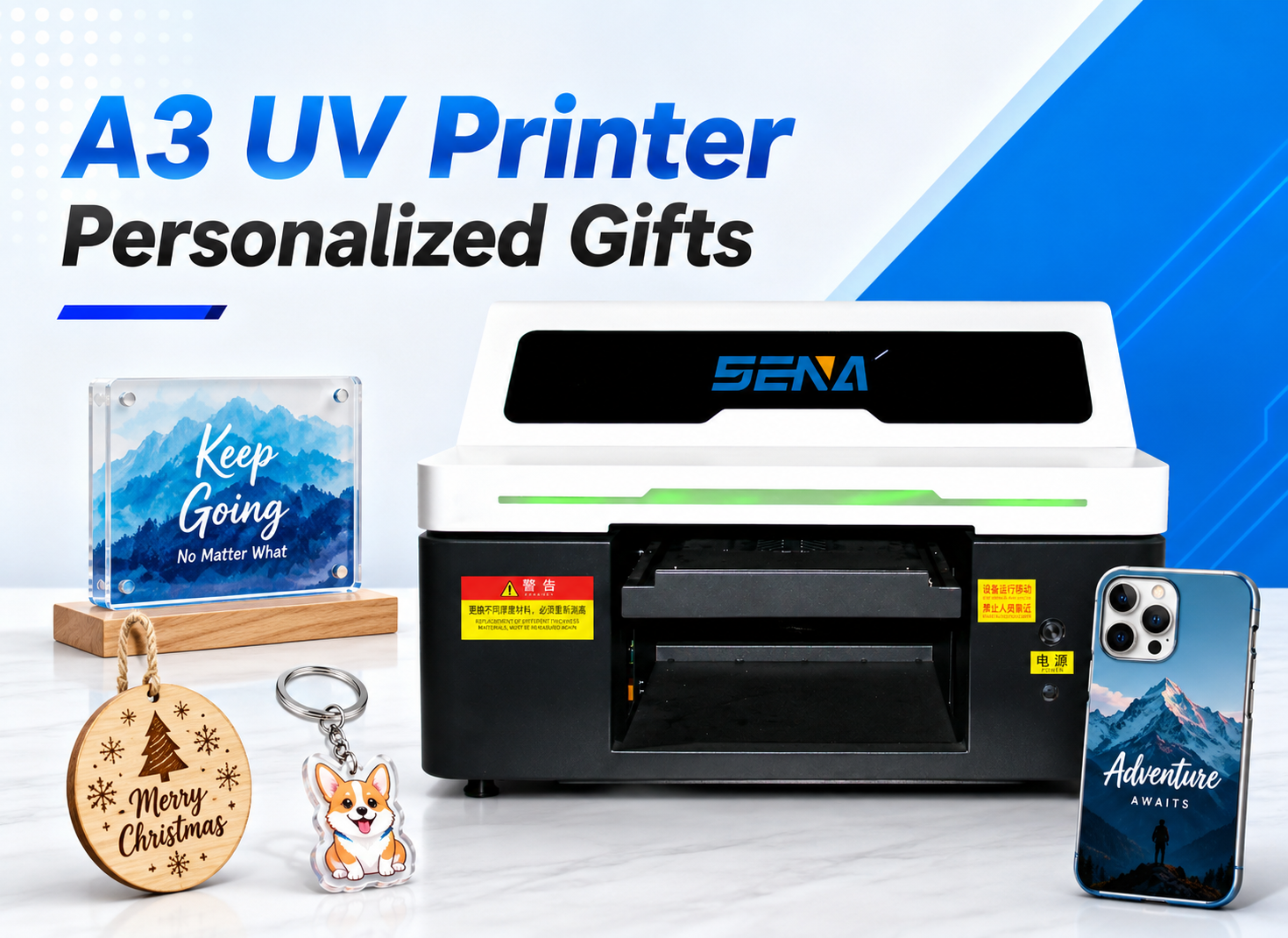
If you operate one small UV printer for customized gifts, phone cases, nameplates or samples, prioritize compatibility, ease of learning and supplier support. Advanced automation may have little value if you process only a small number of jobs each day.
Scenario 2: A Growing Personalized Product Shop
A customization business may receive dozens or hundreds of files containing different names, images, QR codes or serial numbers. In this case, batch processing, variable data and nesting become increasingly important.
See our upcoming guide:
Variable Data Printing for UV Printers: Batch Images, QR Codes and Barcodes Without Manual Editing.
Scenario 3: 6090 or 1390 UV Production Shop
A medium-format production shop usually handles a wider range of substrates and repeat orders. ICC profiles, white-ink presets, nesting and repeatable print modes may become more important than simply having an easy interface.
Scenario 4: Industrial 2513 UV Flatbed Production
For larger flatbed production, the RIP should be evaluated as part of a production system. Consider color consistency, batch preparation, multiple operators, reusable presets, material utilization and the possibility of future equipment expansion.
Scenario 5: Multiple Printers and Online Orders
If orders arrive from an online customization platform and must be routed to several printers, automation and integration become strategic considerations. This is where you should evaluate not just what the RIP can do today, but how it could fit into your future Web-to-Print architecture.
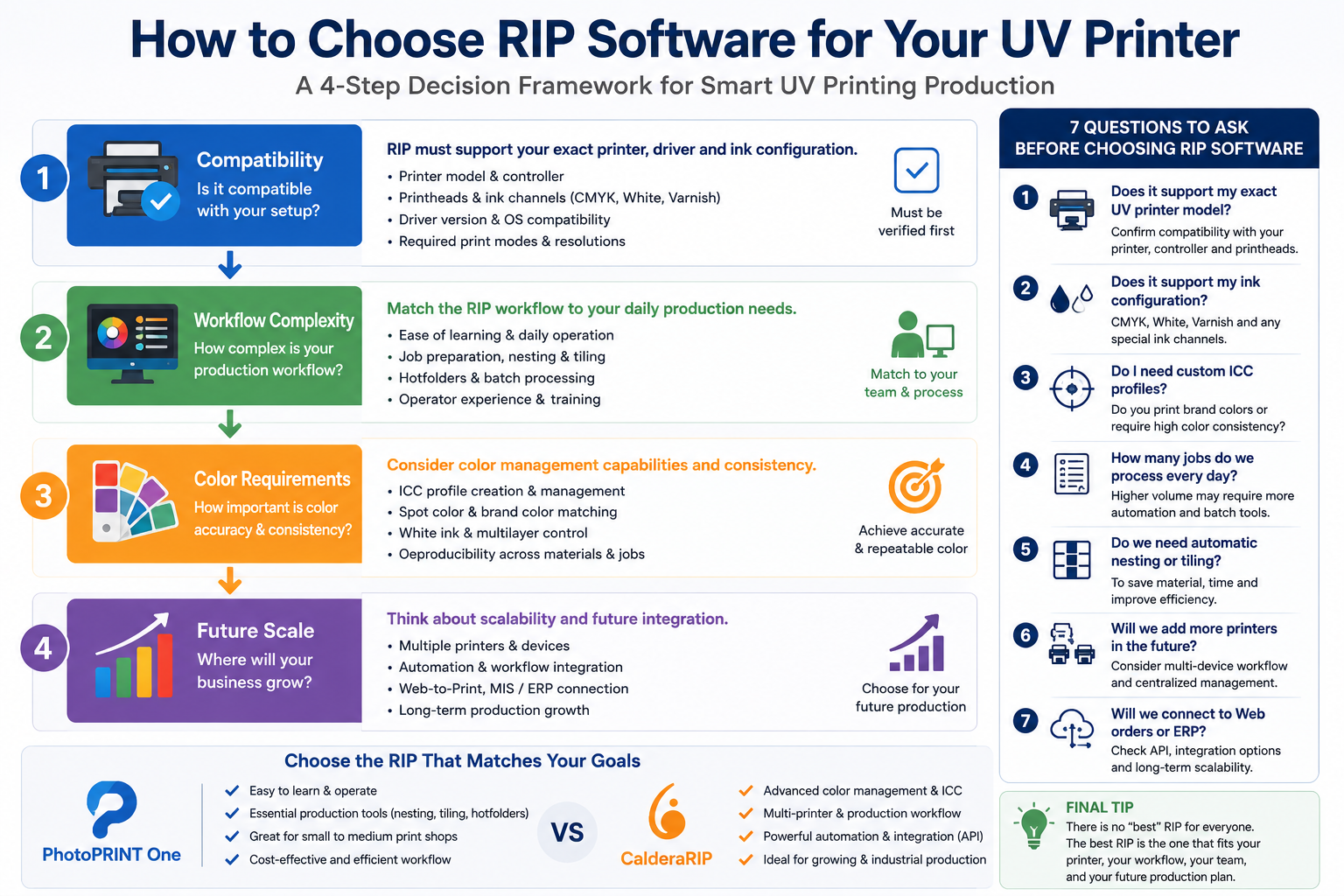
7 Questions to Ask Before Choosing RIP Software
- Does the RIP support my exact UV printer model and controller?
- Does the driver support my CMYK, white and varnish configuration?
- Do I need to create and maintain custom ICC profiles?
- How many jobs do we process every day?
- Do we need automatic nesting or batch processing?
- Will we add more printers in the next one to three years?
- Will we eventually connect online orders, MIS or ERP systems to production?
If you can answer these seven questions clearly, choosing RIP software becomes much easier. You are no longer comparing feature lists—you are matching software to a production model.
Common Mistakes When Choosing UV Printer RIP Software
Choosing by Price Alone
The lowest software price does not necessarily mean the lowest production cost. Operator time, material waste, color corrections and inefficient file preparation can cost much more over the life of the printer.
Assuming Every RIP Supports Every UV Printer
Always verify the exact model and driver. This is especially important for customized UV printing systems.
Ignoring White Ink Workflow
A RIP may be excellent for standard CMYK printing but still require a specific driver or configuration to generate the white and varnish layers needed by your machine.
Using One ICC Profile for Every Material
Acrylic, metal, PVC and other substrates do not necessarily behave the same way. Color management should reflect the actual printing condition rather than relying on one generic profile for every application.
Buying More Automation Than You Need
Automation should remove repetitive work. If your orders are not standardized, adding another automation layer may simply create more setup and troubleshooting.
Ignoring Operator Training
The best RIP on paper can become the wrong RIP if your team cannot use it consistently. Training, documentation and technical support should be included in the buying decision.
Final Verdict: PhotoPRINT One or CalderaRIP?
There is no universal winner in the PhotoPRINT One vs CalderaRIP comparison.
PhotoPRINT One can be attractive for print shops that value a straightforward workflow with practical production tools such as nesting, tiling, hotfolder automation and ink estimation. It may be especially worth evaluating when operator simplicity and efficient day-to-day job preparation are priorities.
CalderaRIP becomes particularly relevant when a printing company needs deeper color-management capabilities, multi-device production control, extensive workflow tools and a path toward more advanced automation or third-party system integration.
However, software features should come after compatibility. Before choosing either RIP, confirm that the software and driver support your exact UV printer model, printhead configuration, white ink, varnish requirements and production modes.
A practical decision hierarchy is:
Compatibility → Workflow Complexity → Color Requirements → Production Volume → Future Scale
Choose the RIP that solves the problems you actually have today while leaving a reasonable path for tomorrow’s production growth.
שאלות נפוצות
What is the best RIP software for a UV printer?
There is no single best RIP for every UV printer. The right software depends on printer-driver compatibility, ink configuration, color-management requirements, operator experience, production volume and automation needs. Always confirm compatibility with your exact machine before comparing advanced features.
Is PhotoPRINT One easier to use than CalderaRIP?
PhotoPRINT One is currently positioned with a strong emphasis on fast learning and easier adoption. CalderaRIP provides a broader professional production environment. However, perceived ease of use depends on operator experience and the complexity of the workflow, so testing both with real production files is more useful than comparing interface screenshots.
Can PhotoPRINT One and CalderaRIP control white ink?
White ink capability cannot be determined from the RIP brand alone. It depends on the RIP, printer driver, printer model and ink-channel configuration. Ask the supplier to demonstrate the exact white-underbase, spot-white or multilayer workflow required for your UV printer.
Do I need an ICC profile for UV printing?
ICC profiles are important when consistent and predictable color matters. Because UV printing can involve different substrates, inks and print modes, the profile should match the actual production condition. White ink and dark materials add additional variables that must also be controlled.
Can RIP software automatically arrange multiple UV print files?
Yes, nesting tools can arrange multiple compatible jobs to improve material utilization and reduce manual layout work. The workflow is most effective when jobs use compatible materials, thicknesses and production settings.
Can RIP software connect to an online store or ERP system?
Some professional RIP ecosystems provide automation and integration options. Caldera, for example, currently offers a REST API that can connect its software environment with systems such as ERP and e-commerce platforms, subject to licensing and service requirements. For smaller shops, hotfolder automation may be a simpler first step.
Need Help Choosing a RIP for Your UV Printer?
Choosing RIP software should start with your real production conditions—not with a software feature list.
If you are evaluating a UV printer or upgrading an existing printing workflow, send us the following information:
- your UV printer model;
- printhead configuration;
- CMYK / white / varnish configuration;
- main printing materials;
- typical daily job volume;
- current RIP software;
- whether you plan to add more printers or workflow automation.
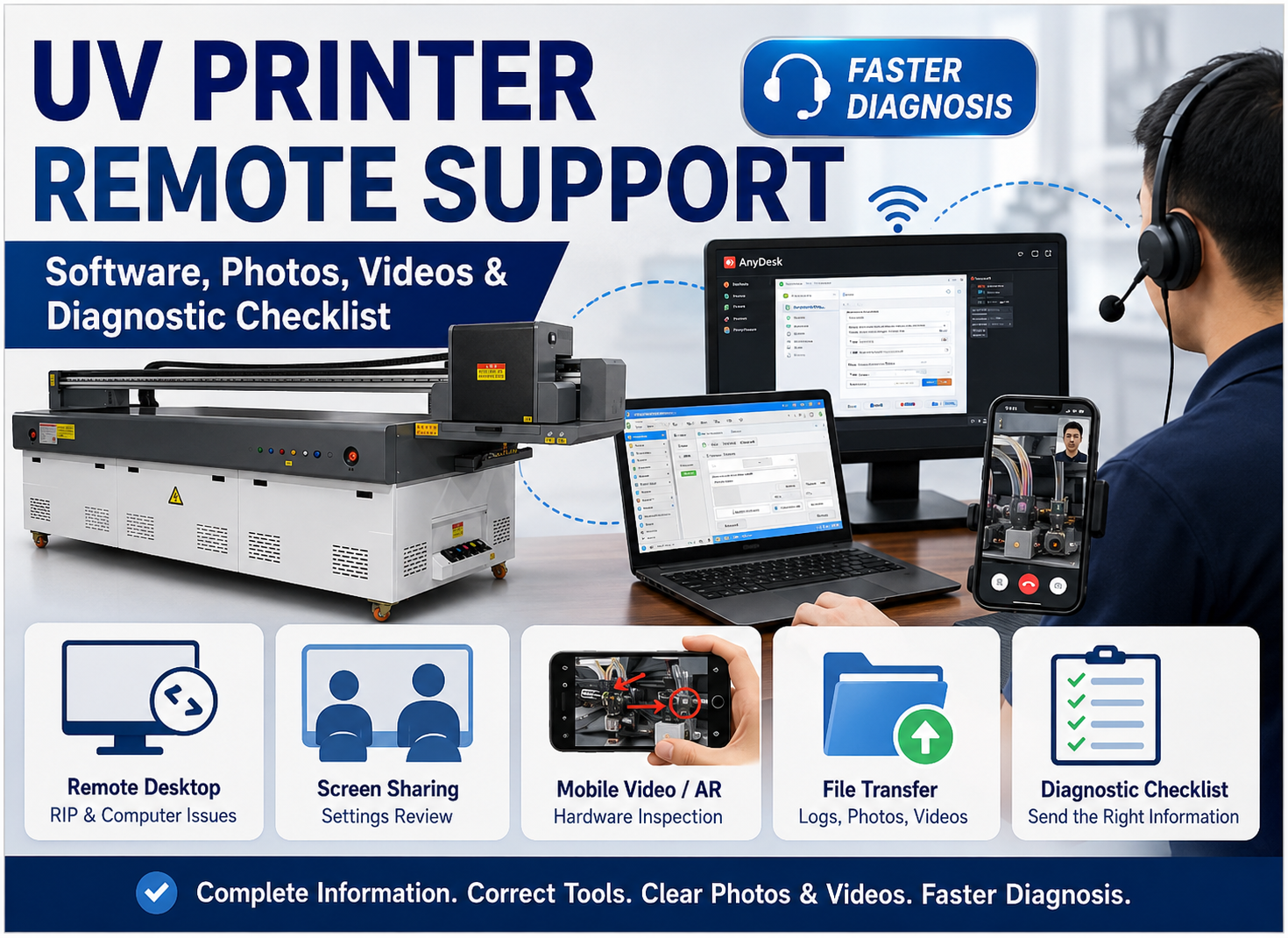
Our technical team can help you evaluate the RIP workflow, printer configuration and production requirements before you build or expand your UV printing system.
Next in the Workflow & RIP Mastery Series:
ICC Profiles for UV Printing: How to Match Brand Colors on Dark Materials