

 Korean
  English
  Arabic
  German
  French
  Spanish
  Turkish
  Italian
  Russian
  Persian
  Bengali
  Hebrew
  Persian (Afghanistan)
  Scottish Gaelic
  Panjabi
  Croatian
  Slovenian
  Greek
Greek  Afrikaans
  Czech
Czech  Japanese
  Portuguese





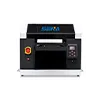
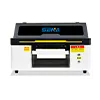
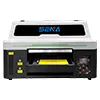
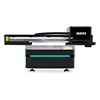
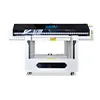
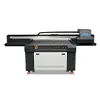
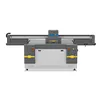
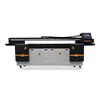
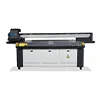
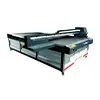
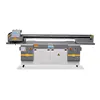
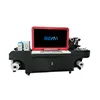

Epson I1600 vs I3200 for UV Printers: Does Double the Nozzle Count Mean Double the Speed?
Epson I1600 vs I3200 is one of the most common printhead comparisons when buyers evaluate desktop, 6090, 1390 and other UV printers. The reason seems obvious: the Epson I1600 has 1,600 nozzles, while the I3200 has 3,200. At first glance, it is easy to assume that twice as many nozzles should mean twice the printing speed.
In real UV production, however, that assumption is too simple.
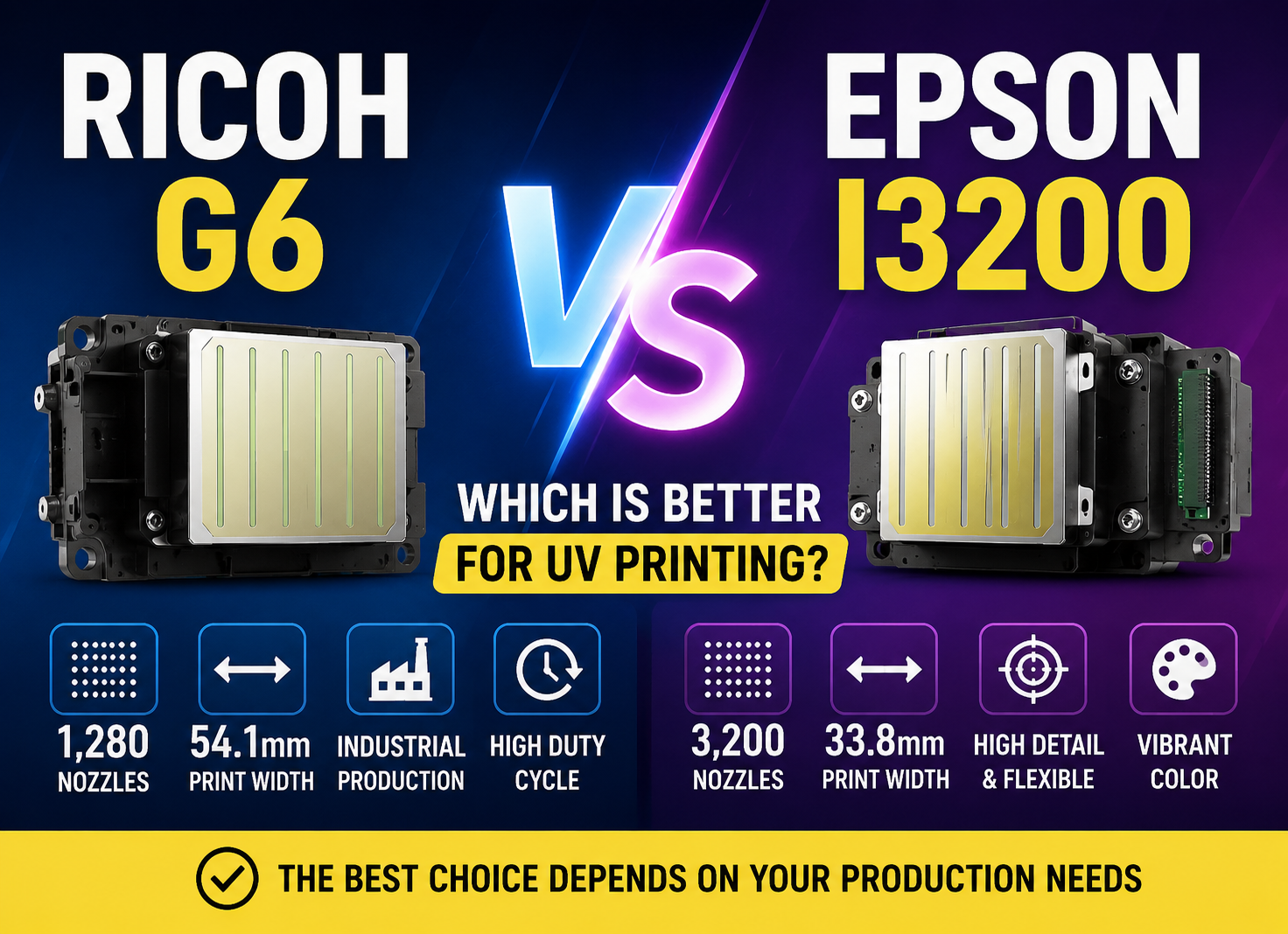
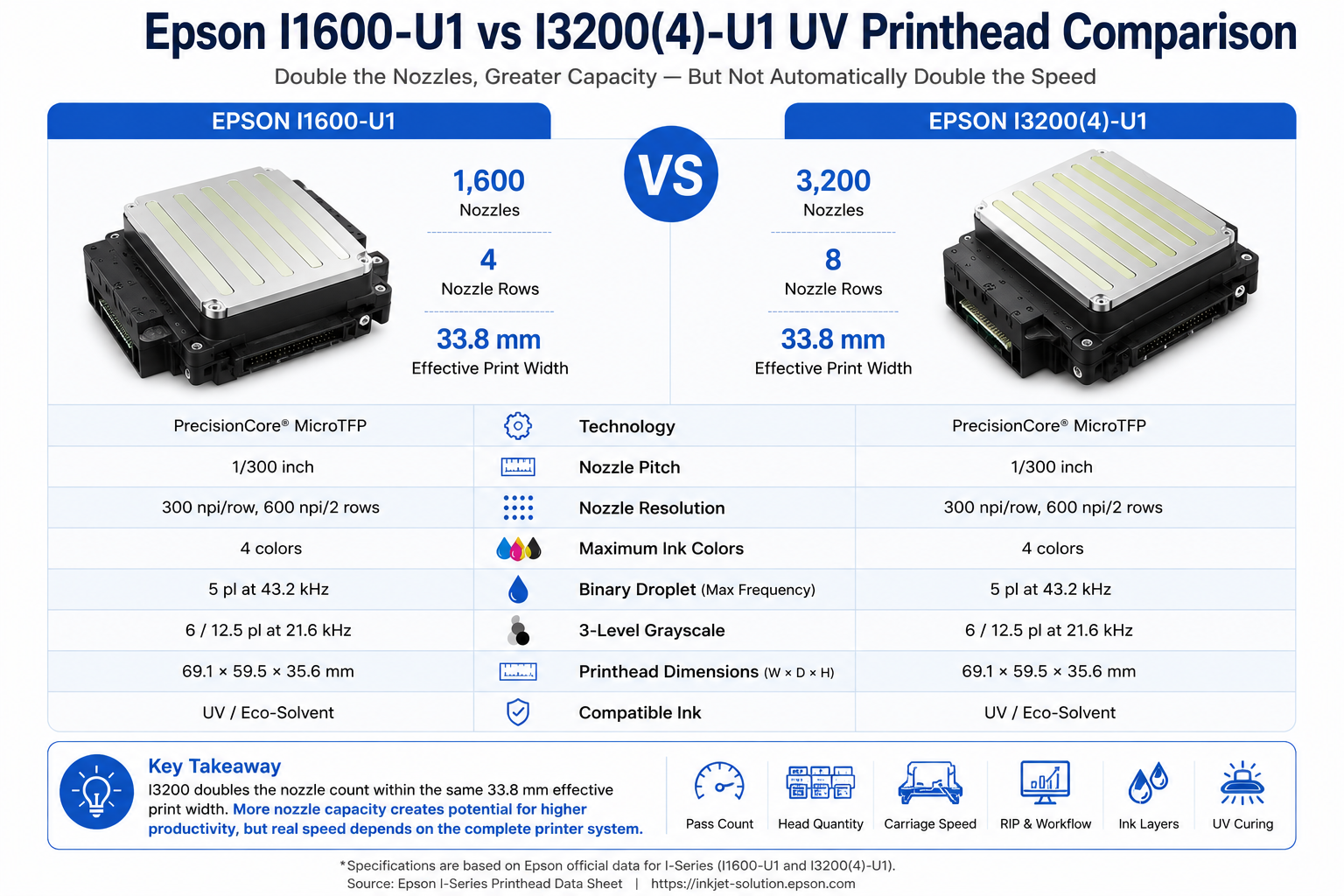
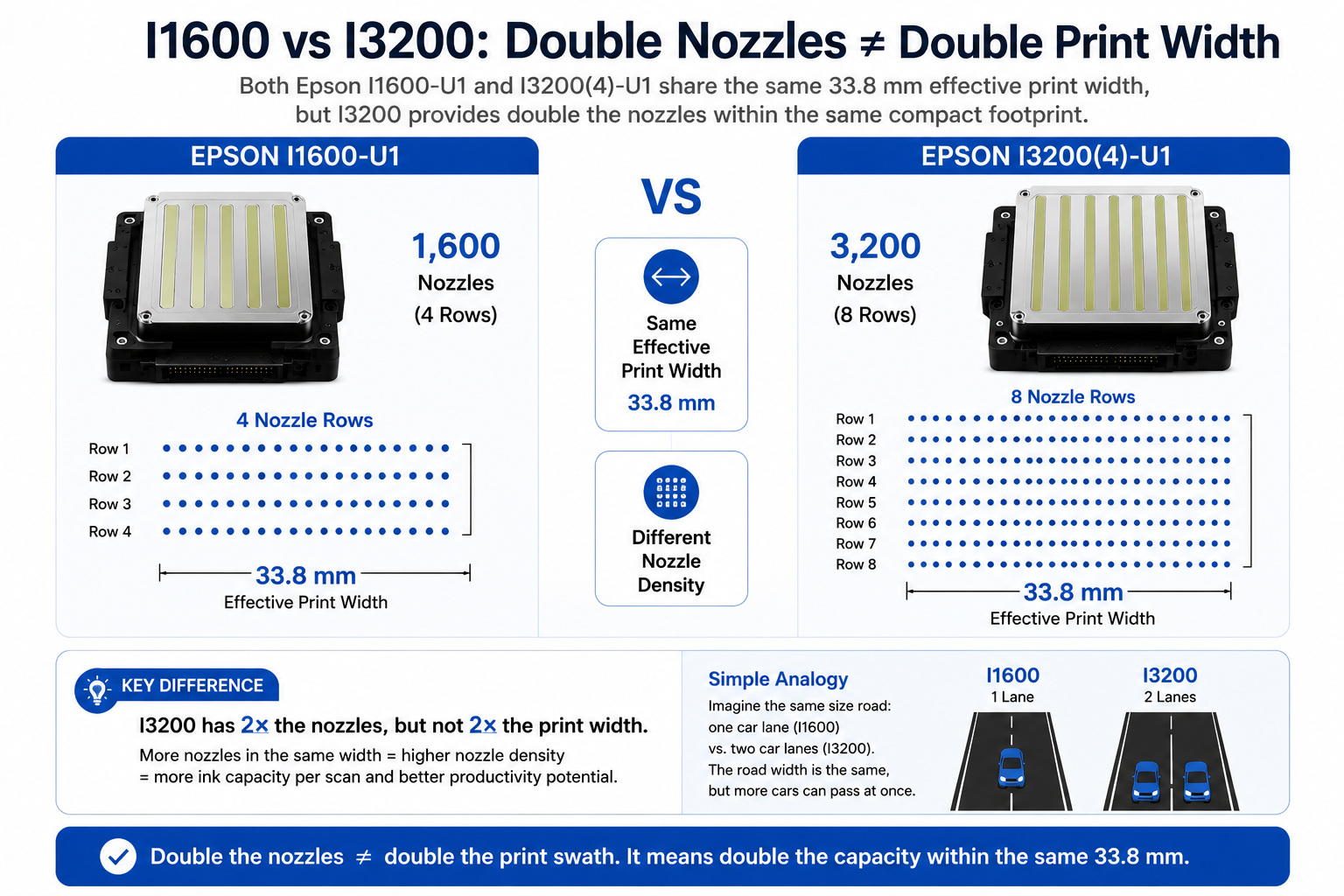
The UV-compatible Epson I1600-U1 and I3200(4)-U1 have the same 33.8 mm effective print width. Their listed binary droplet specification is also the same: 5 pl at 43.2 kHz. The major structural difference is that the I1600 uses 1,600 nozzles arranged in four rows, while the I3200 provides 3,200 nozzles across eight rows.
That additional nozzle capacity can give printer manufacturers more flexibility to increase ink output, optimize color channels, improve productivity and potentially reduce the number of passes required for a target image quality. But it does not mean that every I3200 UV printer will automatically print twice as fast as an I1600 machine.
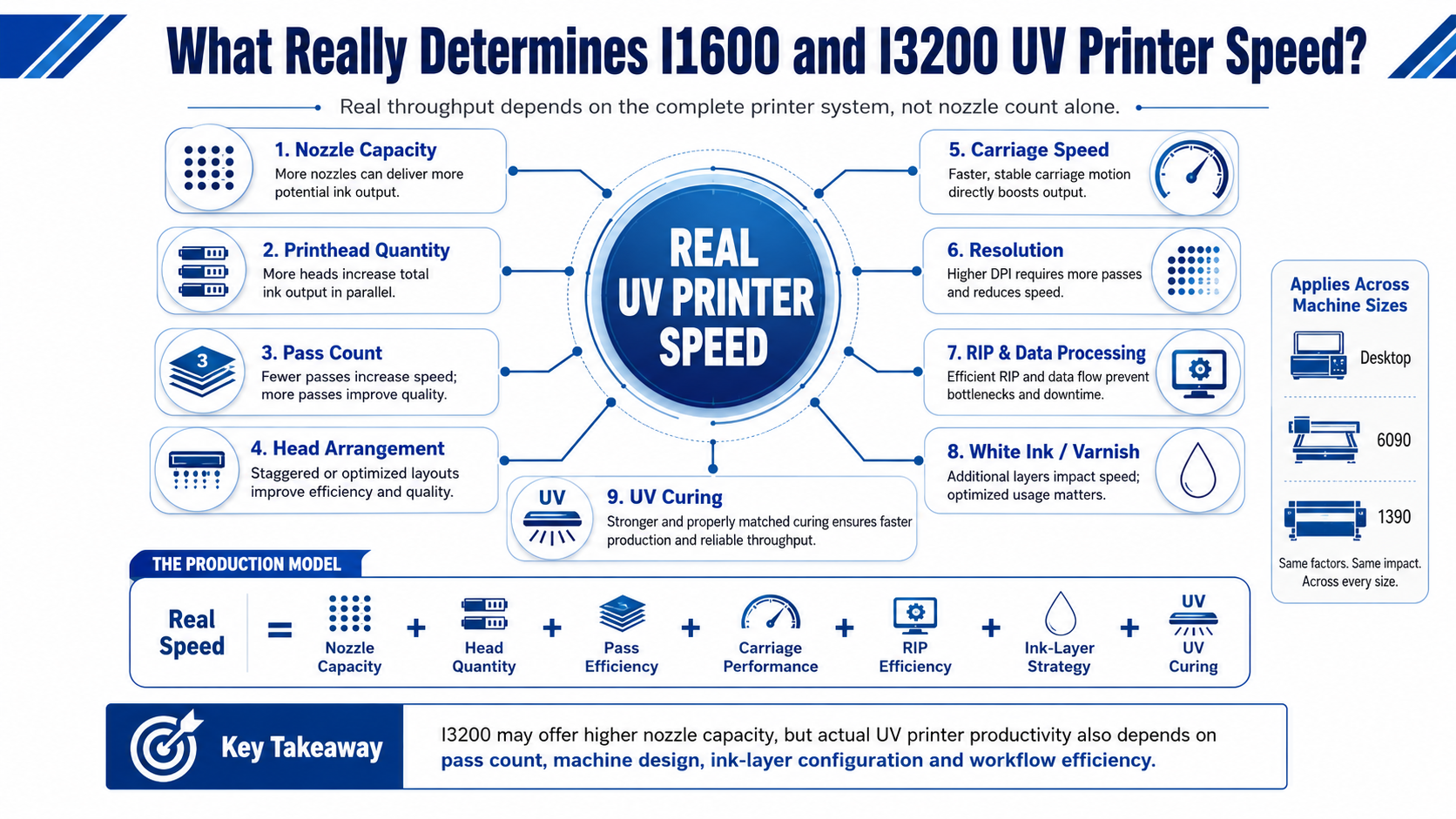
Real production speed depends on the complete printing system: printhead quantity, nozzle allocation, pass count, carriage speed, resolution, RIP processing, white ink, varnish, motion control and UV curing.
This guide explains the real differences between Epson I1600 and I3200 printheads and shows how to choose a suitable configuration for desktop UV printers, 6090 flatbeds and larger 1390 machines.
Epson I1600 vs I3200: Key Technical Differences
For UV printing, it is important to compare equivalent printhead versions rather than mixing specifications from aqueous, solvent and UV models. In this article, we focus primarily on the Epson I1600-U1 그리고 Epson I3200(4)-U1.
Both are based on Epson PrecisionCore MicroTFP technology and support UV and eco-solvent ink applications.
| Specification | Epson I1600-U1 | Epson I3200(4)-U1 |
|---|---|---|
| 기술 | PrecisionCore MicroTFP | PrecisionCore MicroTFP |
| Total Nozzles | 1,600 | 3,200 |
| Nozzle Rows | 4 rows | 8 rows |
| Nozzle Pitch | 1/300 inch per row | 1/300 inch per row |
| Nozzle Resolution | 300 npi/row, 600 npi/2 rows | 300 npi/row, 600 npi/2 rows |
| Effective Print Width | 33.8 mm | 33.8 mm |
| Maximum Ink Colors | 4 colors | 4 colors |
| Binary Droplet | 5 pl at 43.2 kHz | 5 pl at 43.2 kHz |
| 3-Level Grayscale | 6 / 12.5 pl at 21.6 kHz | 6 / 12.5 pl at 21.6 kHz |
The most important point is immediately visible: I3200 doubles the nozzle count, but it does not double the effective print width or the listed per-nozzle binary firing frequency.
View Epson I-Series official information |
View Epson I1600/I3200 official data sheet
Why 3,200 Nozzles Do Not Automatically Mean 2× Speed
The simplest marketing comparison is:
I1600 = 1,600 nozzles
I3200 = 3,200 nozzles
Therefore, I3200 = 2× speed.
That conclusion ignores how a scanning UV printer actually works.
1. The Effective Print Width Is the Same
Both I1600-U1 and I3200(4)-U1 have an effective print width of approximately 33.8 mm. The I3200 therefore does not create a carriage printing swath that is twice as physically wide simply because it contains twice as many nozzles.
2. The Listed Binary Firing Frequency Is Not Doubled
For the U1 models, Epson lists 5 pl at 43.2 kHz in binary operation for both printheads. The I3200 productivity advantage therefore should not be explained as “each nozzle fires twice as fast.”
3. UV Printer Speed Is System-Level Performance
A more useful simplified model is:
Real UV Printing Speed = Nozzle Capacity + Head Quantity + Head Arrangement + Pass Efficiency + Carriage Performance + RIP Processing + Ink-Layer Strategy + UV Curing Efficiency
This is not a literal engineering formula. It illustrates why nozzle count alone cannot predict square meters per hour.
If an I3200 printer is operated at eight passes while another I1600 machine achieves acceptable production quality at four passes, the I1600 machine may still complete some jobs faster.
Likewise, a two-head or three-head configuration can behave very differently from a single-head system even when all machines use the same printhead family.
What Does the Extra 1,600 Nozzles Actually Do?
If the I3200 is not automatically twice as fast, the next question is obvious: what is the advantage of having twice as many nozzles?
The answer is greater nozzle capacity inside a similarly compact printhead footprint.
This can give the printer designer more flexibility to:
- Allocate more nozzles to individual ink channels.
- Increase ink deposition capability during a carriage scan.
- Configure CMYK channels more efficiently.
- Support stronger white-ink output in multi-head machines.
- Potentially reach required image density with fewer carriage passes.
- Build higher-productivity commercial printer configurations.
The word potentially 중요합니다.
The additional nozzles create capacity. Whether that capacity produces meaningful speed depends on how the printer manufacturer designs the controller, waveform, carriage, head arrangement, ink system and print modes.
Think of it like adding more production tools to a factory. More tools increase potential capacity, but output only rises if workflow, operators, materials and downstream processes can keep up.
This is why two printers advertised as “Epson I3200 UV printers” can show very different production speeds.
Effective Print Width vs Nozzle Count: Why Buyers Confuse Them
Nozzle count and effective print width are related specifications, but they are not the same thing.
A buyer may imagine the comparison like this:
I1600: 1,600 nozzles = 33.8 mm
I3200: 3,200 nozzles = 67.6 mm
That is not how these two Epson I-Series heads are specified.
The correct comparison is:
I1600: 1,600 nozzles = 33.8 mm effective print width
I3200: 3,200 nozzles = 33.8 mm effective print width
The difference comes from the nozzle-row structure. The I1600 has four nozzle rows, while the I3200(4) has eight.
As a result, the I3200 provides more nozzle resources within the same effective physical print width instead of simply extending that width to twice the size.
Does I3200 Have a Higher Firing Frequency Than I1600?
Another common assumption is that the Epson I3200 must fire significantly faster than the I1600.
For the UV-compatible I1600-U1 and I3200(4)-U1 models in Epson’s published data, however, the listed binary specification is the same: 5 pl at 43.2 kHz.
The listed three-level grayscale performance is also 6 and 12.5 pl at 21.6 kHz for both U1 models.
Therefore, when explaining the productivity advantage of the I3200, it is more accurate to focus on the larger number of available nozzles and how those nozzles can be allocated in the complete printer architecture.
It is misleading to say:
“I3200 has twice the nozzles, so every nozzle fires twice as fast.”
Instead, the real question is whether the printer can use the additional nozzle capacity to deposit the required ink more efficiently or achieve the target print quality with fewer passes.
Why Pass Count Can Change the Speed Comparison
UV printer pass count can have as much or more impact on production speed than the printhead model itself.
In scanning UV printing, the carriage crosses the printing area repeatedly. Common production settings may include four-pass, six-pass and eight-pass modes.
Consider two simplified examples:
Printer A:
Epson I1600
4-pass mode
Printer B:
Epson I3200
8-pass mode
Printer B has twice the nozzle count, but the additional passes may reduce its final job throughput.
The more interesting situation occurs when the I3200’s additional nozzle capacity allows the printer to achieve similar acceptable density and image quality at a lower pass count. For example, if an optimized I3200 configuration can move from six passes to four for a specific production application without unacceptable quality loss, the productivity advantage can become significant.
This is why buyers should compare machines under the same print-quality target.
Ask for production figures at:
- 4 pass
- 6 pass
- 8 pass
- CMYK only
- White + CMYK
- White + CMYK + varnish
For more detail about this relationship, read our UV Printer Pass Count and Print Speed Guide.
One I3200 vs Two I1600: Are They Really Equivalent?
One I3200 provides 3,200 nozzles. Two I1600 printheads together also provide 3,200 nozzles.
Does that mean the configurations are identical?
No.
Total nozzle count is only one part of the architecture.
Two separate I1600 heads create additional design considerations, including:
- Physical spacing between the heads
- Mechanical alignment
- Color-to-color registration
- Additional cables and electronics
- Controller channel allocation
- Carriage weight
- Calibration procedures
- Maintenance and replacement strategy
A single I3200 may offer a more compact way to provide 3,200 nozzles within one head body, while two I1600 heads may give manufacturers different options for separating colors, white ink or other functions.
Neither architecture should be judged by nozzle count alone.
For example, a manufacturer might design one configuration around one head for color and another around separate heads for color and white ink. The resulting speeds and application capabilities could be completely different.
The correct comparison is therefore not simply:
3,200 nozzles vs 3,200 nozzles.
It is:
complete head layout vs complete head layout.
How CMYK, White and Varnish Head Allocation Affects Speed
This is especially important for UV printers because many applications use more than CMYK.
A typical UV printer may produce:
- CMYK only
- White + CMYK
- CMYK + white
- White + CMYK + varnish
- Multiple white layers
- Embossed varnish or textured effects
Different printer designs may allocate printheads differently.
For example:
Configuration A: One head primarily assigned to CMYK.
Configuration B: Separate heads for color and white.
Configuration C: Dedicated color, white and varnish heads.
Configurations B and C may increase initial equipment cost, but they can improve productivity in workflows where white ink and varnish are used frequently.
This is why asking only “Does it use I1600 or I3200?” gives an incomplete picture.
You should also ask:
- How many heads are installed?
- Which head handles CMYK?
- Which head handles white ink?
- Is varnish printed from a separate head?
- Can white and color be produced efficiently in the same workflow?
What Really Determines I1600 and I3200 UV Printer Speed?
When production output matters, compare the following factors together.
Printhead Quantity
More heads can increase the amount of ink deposited during each scan and allow more efficient separation of color, white and varnish.
Pass Count
Four-pass production is fundamentally different from eight-pass high-quality printing. Always compare the same mode.
Carriage Speed and Acceleration
The carriage must accelerate, print, decelerate and reverse. Mechanical stability limits how aggressively this process can be optimized.
해결
Higher-resolution modes may require more data and more carriage work, reducing practical throughput.
RIP and Controller Performance
The RIP must process large images, white layers, ICC profiles and screening before the controller can send data to the printheads.
흰색 잉크 및 바니시
Additional ink layers can change production time substantially, especially when multilayer or embossed printing is required.
You can learn more about digital workflow efficiency in our UV Printer RIP Software Guide 그리고 ICC Profile Guide for UV Printing.
I1600 vs I3200 for Desktop UV Printers
Desktop and A3-class UV printers often serve personalized-product businesses, small print shops, startup operations and short-run production.
일반적인 응용 분야는 다음과 같습니다.
- 전화 케이스
- Acrylic products
- Small signs
- Gift items
- Wood products
- Samples and prototypes
- Short-run promotional products
For these machines, an I1600 configuration can offer strong value when daily production volume is moderate and initial investment matters.
The shorter carriage travel of a compact printer also means the commercial value of maximum head productivity may be lower than on a wider industrial flatbed.
An I3200 configuration becomes more attractive when the desktop UV printer runs for many hours per day, order turnaround is important or the business has enough repeat work to use the additional nozzle capacity.
The purchasing principle is simple:
For a desktop UV printer, pay for I3200 when higher production capacity creates real business value—not simply because the specification sounds more powerful.
See our Desktop UV Printer solutions for compact production applications.
Epson I1600 vs I3200 for a 6090 UV Printer
A 6090 UV flatbed printer sits in an interesting middle position. It is larger and more production-oriented than many desktop machines, but it is still much more compact than 1390 or 2513 industrial flatbeds.
This makes both I1600 and I3200 configurations potentially reasonable depending on workload.
When I1600 Makes Sense on a 6090
- Startup or small print shop
- Moderate daily production
- Customized products and short runs
- Budget-sensitive equipment purchase
- Production speed is not currently the main bottleneck
When I3200 Makes More Sense on a 6090
- Commercial production runs for many hours per day
- Repeat orders create regular machine utilization
- Faster turnaround can increase revenue
- White and color productivity is important
- The machine uses an optimized multi-head configuration
However, never compare two 6090 printers only by seeing “I3200” on one specification sheet and “I1600” on another.
Ask how many heads are installed and how CMYK, white and varnish are allocated.
A carefully engineered multi-head machine can have a much larger production advantage than the difference between the head names alone.
우리에 대해 더 알아보세요 6090 UV Flatbed Printer 구성.
Epson I1600 vs I3200 for a 1390 UV Printer
On a 1390-class UV flatbed printer, productivity becomes more important because the carriage travels across a larger printing width.
Every pass takes more time than on a compact desktop printer. This increases the commercial value of efficient pass count, strong carriage performance and optimized printhead arrangement.
For buyers considering a 1390 machine, compare:
- Total number of I1600 or I3200 heads
- CMYK head allocation
- White ink head allocation
- Varnish configuration
- 4-pass speed
- 6-pass speed
- 8-pass quality mode
- Bidirectional production performance
- Carriage acceleration and stability
- RIP and controller throughput
I3200 is often attractive for higher-utilization commercial production because its greater nozzle capacity can support more productivity-oriented machine architectures.
But again, an I3200 label alone is not enough.
A single-head configuration and a properly designed multi-head configuration can deliver very different output even though both brochures say “Epson I3200.”
On a 1390-class UV flatbed, head quantity and head arrangement may matter more than simply choosing between I1600 and I3200.
View our 1390 UV Flatbed Printer configurations for larger-format production.
Desktop vs 6090 vs 1390: Which Printhead Configuration Makes Sense?
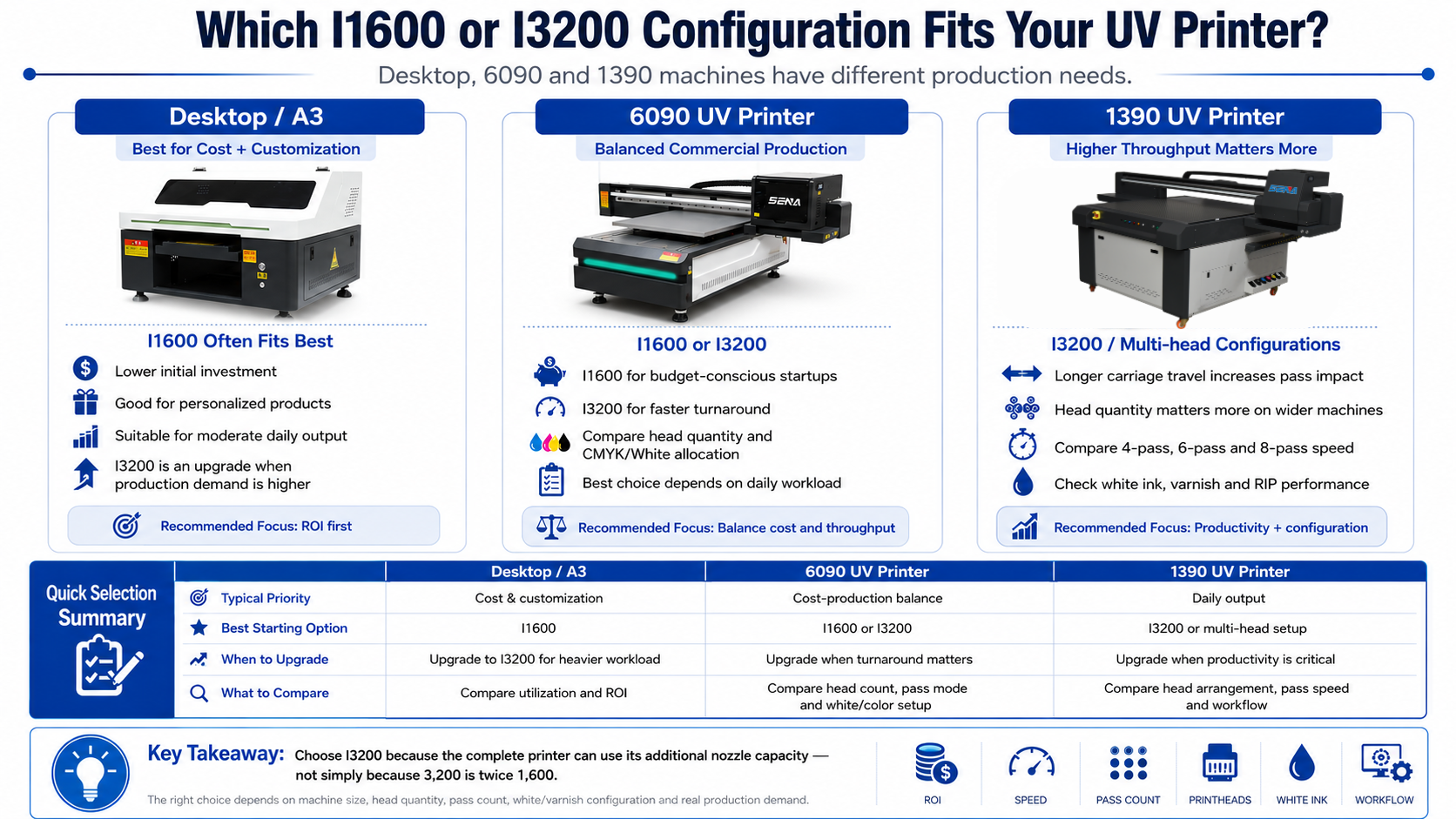
| 프린터 유형 | Typical Priority | I1600 | I3200 |
|---|---|---|---|
| Desktop / A3 | Cost + customization | Strong choice | Good upgrade for heavier workload |
| 3045-Class | Compact productivity | Good value | Suitable for higher utilization |
| 6090 | Cost / production balance | Suitable | Strong commercial option |
| 1390 | Higher daily throughput | Possible depending on configuration | More production-oriented |
| High-Utilization Production | Throughput + uptime | Depends strongly on head count | Prefer optimized multi-head architecture |
This table should be treated as a practical starting point rather than an absolute rule. Final recommendations depend on head quantity, pass mode, color configuration, applications and actual daily production requirements.
When Is I1600 the Better Choice?
I1600 can still be the more economical choice when:
- Daily production volume is relatively low or moderate.
- The printer serves a startup or personalized-product business.
- Initial equipment investment is a major consideration.
- Jobs are mostly short runs.
- The machine has significant idle time during the day.
- Loading and file preparation are bigger bottlenecks than printing speed.
- The required production capacity can already be achieved comfortably.
More nozzles only create financial value when there is enough production demand to use them.
If an I1600 machine can finish all daily orders during normal working hours, upgrading the printhead configuration may not create additional revenue.
In that situation, the budget might generate better ROI when invested in additional fixtures, software, materials, another printer or marketing.
When Is I3200 Worth the Upgrade?
I3200 becomes more attractive when additional production capacity solves a real business bottleneck.
예를 들면 다음과 같습니다.
- The printer already runs many hours every day.
- Orders are frequently delayed because of machine capacity.
- Faster production allows more jobs per shift.
- The company operates larger 6090 or 1390 machines.
- Repeat orders require predictable throughput.
- A properly designed multi-head architecture improves white/color production.
- Faster turnaround creates measurable commercial value.
For these businesses, the question is not whether the I3200 has more nozzles. That is already clear.
The important question is whether the complete printer can convert those additional nozzle resources into lower job time and higher profitable output.
When evaluating the additional investment, also consider equipment utilization, consumables, maintenance and expected return. See our UV Printer Total Cost of Ownership Guide.
10 Questions to Ask Before Choosing an I1600 or I3200 UV Printer
Before purchasing, ask your supplier the following questions.
1. Which Exact Epson Printhead Model Is Installed?
Confirm whether the specification is I1600-U1, I3200(4)-U1 or another variant.
2. How Many Printheads Are Installed?
One I3200 and three I3200 heads are completely different production configurations.
3. How Are CMYK, White and Varnish Allocated?
Ask which functions are assigned to each printhead.
4. What Is the Real 4-Pass Speed?
Request an actual production figure rather than only a theoretical maximum.
5. What Is the 6-Pass Speed?
This is often useful for comparing balanced production modes.
6. What Is the 8-Pass Speed?
Check whether high-quality output still provides acceptable productivity.
7. Does the Quoted Speed Include White Ink?
A CMYK-only speed may not represent your actual production workflow.
8. Is the Test Bidirectional or Unidirectional?
The printing direction can significantly affect throughput.
9. What Resolution Was Used?
Two speed figures should not be compared if the resolution or quality settings are different.
10. Can You Print My Actual File and Record the Total Production Time?
This is one of the most useful questions a buyer can ask.
Send the same artwork, substrate type, dimensions and required print mode to competing suppliers. Request information about:
- Pass count
- 해결
- White ink mode
- Varnish mode
- Total job time
- Finished print quality
A real production test is more useful than comparing 1,600 vs 3,200 nozzles on a brochure.
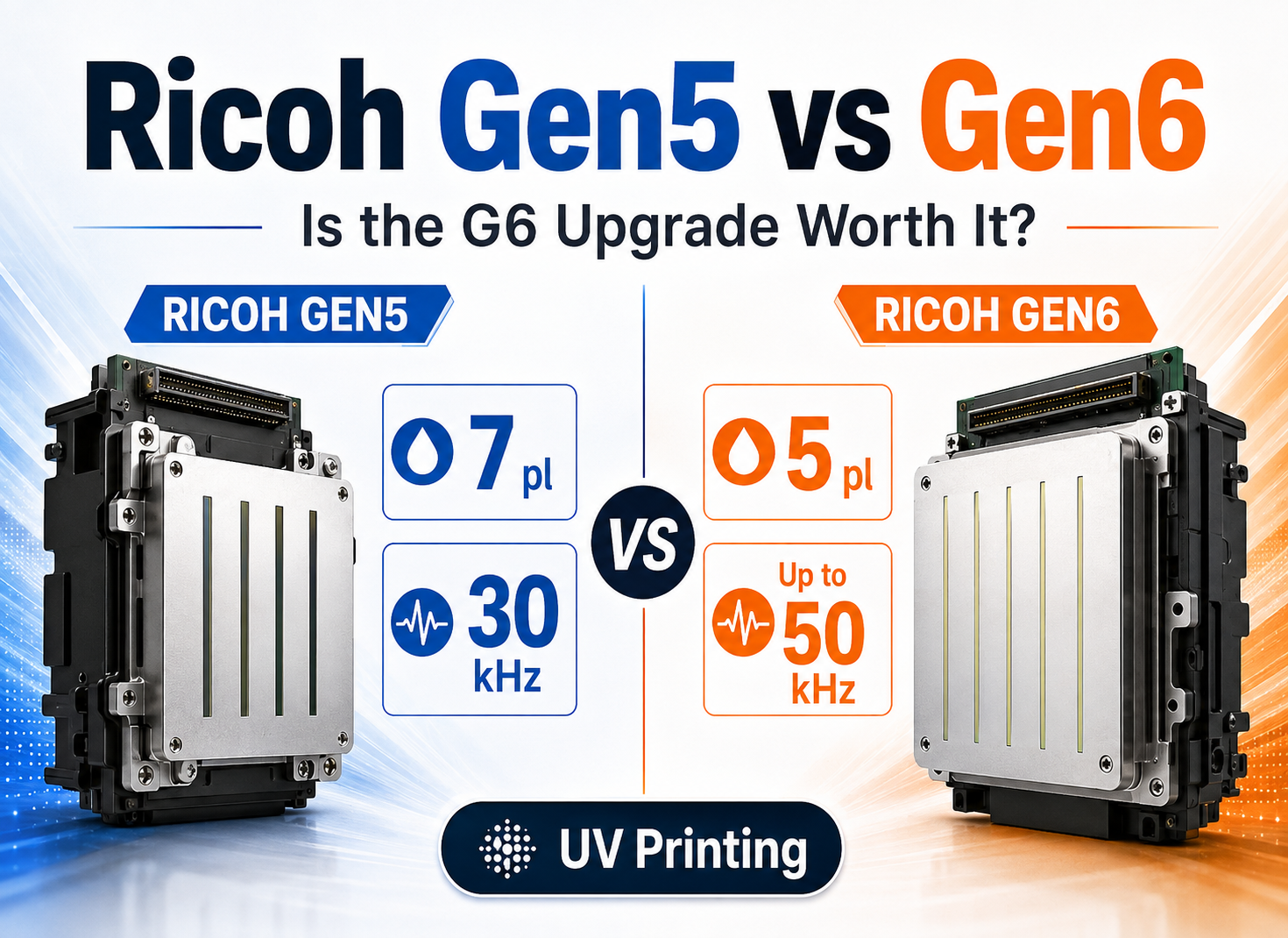
You can also compare this logic with our Ricoh Gen5 vs Gen6 UV Printhead Comparison, which explains why printhead specifications alone do not determine complete machine productivity.
Epson I1600 vs I3200: Final Recommendation
비교할 때 Epson I1600 vs I3200, the most visible difference is easy to understand: I1600 provides 1,600 nozzles, while I3200 provides 3,200.
What buyers should avoid is turning that number into a simple promise of twice the printing speed.
The I1600-U1 and I3200(4)-U1 both provide a 33.8 mm effective print width, and their listed UV binary droplet performance is 5 pl at 43.2 kHz. The I3200 advantage comes primarily from having more nozzle resources available within the same effective width.
That additional capacity can be valuable when the complete printer architecture uses it efficiently.
For desktop and low-to-moderate-volume applications, I1600 may provide excellent value and enough production capacity.
For commercial 6090 machines, I3200 can become attractive when utilization is higher and faster turnaround matters.
For 1390 and other larger flatbeds, buyers should pay even more attention to multi-head configuration, white/color allocation, pass count, carriage design and RIP/controller performance.
The most important purchasing principle is:
Choose I3200 because the complete printer can use its additional nozzle capacity—not simply because 3,200 is twice 1,600.
Before making a final decision, request a production test using your actual files, materials and quality requirements.
Frequently Asked Questions About Epson I1600 vs I3200
Is Epson I3200 twice as fast as I1600?
No. I3200 has twice the nozzle count, but real UV printer speed also depends on effective print width, pass count, head quantity, head arrangement, carriage speed, resolution, RIP performance and ink-layer configuration.
What is the main difference between Epson I1600 and I3200?
The I1600-U1 has 1,600 nozzles across four rows, while the I3200(4)-U1 has 3,200 nozzles across eight rows. Both have a 33.8 mm effective print width and support up to four ink colors.
Do Epson I1600 and I3200 have the same print width?
Yes. Epson specifies an effective print width of 33.8 mm, or 1.33 inches, for both the I1600 and I3200(4) series.
Does I3200 have a higher firing frequency than I1600?
Not for the comparable U1 binary specification discussed here. Epson lists both I1600-U1 and I3200(4)-U1 at 5 pl and 43.2 kHz in binary operation.
Is one I3200 the same as two I1600 printheads?
No. Although the total nozzle count may be the same, two separate I1600 heads require different mechanical alignment, electronics, color allocation and calibration. Complete printer architecture determines the result.
Which printhead is better for a 6090 UV printer?
I1600 can be suitable for moderate workloads and cost-conscious buyers, while I3200 is often attractive for commercial shops requiring higher utilization and faster production. Head quantity and white/color configuration should also be compared.
Should I choose I1600 or I3200 for a desktop UV printer?
I1600 can provide strong value for personalized products and moderate daily output. I3200 may be worth the upgrade when the desktop printer operates for long hours and additional production capacity creates measurable business value.
Which printhead configuration is better for a 1390 UV flatbed printer?
For a 1390 machine, productivity is strongly influenced by head quantity, pass count and ink-channel allocation. I3200 is often used in more production-oriented configurations, but buyers should compare the complete multi-head architecture rather than only the printhead model.