

 Panjabi
  English
  Arabic
  German
  French
  Spanish
  Turkish
  Italian
  Russian
  Persian
  Bengali
  Hebrew
  Persian (Afghanistan)
  Scottish Gaelic
  Croatian
  Slovenian
  Greek
Greek  Afrikaans
  Czech
Czech  Korean
  Japanese
  Portuguese





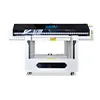
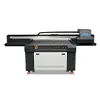
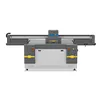
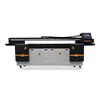
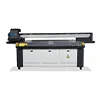
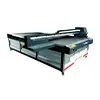
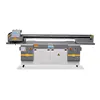
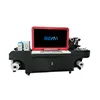
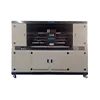
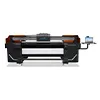
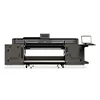


12 UV Printer Components That Determine Reliability, Print Quality and Production Stability
When comparing UV printers, many buyers focus on three specifications first: printing size, DPI and printhead brand. These specifications are important, but they do not tell the whole story. Two UV printers can use the same printhead and offer the same printing area while delivering very different results in terms of print quality, stability, maintenance requirements and long-term production performance.
The reason is simple: a UV printer is not just a printhead mounted on a moving platform. It is an integrated system made up of mechanical, electrical, ink delivery, curing, software and control components. The performance of the complete system depends on how these components work together.
In this guide, we examine 12 essential UV printer components that can directly affect reliability, print quality and production stability. Understanding these components can help you make a better purchasing decision and avoid evaluating a UV printer based only on marketing specifications.
Why UV Printer Configuration Matters More Than Specifications
A specification sheet is useful for comparing machines, but it should be the beginning of your evaluation rather than the end. A large printing format does not automatically mean better quality. A higher theoretical DPI does not guarantee sharper production output. Even a well-known printhead cannot compensate for an unstable ink system or inaccurate mechanical movement.
For example, consider two machines with the same printhead. If one machine has better negative pressure control, a more stable ink delivery system, a precision motion system, an accurate encoder and a better RIP workflow, the two machines may perform very differently in real production.
| Specification | What It Tells You | What It Does Not Tell You |
|---|---|---|
| ਪ੍ਰਿੰਟ ਆਕਾਰ | Maximum working area | Overall machine stability |
| DPI | Theoretical image resolution | Ink consistency and mechanical accuracy |
| Printhead Brand | Printhead technology | Overall printer quality |
| Number of Printheads | Potential productivity | Actual production stability |
| Maximum Speed | Theoretical production capability | Usable quality at production speed |
A better approach is to evaluate the complete UV printer configuration. The following 12 components should be part of that evaluation.
The 12 UV Printer Components You Should Evaluate
1. UV Printhead
The printhead is one of the most visible and frequently discussed components of a UV printer. It controls how ink droplets are ejected onto the printing surface and therefore has a major influence on resolution, grayscale performance, color reproduction and productivity.
Common considerations include printhead technology, nozzle configuration, drop size, firing frequency, resolution, ink compatibility and availability of replacement parts. Different applications may also require different printhead characteristics. A machine used primarily for high-quality signage may have different requirements from one used for industrial production.
However, the printhead should never be evaluated independently. A high-quality printhead still requires stable ink delivery, appropriate negative pressure, accurate carriage movement and correct software control.
When comparing a UV printer, ask the supplier not only which printhead is installed, but also how the complete printing system is designed around it.
Key point: A good printhead is important, but the printhead alone does not determine the quality of the entire UV printer.
2. Ink Delivery System
The ink delivery system is responsible for moving UV ink from the ink tank to the printhead in a controlled and consistent way. It may include ink tanks, pumps, filters, dampers, tubing and other components.
A stable ink path helps maintain consistent ink flow and can reduce problems such as nozzle starvation, ink bubbles and inconsistent color density. Poorly designed tubing, inadequate filtration or unstable ink supply can negatively affect print quality even when the printhead itself is performing correctly.
Buyers should therefore ask about the complete ink path rather than simply asking how many ink channels the machine has.
Important questions include: How is ink filtered? How is air prevented from entering the system? Are dampers easy to replace? Is the ink path designed for the selected UV ink? How easy is the system to clean and maintain?
Key point: Consistent ink delivery is one of the foundations of consistent UV printing.
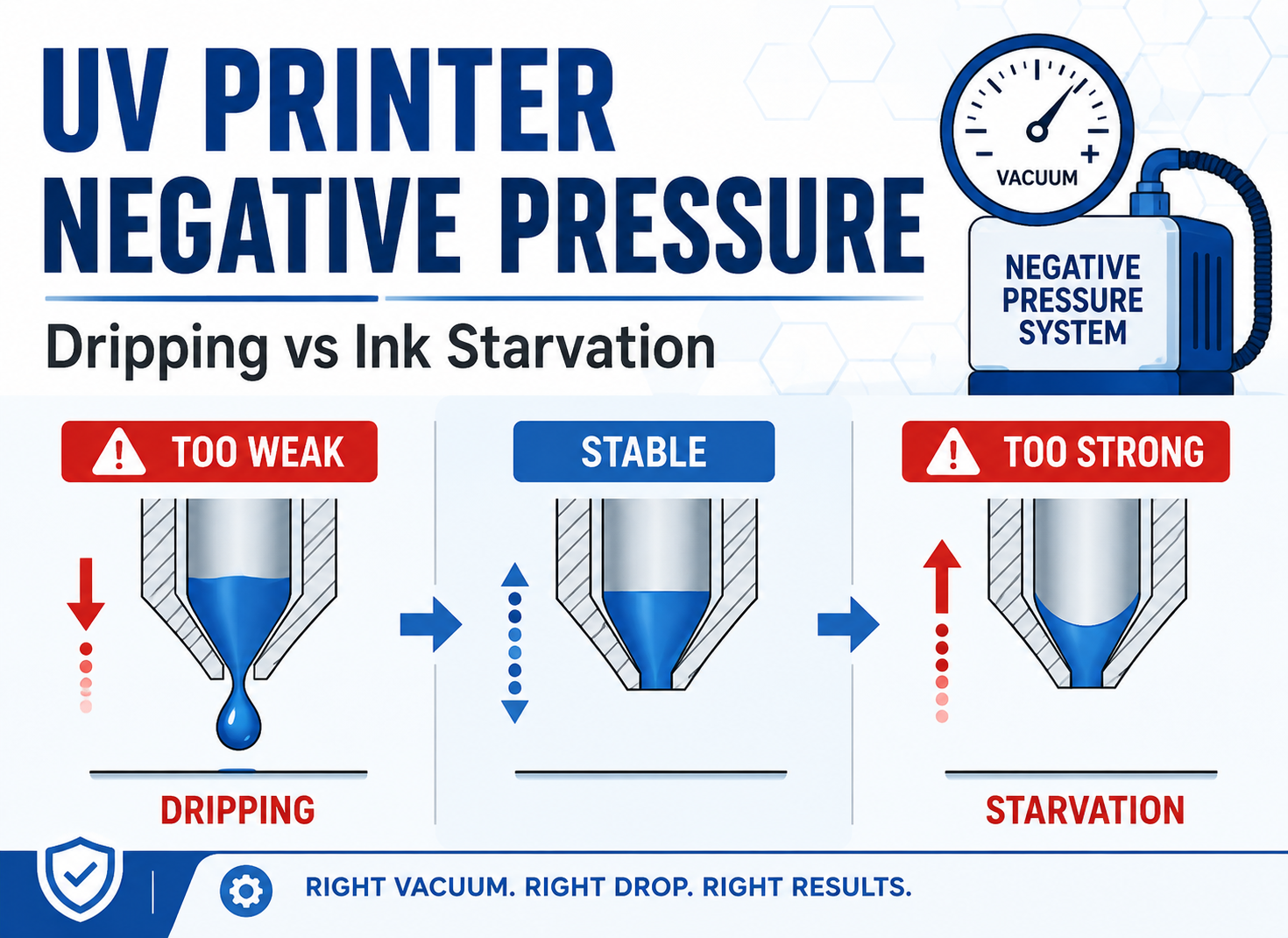
3. Negative Pressure System
The negative pressure system controls the pressure of ink at the printhead. Its purpose is to help maintain the correct ink balance between the ink supply system and the printhead nozzles.
If negative pressure is too high, the printhead may not receive enough ink. If it is too low, ink may drip from the nozzles or create other ink-management problems. Either condition can affect print quality and maintenance requirements.
A reliable UV printer should therefore have a well-designed and stable negative pressure system. Depending on the machine design, the system may include adjustable pressure controls, gauges, pumps or other control mechanisms.
When evaluating a machine, ask the supplier how negative pressure is controlled and how the system behaves during long production runs.
Key point: Stable pressure helps the printhead maintain stable ink output during production.
4. White Ink Circulation System
White ink requires special attention because its pigment characteristics can make it more likely to settle when the printer is not operating or when the ink is not properly circulated.
A UV printer designed for frequent white ink applications should have an appropriate white ink management system. Depending on the machine, this may include continuous circulation, agitation, filtration and controlled ink delivery.
White ink is particularly important when printing on transparent, dark or colored materials. A stable white ink system can help maintain consistent opacity and reduce problems associated with pigment settling.
Buyers should ask whether the machine has an independent white ink circulation system, how often the ink should be circulated and what maintenance procedures are recommended.
Key point: If your business frequently uses white ink, white ink circulation should be treated as a core configuration rather than an optional detail.
5. UV LED Curing System
UV LED curing is responsible for curing the UV ink after it is deposited onto the substrate. The curing system therefore has a direct relationship with ink adhesion, surface finish and production stability.
When evaluating a UV LED system, do not focus only on the advertised LED power. Curing uniformity, cooling, operating temperature, optical design and the relationship between curing intensity and printing speed are also important.
Inadequate or uneven curing can lead to problems such as insufficient adhesion, inconsistent surface finish or incomplete curing at certain production settings.
A well-designed UV LED system should provide stable and uniform curing while managing heat effectively.
Key point: UV LED performance is not determined by power alone. Curing consistency and thermal management also matter.
6. Main Control Board
The main control board is the electronic control center of a UV printer. It coordinates printing data, carriage movement, printhead operation, sensors and communication between different machine systems.
Because so many functions depend on the control system, electronic stability can have a significant effect on production reliability. Communication errors, incorrect positioning, interrupted printing or unstable system behavior can sometimes be related to electronic control problems.
Buyers should consider not only the brand of the mainboard but also whether the board is properly matched with the printhead, motion system, RIP software and other machine components.
Technical support and replacement availability are also important considerations for commercial production equipment.
Key point: A reliable UV printer needs reliable communication between its electronic and mechanical systems.
7. Servo Motor or Stepper Motor
Motors drive the movement of the print carriage and, depending on the machine design, other mechanical systems. Their performance affects positioning, acceleration, repeatability and overall motion stability.
Stepper motors can provide a cost-effective solution for many applications. Servo motors can provide feedback and dynamic control characteristics that are useful in applications requiring higher levels of motion control.
However, it is not accurate to say that the motor alone determines the quality of the motion system. The motor, driver, transmission mechanism, control software and mechanical structure must work together.
When comparing machines, ask how the motion system is controlled and how positioning accuracy is maintained during continuous production.
Key point: Motor selection should be evaluated as part of the complete motion system.
8. Linear Guide and Mechanical Transmission
The linear guide and transmission system determine how smoothly and accurately the print carriage moves. Common designs may use linear guides, belts, lead screws or other precision transmission technologies.
Mechanical accuracy matters because even a small movement error can become visible in the printed image. Problems with motion may appear as banding, ghosting, misalignment or inconsistent line placement.
A suitable motion system should provide smooth movement, appropriate rigidity and stable positioning over long production periods.
Magnetic levitation guide systems, precision linear guides, lead screws and belt-driven systems each have their own advantages depending on the machine structure and application. The correct choice depends on the complete mechanical design rather than the name of one component.
Key point: Smooth and repeatable mechanical movement is essential for consistent print quality.
9. Vacuum Table and Printing Platform
For a UV flatbed printer, the printing platform is more than a surface where the material is placed. It helps determine whether the substrate remains flat and stable during printing.
A vacuum table can help hold suitable flat materials in position and reduce unwanted movement or lifting. This becomes especially useful when printing large panels, boards, sheets and other materials that may not naturally remain perfectly flat.
Important factors include vacuum strength, hole distribution, table flatness, working area and the ability to accommodate different substrate sizes.
The distance between the printhead and the material also matters. If the substrate is uneven or moves during printing, ink placement may become less consistent.
Key point: A stable printing platform helps maintain a consistent printhead-to-substrate relationship.
10. Encoder System
The encoder system is one of the less visible but important components in a UV printer. It provides position-related feedback to the control system so that the printer can accurately determine the movement and position of the print carriage.
Accurate positioning is essential for placing ink droplets in the correct location. If the encoder system becomes contaminated, damaged or improperly calibrated, the machine may experience positioning errors or image alignment problems.
Depending on the machine design, the encoder may work together with an encoder strip, sensor and control electronics. Proper cleaning, calibration and maintenance can therefore be important for long-term stability.
Buyers often overlook the encoder because it is not as visible as the printhead. Nevertheless, it is an important part of the printer’s motion and positioning system.
Key point: Accurate movement requires accurate position feedback.
11. RIP Software and Print Workflow
RIP software is another component that should not be overlooked when evaluating a UV printer. RIP software converts and manages print data and can control important aspects of the production workflow.
Depending on the software and configuration, functions may include color management, ink limits, white ink generation, varnish layers, printing modes, resolution settings and production presets.
A good RIP workflow can make production more repeatable by allowing operators to save and reuse appropriate settings for different materials and applications.
For businesses that frequently switch between products, materials or print modes, software flexibility can have a direct effect on productivity.
When comparing UV printers, therefore, ask what RIP software is included, what functions are supported and how easily operators can manage different production requirements.
Key point: The printing workflow is part of the machine’s practical performance, not simply an accessory.
12. Power Supply System
The power supply system is often ignored during the purchasing process because it is not directly visible in the printed image. However, stable electrical power is fundamental to the operation of electronic components.
The main control board, motors, UV LED system, pumps, sensors and other electrical components all depend on an appropriate power system.
Buyers should consider power capacity, voltage requirements, electrical protection, grounding, cooling and overall system design. The machine should also be installed according to the manufacturer’s electrical requirements.
A properly designed power system can help reduce electrical instability and protect critical components during production.
Key point: Stable power is the foundation for stable electronic operation.
A UV Printer Is a System, Not a Collection of Parts
The most important lesson when comparing UV printers is that individual components cannot always be evaluated independently. A reliable printer is the result of proper integration.
The RIP software sends printing data to the control system. The control board coordinates the printhead and motion system. The encoder provides position feedback. The motor and mechanical transmission move the carriage. At the same time, the ink system delivers ink to the printhead while the negative pressure system maintains the required ink balance. The UV LED system then cures the deposited ink.
For flatbed applications, the vacuum table also helps maintain substrate stability throughout the process.
This means that improving only one component may not solve a system-level problem. For example, installing a higher-specification printhead does not automatically eliminate banding if the mechanical movement or ink delivery system is unstable.
The best UV printer configuration is therefore not necessarily the one with the longest specification sheet. It is the one in which the major systems are properly matched to each other and to the intended application.
Why Two UV Printers With the Same Printhead Can Perform Differently
One of the most common mistakes buyers make is assuming that the same printhead means the same machine performance. In reality, the printhead is only one part of the complete printing system.
Imagine two UV printers using the same printhead technology. Printer A uses a basic ink delivery system, less precise pressure control and a relatively simple motion system. Printer B uses a carefully designed ink path, stable negative pressure, white ink circulation, precision mechanical movement, encoder feedback and a well-developed RIP workflow.
Even though the printhead specification is similar, the actual production experience may be very different.
| ਫੈਕਟਰ | Printer A | Printer B |
|---|---|---|
| ਪ੍ਰਿੰਟਹੈੱਡ | Same technology | Same technology |
| ਸਿਆਹੀ ਦੀ ਡਿਲਿਵਰੀ | Basic configuration | Optimized ink delivery |
| Negative Pressure | Basic control | Stable pressure control |
| ਚਿੱਟੀ ਸਿਆਹੀ | Basic management | Circulation system |
| ਮੋਸ਼ਨ ਸਿਸਟਮ | Basic movement | Precision movement |
| Encoder | Basic positioning | Accurate position feedback |
| ਪਲੇਟਫਾਰਮ | Standard platform | Stable vacuum platform |
| Electronics | Basic system | Integrated control system |
| Production Stability | More dependent on operating conditions | Designed for consistent production |
This is why buyers should compare the complete UV printer configuration instead of comparing only printhead brands.
How to Evaluate a UV Printer Before Buying
Instead of asking only, “What printhead does this UV printer use?”, buyers should follow a complete evaluation process.
Step 1: Define Your Application
Start with your actual products and materials. Consider substrate type, maximum product size, material thickness, expected production volume and whether you need white ink or varnish.
Step 2: Check the Printing System
Evaluate the printhead, ink delivery system, negative pressure system, white ink circulation and UV LED curing system as one group.
Step 3: Check the Mechanical System
Examine the linear guide, transmission system, motor, encoder and printing platform. Ask how the manufacturer controls positioning accuracy and how the system is designed for continuous operation.
Step 4: Check the Electronic System
Ask about the main control board, power supply, sensors, electrical protection and availability of replacement components.
Step 5: Test Real Samples
A sample test is one of the most useful steps before purchasing a UV printer. Instead of looking only at a specification sheet, ask the supplier to print actual samples similar to your products.
Useful test samples may include fine text, gradients, solid colors, white ink applications, varnish effects and detailed images. If possible, test the materials that you expect to use in daily production.
Real sample testing can reveal differences that are difficult to understand from specifications alone.
UV Printer Configuration Checklist
Use the following checklist when comparing different UV printers:
| ਕੰਪੋਨੈਂਟ | What to Check | ਮਹੱਤਵ |
|---|---|---|
| ਪ੍ਰਿੰਟਹੈੱਡ | Technology, compatibility and availability | ★★★★★ |
| ਸਿਆਹੀ ਸਿਸਟਮ | Stable ink delivery and filtration | ★★★★★ |
| Negative Pressure | Pressure stability and adjustment | ★★★★★ |
| White Ink Circulation | Circulation and pigment management | ★★★★★ |
| UV LED | Curing consistency and cooling | ★★★★☆ |
| Control Board | System communication and stability | ★★★★★ |
| Motor | Motion control and repeatability | ★★★★☆ |
| Linear Guide | Smoothness, rigidity and accuracy | ★★★★★ |
| Vacuum Table | Flatness and material holding | ★★★★☆ |
| Encoder | Position feedback and accuracy | ★★★★★ |
| RIP ਸਾਫਟਵੇਅਰ | Color management and workflow | ★★★★☆ |
| Power Supply | Stability, capacity and protection | ★★★★★ |
7 Red Flags When Comparing UV Printers
A UV printer may look attractive on paper but still require closer evaluation. Watch for the following warning signs:
-
The supplier only talks about DPI.
High theoretical resolution does not describe the entire printing system. -
The printhead brand is the only major selling point.
Printhead technology matters, but the supporting systems matter too. -
There is little information about the ink delivery system.
Ink supply and filtration are fundamental to stable printing. -
White ink management is not clearly explained.
This can become important if your business uses white ink frequently. -
The manufacturer cannot explain the motion system.
Ask about guides, transmission, motors and encoder feedback. -
No real sample testing is offered.
A production machine should be evaluated using real materials and applications whenever possible. -
After-sales support and spare parts are unclear.
Reliability also depends on how quickly technical problems can be diagnosed and resolved.
Why the Cheapest UV Printer Is Not Always the Cheapest Choice
Initial purchase price is an important factor, but it is not the only cost associated with owning a UV printer. A machine with a lower purchase price may require more maintenance, more manual intervention or more downtime.
A better purchasing decision considers the total cost of ownership, or TCO.
Total Cost of Ownership can include:
- Initial machine investment
- UV ink consumption
- Printhead replacement
- Routine maintenance
- Spare parts
- ਲੇਬਰ
- Energy consumption
- Downtime and production interruptions
If a printer provides more consistent production and requires less intervention, its practical operating cost may be more attractive even if its initial price is higher.
How the Previous UV Printer Technology Topics Fit Together
The 12 components discussed in this guide connect directly with several important UV printing technologies. Understanding each topic individually can make it easier to evaluate the complete machine.
- UV printer printhead technology – Understand printhead performance and selection.
- UV printer negative pressure systems – Learn how ink pressure affects printing stability.
- UV white ink circulation – Understand why white ink management matters.
- UV printer vacuum tables – Learn why substrate stability affects print quality.
- UV printer motion systems – Compare lead screws, belts, linear guides and magnetic levitation systems.
- CCD visual positioning UV printers – Understand when automated visual positioning is worth the investment.
- UV printer maintenance guide – Learn how proper maintenance supports long-term stability.
- UV printer total cost of ownership – Compare equipment cost with long-term operating expenses.
Frequently Asked Questions About UV Printer Components
What are the most important components of a UV printer?
The most important components include the printhead, ink delivery system, negative pressure system, white ink circulation system, UV LED curing system, control board, motor, linear guide, vacuum table, encoder, RIP software and power supply. Their importance depends on the intended application, but overall machine performance comes from how these systems work together.
Does the printhead determine UV printer quality?
The printhead has a major influence on printing performance, but it does not determine the quality of the entire UV printer by itself. Ink delivery, pressure control, mechanical accuracy, encoder feedback, curing and software can all affect the final result.
Why is white ink circulation important in a UV printer?
White ink contains pigments that can settle when the ink remains stationary. A suitable circulation system helps keep the ink moving and can support more consistent white ink performance, particularly in applications that frequently use white ink.
What does a negative pressure system do in a UV printer?
The negative pressure system helps maintain an appropriate ink balance at the printhead. Proper pressure helps prevent insufficient ink supply and unwanted ink dripping while supporting stable nozzle performance.
Why does a UV printer need an encoder?
An encoder provides position-related feedback to the control system. Accurate position feedback helps the printer coordinate carriage movement and ink placement, which is important for consistent image alignment and print quality.
Is a vacuum table necessary for a UV flatbed printer?
A vacuum table can be very useful for UV flatbed printing because it helps hold suitable flat materials in position and can reduce material movement or lifting. Its importance depends on the materials and applications being printed.
What should I check before buying a UV printer?
Check the complete configuration rather than only the printhead, DPI and printing size. Evaluate the ink system, negative pressure, white ink circulation, UV LED curing, control board, motion system, encoder, vacuum platform, RIP software, power supply, maintenance requirements, spare parts and technical support. Real sample testing is also highly recommended.
How can I compare two UV printers with the same printhead?
Compare the complete systems. Look at ink delivery, pressure control, white ink circulation, curing, mechanical movement, encoder accuracy, platform design, electronics, RIP workflow, power supply and after-sales support. Two printers with the same printhead can provide different production results because the supporting systems may be very different.
Useful Technical Resources
When evaluating specific printhead or software technologies, it is useful to consult official technical documentation from the relevant manufacturers rather than relying only on reseller specifications.
- Official printhead technology information
- Official RIP and color management documentation
- UV ink and curing technical information
Final Takeaway: Look at the Whole UV Printer System
A reliable UV printer should never be evaluated by print size, DPI or printhead brand alone. These specifications are useful, but they represent only part of the complete machine.
The real performance of a UV printer depends on the interaction between its printing, ink, pressure, curing, motion, positioning, platform, electronics, software and power systems.
In simple terms:
Reliable UV Printing =
Printhead + Ink System + Pressure Control + White Ink Circulation +
UV Curing + Motion System + Encoder + Vacuum Platform +
Electronics + RIP + Stable Power + Proper System Integration
When comparing machines, ask suppliers to explain the complete configuration, demonstrate real samples and provide clear information about maintenance, spare parts and technical support.
The best UV printer is not necessarily the machine with the most impressive specification sheet. It is the machine whose complete configuration matches your materials, products, production volume and long-term business requirements.
Before you buy a UV printer, look beyond the headline specifications and evaluate the entire system.
Looking for the Right UV Printer Configuration?
If you are comparing UV printers for signage, personalized products, packaging, advertising, industrial applications or other flatbed printing projects, evaluating the complete machine configuration can help you choose a system that fits your production requirements.
Contact SENA for UV Printer Configuration and Application Advice