

 Russian
  English
  Arabic
  German
  French
  Spanish
  Turkish
  Italian
  Persian
  Bengali
  Hebrew
  Persian (Afghanistan)
  Scottish Gaelic
  Panjabi
  Croatian
  Slovenian
  Greek
Greek  Afrikaans
  Czech
Czech  Korean
  Japanese
  Portuguese





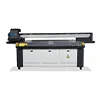
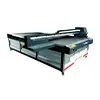
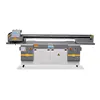

Ricoh Gen5 vs Gen6: Is the Gen6 Upgrade Worth It for UV Printing?
Ricoh Gen5 vs Gen6 is one of the most common printhead comparisons buyers make when choosing an industrial UV printer. On paper, the decision may appear simple: Ricoh Gen6 offers a higher jetting frequency and a smaller minimum droplet, so a Gen6 UV printer should automatically be much faster and better than a Gen5 machine.
In real production, however, the answer is more complicated.
A printhead is only one part of a UV printing system. Actual production speed is also affected by the number of printheads, pass count, carriage speed, print resolution, RIP processing, motion control, white ink configuration, varnish layers, UV curing capacity and even the way the operator prepares and loads materials.
This means that a UV printer equipped with Ricoh Gen6 printheads is not automatically faster than every machine using Ricoh Gen5. A properly designed multi-head Gen5 printer running an efficient four-pass production mode may outperform a poorly configured Gen6 system operating at six or eight passes.
For buyers, the more useful question is therefore not simply, “Is Gen6 faster than Gen5?” Instead, the question should be:
Will the complete Gen6 printer configuration deliver enough additional production capacity and print quality to justify the higher investment for my actual applications?
This guide explains the technical differences between Ricoh Gen5 and Gen6 printheads, why theoretical firing speed should not be confused with real UV printer productivity, and how to compare two UV printers before making a purchasing decision.
Ricoh Gen5 vs Gen6: What Actually Changed?
In the UV printer market, the terms “Ricoh Gen5” and “Ricoh Gen6” are commonly used to describe different generations of Ricoh industrial inkjet printheads. Two frequently referenced models are the Ricoh MH5420/MH5440 for the Gen5 generation and MH5320/MH5340 for the Gen6 generation.
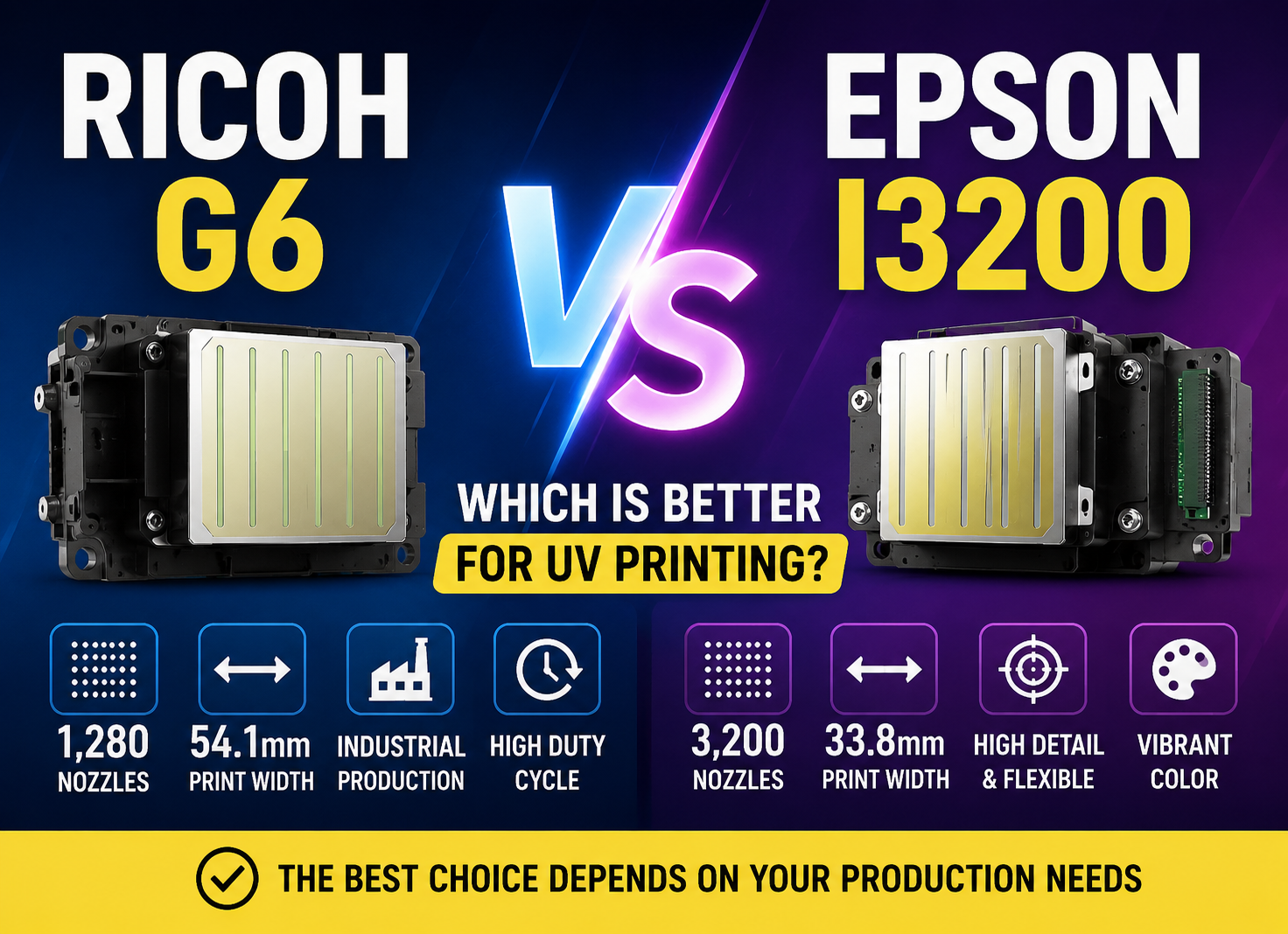
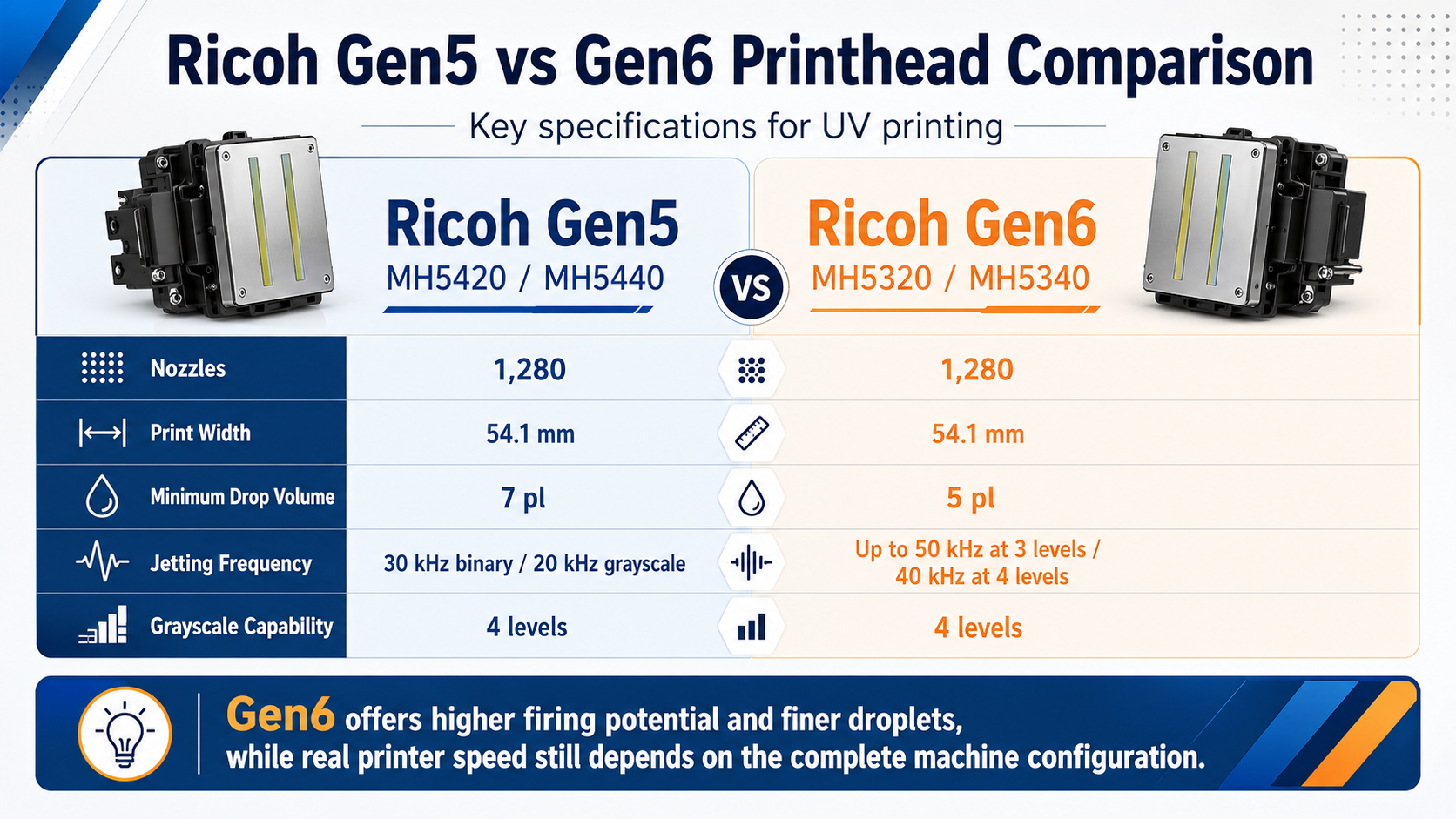
According to Ricoh’s published specifications, both generations use 1,280 nozzles and provide a print width of approximately 54.1 mm. This is important because some buyers assume that Gen6 achieves higher productivity simply by adding significantly more nozzles. That is not the main difference.
| Specification | Ricoh Gen5 MH5420/MH5440 | Ricoh Gen6 MH5320/MH5340 |
|---|---|---|
| Number of Nozzles | 1,280 | 1,280 |
| Ширина печати | 54.1 mm | 54.1 mm |
| Minimum Drop Volume | 7 pl | 5 pl |
| Jetting Frequency | 30 kHz binary / 20 kHz grayscale | Up to 50 kHz at 3 levels / 40 kHz at 4 levels |
| Grayscale Capability | 4 levels | 4 levels |
| Compatible Ink Types | UV, solvent, aqueous and others | UV, solvent, aqueous and others |
The major Gen6 improvements are therefore better understood as higher jetting-frequency capability and finer droplet control, rather than simply more nozzles.
The smaller 5 pl minimum droplet can be useful for fine text, gradients, photographic detail and applications where visible grain must be minimized. Meanwhile, the higher firing frequency gives printer manufacturers greater potential to operate the carriage at higher speeds while maintaining the required dot placement.
However, that potential can only be used when the rest of the printer is capable of supporting it.
View Ricoh Gen5 printhead specifications |
View Ricoh Gen6 printhead specifications
Does Higher Firing Frequency Mean a Faster UV Printer?
This is where many UV printer comparisons become misleading.
Ricoh Gen6 has a considerably higher maximum jetting-frequency specification than the commonly referenced Gen5 models. It is therefore tempting to compare 50 kHz with 30 kHz and conclude that a Gen6 UV printer should be roughly 60–70% faster.
That calculation should not be used to predict real production speed.
What Does Printhead Frequency Actually Mean?
Jetting frequency describes how rapidly the printhead can fire droplets under specified operating conditions. A printhead capable of firing at a higher frequency can potentially support faster carriage movement and higher data throughput.
But the printhead does not decide how quickly the entire printer completes a board.
Consider a simplified production model:
Real UV Printer Throughput = Printhead Capability × Head Configuration × Scan Efficiency × Pass Efficiency × RIP/Data Efficiency × Mechanical Efficiency × Curing Capability
This is not intended as a literal engineering equation. It is a practical way to understand why one component cannot determine total productivity.
If the carriage cannot travel fast enough, the additional firing capability remains unused. If the printer requires eight passes to achieve acceptable quality, a faster printhead may not overcome the productivity loss caused by the higher pass count. If the RIP and controller cannot deliver raster data quickly enough, the printer may also fail to take full advantage of the printhead.
Therefore, when a supplier quotes a production speed such as 30, 40 or 50 square meters per hour, buyers should ask how that figure was achieved instead of focusing only on the printhead generation.
Why Pass Count Often Matters More Than Gen5 vs Gen6
The UV printer pass count is one of the most important specifications to examine when comparing production speed.
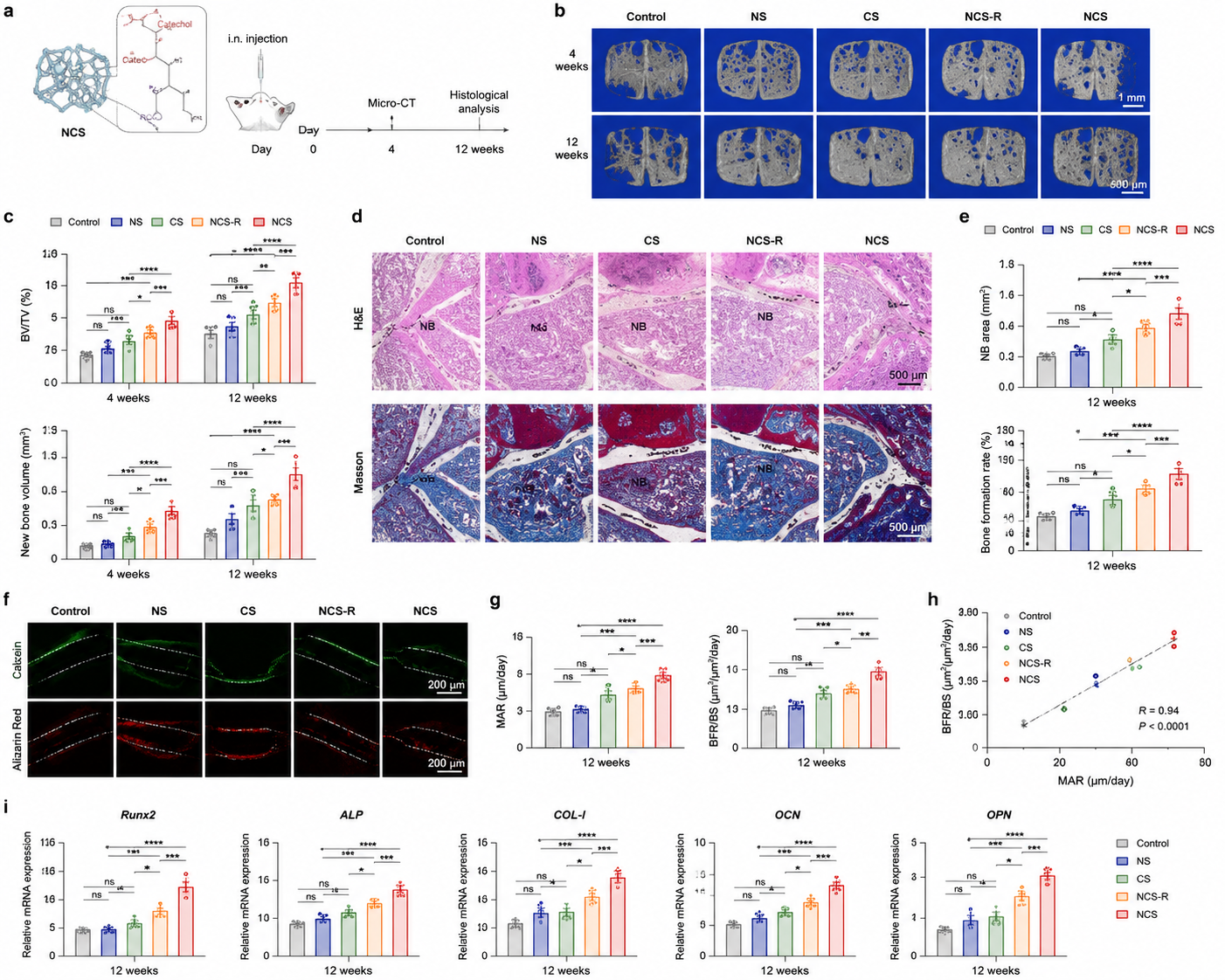
In scanning UV printers, the carriage normally needs to travel over the same printing area multiple times to build the required image. Common modes may include four-pass, six-pass and eight-pass printing, although exact configurations vary between printer manufacturers.
Lower-pass modes generally prioritize productivity, while higher-pass modes can improve image smoothness, coverage and tolerance for nozzle or calibration imperfections.
This creates an important scenario:
- A Gen5 printer operating effectively in 4-pass production mode may complete jobs faster than a Gen6 printer being operated in 8-pass high-quality mode.
- A Gen6 machine may show impressive speed in a draft or production mode but deliver a very different output rate when white ink, higher resolution or additional passes are enabled.
Therefore, a quoted maximum speed is meaningful only when the printing mode is clearly defined.
When comparing machines, ask the manufacturer to provide speeds for:
- 4-pass production mode
- 6-pass balanced mode
- 8-pass quality mode
- CMYK only
- White + CMYK
- White + CMYK + varnish, if applicable
The most relevant speed is not the highest number in the brochure. It is the speed at the quality level your customers will actually accept.
For a deeper explanation of resolution and pass settings, see our UV Printer Resolution and Pass Count Guide.
Printhead Quantity Can Matter More Than Printhead Generation
Another common mistake is comparing printers only by whether they use Ricoh G5 or G6 heads.
Imagine two machines:
Machine A: 2 × Ricoh Gen6 printheads
Machine B: 4 × Ricoh Gen5 printheads
It would be incorrect to automatically assume Machine A has higher productivity simply because it uses the newer generation.
Printhead quantity and channel allocation can dramatically affect how much ink is deposited during each carriage movement.
For example, a UV printer may allocate separate heads to:
- CMYK color
- Белые чернила
- Лак
- Additional color channels
Another configuration may divide multiple heads between white and color to improve simultaneous printing capacity. Some industrial machines may also use staggered head arrangements to increase effective printing width or productivity.
As a result, buyers need to compare the entire head configuration.
Ask:
- How many total printheads are installed?
- How many heads are used for CMYK?
- How many are dedicated to white?
- Is varnish assigned to a separate head?
- Can white and color be printed simultaneously?
- Does the machine require additional carriage passes for specific layers?
For high-volume production, adding appropriately configured printheads can sometimes create a more significant productivity advantage than changing printhead generation alone.
The Hidden Bottleneck: Carriage and Motion System
A printhead capable of high-frequency jetting still requires a mechanical system capable of moving it accurately at production speed.
During printing, the carriage repeatedly accelerates, reaches its printing velocity, decelerates, changes direction and accelerates again. The printer must maintain accurate droplet placement during this movement.
Important mechanical components include:
- Servo or linear motor performance
- Linear guide accuracy
- Encoder resolution
- Carriage weight
- Frame rigidity
- Acceleration and deceleration control
- Bidirectional calibration accuracy
A manufacturer cannot simply install a faster printhead and increase carriage speed without considering vibration, dot-placement accuracy and mechanical stability.
This is especially important on large-format UV flatbed printers where the carriage travels across a wide print area. Increasing maximum velocity is useful, but acceleration distance and reversal time also contribute to each printing cycle.
For that reason, two UV printers using exactly the same Ricoh Gen6 printhead can still have noticeably different production speeds.
When evaluating a machine, look beyond the printhead name and ask the supplier to demonstrate a full-size production job at realistic settings.
How RIP Software and Data Processing Affect UV Printer Speed
Modern UV printing is also a data-processing process.
Before ink reaches the substrate, the RIP software must process image files, color profiles, resolutions, screening, white layers and potentially varnish or variable data. The printer controller must then deliver this information to the printheads at the required rate.
A faster Gen6 printhead cannot compensate for an inefficient workflow if raster processing becomes the bottleneck.
Large files can create additional challenges when printing:
- High-resolution photographic graphics
- Large-format decorative panels
- Complex white ink layers
- Variable-data jobs
- Multiple nested files
- Barcode or serialization projects
Production businesses should therefore evaluate RIP software, controller performance and workstation configuration together with printhead specifications.
You can learn more in our UV Printer RIP Software Guide и ICC Profile Guide for UV Printing.
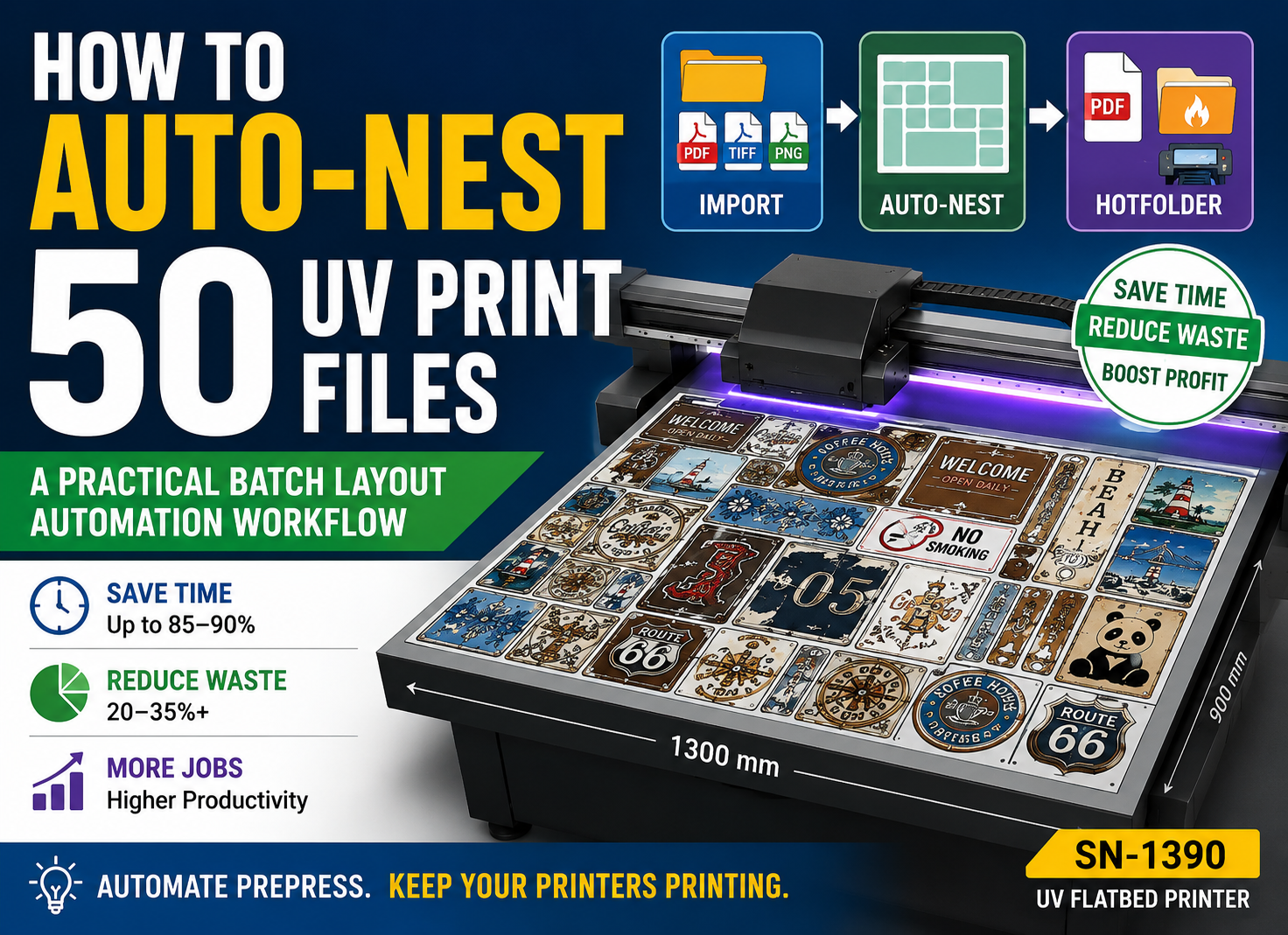
If your production involves many small files, automated nesting and workflow optimization may improve daily output even without changing printheads. See our UV Printing Automated Nesting Guide.
White Ink and Varnish Change the Speed Equation
Many UV flatbed printer customers do not print CMYK alone.
Typical production configurations include:
- White + CMYK
- CMYK + white
- White + CMYK + varnish
- Multiple white layers
- Embossed or textured effects
These production methods can change the relationship between printhead performance and finished-job speed.
For example, a transparent acrylic job may require a white underbase plus a full-color layer. A decorative panel may add varnish. An embossed application may require repeated white or varnish deposition to build physical height.
In such jobs, the total number of layers may have a greater impact on completion time than the difference between Gen5 and Gen6 firing frequency.
Head configuration also becomes important. A machine capable of efficiently printing white and color during the same production sequence may have an advantage over a printer that requires separate operations.
When comparing quoted speeds, always confirm whether the number represents:
- CMYK-only printing
- CMYK + white
- White + CMYK + varnish
Otherwise, two apparently similar speed figures may describe completely different production conditions.
Print Quality: Where Gen6 Has a Clearer Advantage
The speed discussion should not hide one of the meaningful technical benefits of Ricoh Gen6: finer minimum droplet capability.
The MH5320/MH5340 specification lists a minimum 5 pl drop, compared with 7 pl for the commonly referenced MH5420/MH5440 Gen5 heads.
Smaller droplets can help produce smoother tonal transitions and finer visual detail when the entire printing system, waveform, ink and RIP settings are optimized correctly.
This can be especially valuable for:
- Small text and industrial markings
- Detailed acrylic graphics
- Premium packaging samples
- Luxury decorative panels
- Photographic images
- Close-view display products
- Fine gradients and skin tones
The practical advantage is therefore not simply “Gen6 is faster.” For many buyers, the stronger value proposition is the ability to combine high productivity potential with fine-image capability.
However, buyers should remember that print quality also depends on ICC profiles, ink chemistry, nozzle condition, calibration, substrate surface and RIP settings. A 5 pl specification alone cannot guarantee superior finished output.
When Is Ricoh Gen6 Worth the Upgrade?
A Ricoh Gen6 UV printer can be a worthwhile investment when the rest of the machine is designed to take advantage of the printhead’s capabilities and when increased productivity or finer output creates measurable business value.
| Production Situation | Gen5 | Gen6 |
|---|---|---|
| Standard signage production | Very suitable | Very suitable |
| Medium production volume | Good value | Good if speed is required |
| High-volume industrial production | Possible with proper configuration | Strong candidate |
| Fine photographic detail | Хороший | Potential advantage |
| Small text and gradients | Хороший | Potential advantage |
| Low machine utilization | Often better ROI | Extra capability may be unused |
Gen6 is particularly worth considering when production capacity is already a limiting factor. If your printer runs many hours per day and additional square meters per hour allow you to accept more orders, shorten delivery times or reduce overtime, higher productivity can have a direct financial value.
The same applies when fine-detail output is commercially important. If your customers pay more for premium decorative products, photographic graphics or fine industrial markings, the smaller minimum droplet may provide another reason to choose Gen6.
For businesses comparing investment costs, evaluate the printer using total cost of ownership rather than only its purchase price. Our UV Printer Total Cost of Ownership Guide explains how to compare equipment costs over several years.
When Gen5 May Still Be the Better Choice
Newer technology is not automatically the most profitable configuration for every business.
A well-designed Ricoh Gen5 printer may still offer excellent value when:
- Daily print volume is moderate.
- The business mainly produces standard signage or board printing.
- Customers do not require extremely fine close-view image quality.
- The printer spends significant time waiting for loading, unloading or job preparation.
- The company normally uses six-pass or eight-pass quality modes.
- Initial equipment cost is an important consideration.
- The expected production volume does not justify paying for unused capacity.
Consider a shop that prints only three or four hours per day. If a Gen5 machine can complete all orders within the available shift, purchasing a faster machine may not create additional revenue.
In this situation, investment might be better directed toward additional tooling, fixtures, workflow automation, RIP software, material inventory or another machine that adds new application capabilities.
In other words:
A machine should be upgraded because the upgrade solves a production problem—not because the specification sheet contains a newer printhead name.
How to Compare Two UV Printers Before Buying
If you are comparing Ricoh Gen5 vs Gen6 UV printers, request production information under the same conditions.
Use the following checklist before making a decision.
1. How Many Printheads Are Installed?
Do not compare a two-head machine with a four-head machine only by printhead generation.
2. How Are the Heads Allocated?
Ask how many channels or heads are assigned to CMYK, white and varnish.
3. What Is the Speed at Different Pass Counts?
Request 4-pass, 6-pass and 8-pass figures rather than only maximum speed.
4. What Resolution Was Used?
A speed figure has little meaning if one machine was tested at a lower quality setting than another.
5. Was the Speed Measured in Bidirectional Mode?
Bidirectional and unidirectional printing can produce different productivity results.
6. Does the Quoted Speed Include White Ink?
Many brochure figures represent CMYK-only operation. Confirm the mode you will actually use.
7. How Is Varnish Produced?
Ask whether varnish is printed simultaneously or requires another production sequence.
8. What RIP and Controller Are Used?
Data processing and printer electronics must support the production rate.
9. What Material and Image Were Used for the Speed Test?
Small test files and full-bed production jobs may produce different practical throughput.
10. Can the Supplier Perform a Real Production Test?
This is one of the best ways to compare machines.
Send the supplier the same artwork and substrate requirements you normally use. Specify the required resolution, pass count, white ink configuration and print dimensions. Then ask for:
- Total printing time
- Actual printed area
- Print mode
- Number of passes
- Разрешение
- White/varnish configuration
- Photos or video of the finished result
A realistic production test is often more valuable than comparing maximum specifications on two brochures.
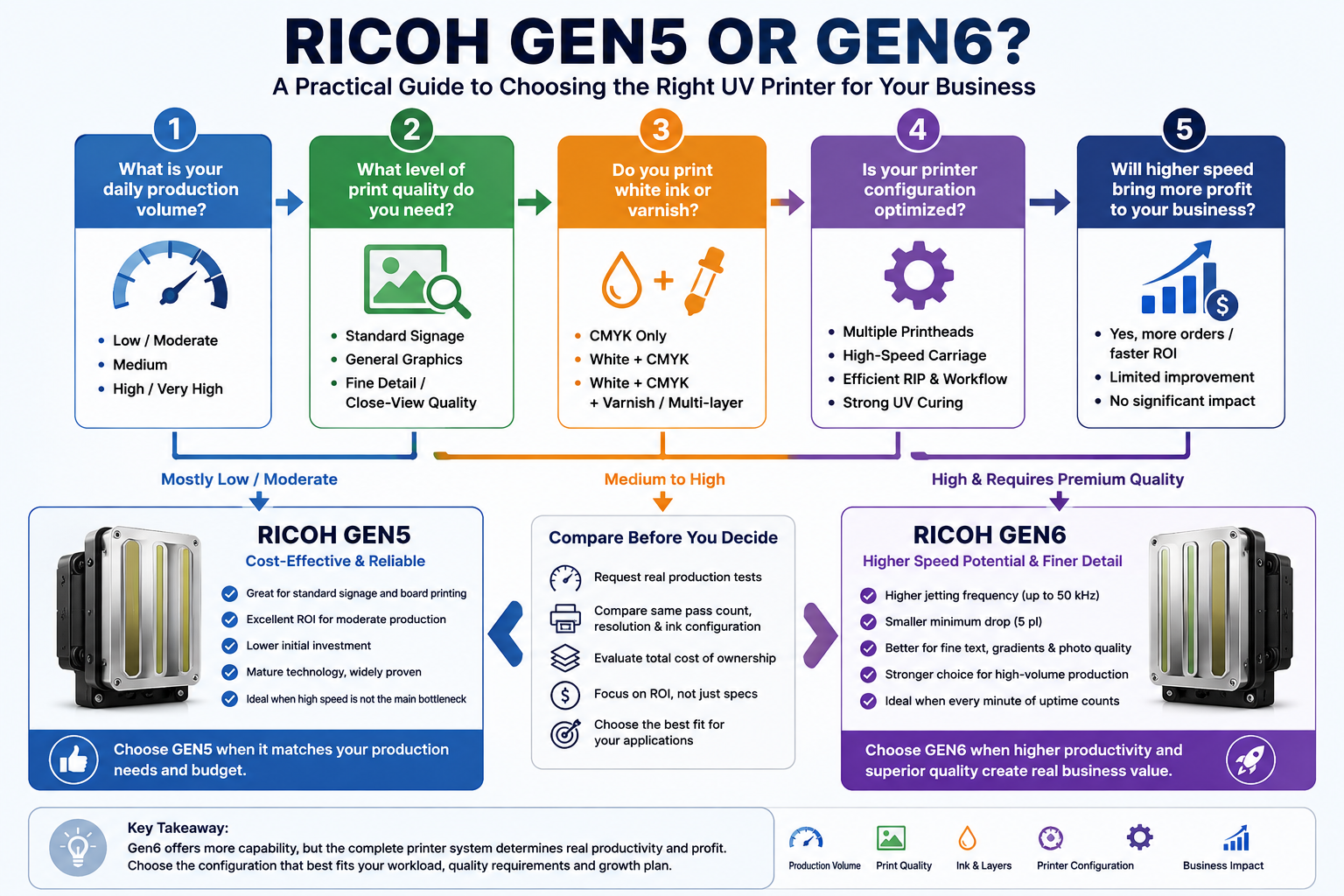
Ricoh Gen5 vs Gen6: Final Recommendation
При сравнении Ricoh Gen5 vs Gen6, the technical advantage of Gen6 is clear in several areas. It offers higher jetting-frequency capability and a smaller minimum droplet in the commonly compared MH5320/MH5340 series.
What buyers should avoid is turning that technical advantage into an unrealistic assumption that every Gen6 UV printer must deliver dramatically higher production speed.
Actual UV printer productivity depends on the entire machine:
- Printhead generation
- Number of printheads
- Head arrangement
- Pass count
- Print resolution
- Carriage and motion system
- RIP and controller performance
- White ink configuration
- Varnish and multilayer printing
- УФ-отверждение
- Operator workflow
If your company already has strong order volume, needs higher production capacity and benefits from fine-detail printing, a properly engineered Gen6 machine may justify its higher investment.
If production volume is moderate and a good Gen5 machine can already complete your daily workload, Gen5 may still provide a very competitive return on investment.
The best purchasing principle is simple:
Buy a Gen6 UV printer because the complete machine delivers the productivity and print quality your business requires—not simply because “Gen6” appears on the specification sheet.
Before choosing a configuration, ask your UV printer supplier to test your actual files, materials and production mode. Real application data is the most reliable way to determine whether the Gen6 upgrade creates meaningful value for your business.
Frequently Asked Questions About Ricoh Gen5 vs Gen6
Is Ricoh Gen6 faster than Gen5?
Ricoh Gen6 has a higher maximum jetting-frequency capability than commonly compared Gen5 models, giving it greater potential for high-speed printing. However, actual UV printer speed also depends on pass count, head quantity, carriage performance, RIP processing, resolution, ink layers and other machine configurations.
How much faster is a Ricoh Gen6 UV printer?
There is no universal percentage. Comparing 50 kHz with 30 kHz does not mean the finished printer will automatically produce approximately 67% more square meters per hour. Real productivity must be measured using the same resolution, pass count, ink configuration and print-quality requirements.
What is the difference between Ricoh MH5420 and MH5320?
The commonly referenced MH5420 Gen5 and MH5320 Gen6 both use 1,280 nozzles and approximately 54.1 mm print width. Key differences include minimum droplet size and jetting frequency. MH5420 specifications list a 7 pl minimum binary-mode droplet and 30 kHz binary frequency, while MH5320 specifications list a 5 pl minimum droplet and frequencies up to 50 kHz depending on grayscale mode.
Does Ricoh Gen6 produce better print quality than Gen5?
Gen6’s smaller minimum droplet can provide an advantage for fine details, gradients and reduced visible grain when the complete printing system is properly optimized. However, final quality also depends on RIP settings, ICC profiles, ink, calibration, substrate condition and machine stability.
Does higher firing frequency always increase UV printer speed?
No. Higher firing frequency increases the printhead’s potential output capability, but real production speed can still be limited by carriage movement, pass count, print resolution, data processing, UV curing and head configuration.
Is printhead quantity more important than printhead generation?
In some production scenarios, yes. A machine with more properly configured Gen5 heads may outperform a machine with fewer Gen6 heads. Printhead generation and head quantity should therefore be evaluated together.
Should I choose Ricoh Gen5 or Gen6 for a 2513 UV flatbed printer?
Choose based on your required daily output, print quality, application mix and budget. Gen6 may be attractive for high-volume production and fine-detail applications, while a well-configured Gen5 2513 printer may remain cost-effective for standard signage, board printing and moderate production volumes.
Can I replace Ricoh Gen5 printheads with Gen6 printheads directly?
Usually, a printhead-generation upgrade should not be treated as a simple plug-and-play replacement. Compatibility can involve the controller, drive electronics, waveform, firmware, cabling, mounting structure, ink characteristics and software configuration. Always confirm an upgrade with the original printer manufacturer before changing printhead types.