

 Russian
  English
  Arabic
  German
  French
  Spanish
  Turkish
  Italian
  Persian
  Bengali
  Hebrew
  Persian (Afghanistan)
  Scottish Gaelic
  Panjabi
  Croatian
  Slovenian
  Greek
Greek  Afrikaans
  Czech
Czech  Korean
  Japanese
  Portuguese





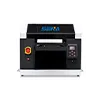
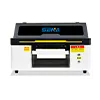
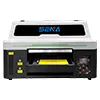
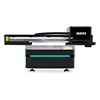
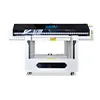
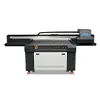
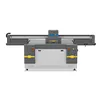
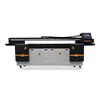
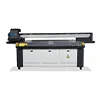
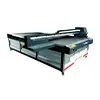
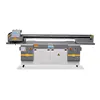
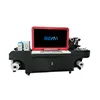
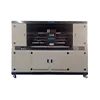
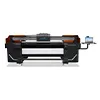
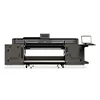

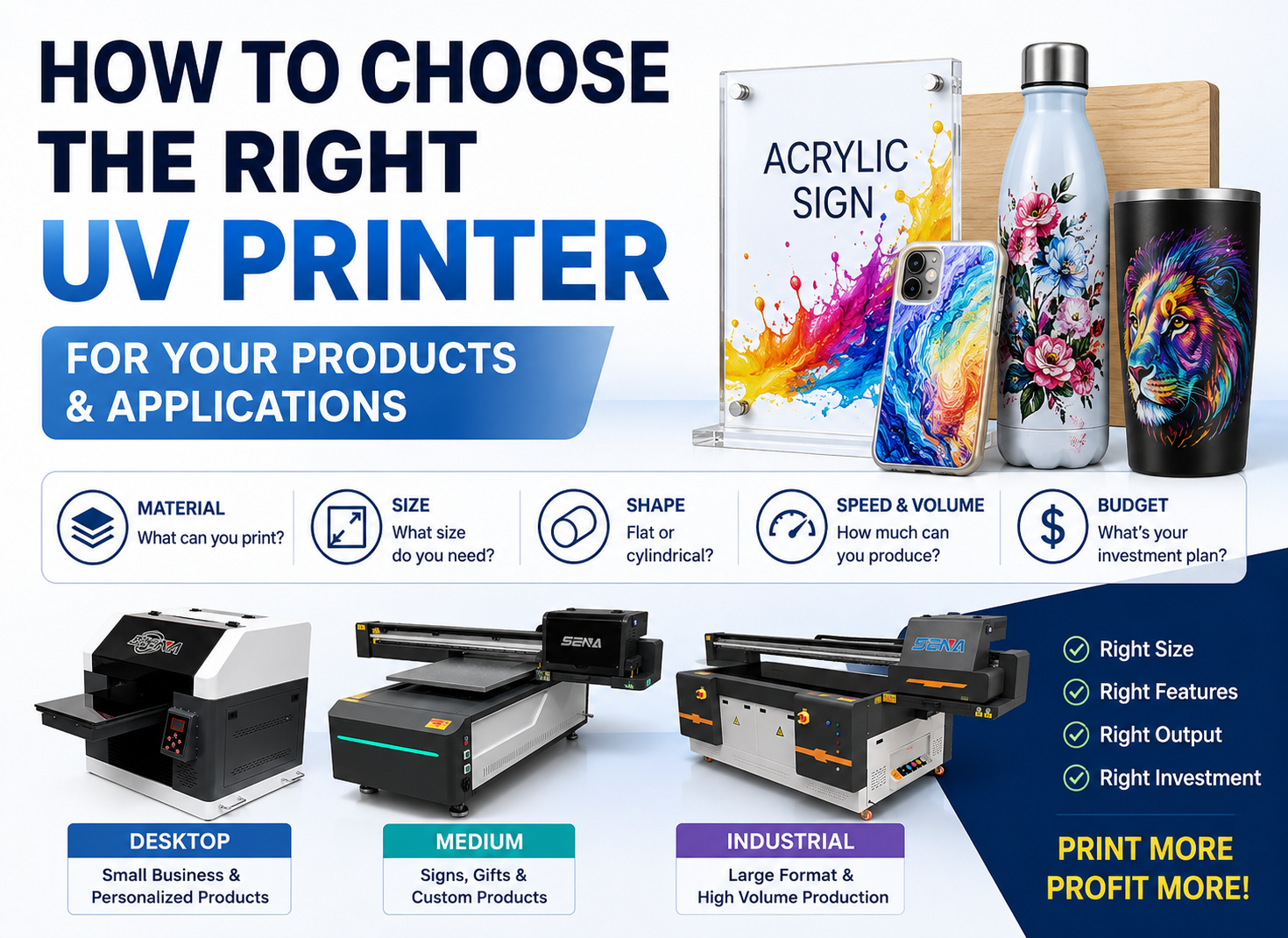
Sizing Your UV Printer: Capacity Comparison & Pricing Tactics
Choosing the right UV printer is not simply a question of buying the largest print bed available. A practical UV printer capacity comparison must consider product dimensions, bed utilization, printhead configuration, pass mode, loading time, white ink, varnish and the type of orders your business receives.
A larger UV flatbed printer can process bigger products and hold more items in one printing cycle. However, it also requires more investment, more production space and enough order volume to keep the machine productive. A smaller printer may offer better flexibility and a faster return on investment when most orders involve customized gifts, phone cases, nameplates or short production runs.
This guide compares the common A3, 6090, 1390, 2513 and 3220 UV printer sizes. It also explains how to calculate real production capacity, estimate machine-hour costs and create a profitable UV printing quotation for flat products, cylindrical products, white ink, varnish and embossed effects.

Quick UV Printer Capacity Comparison
UV printer size determines the maximum product dimensions that can be printed, but it does not directly determine how much profit the printer can generate. The most suitable machine is the one that matches your product dimensions, average order quantity, production schedule and target market.
| Printer Size | Typical Print Area | Best Applications | Recommended Order Type | Main Limitation |
|---|---|---|---|---|
| A3 / 3045 | Approximately 300 × 450 mm | Phone cases, gifts, nameplates, samples and small signs | Samples and small customized orders | Limited nesting area and frequent loading |
| 6090 | 600 × 900 mm | Acrylic signs, wood products, metal plates and promotional items | Small and medium production runs | Not suitable for large industrial panels |
| 1390 | 1300 × 900 mm | Medium signs, decorative boards, furniture parts and batch products | Medium-volume mixed production | Requires more space and investment than a 6090 |
| 2513 | 2500 × 1300 mm | Furniture panels, glass, PVC boards, acrylic sheets and industrial signs | Large-format and industrial production | Higher purchase and operating requirements |
| 3220 | Approximately 3200 × 2000 mm | Oversized panels, architectural materials and industrial boards | Stable large-format projects | Low utilization can make production expensive |
The Fastest Selection Rule
Choose by maximum product dimensions
The product must fit completely inside the usable printing area. Additional space may also be required for fixtures, positioning marks, material edges and printhead safety clearance. A product that measures exactly the same as the advertised print bed may be difficult to position in actual production.
Choose by average daily order volume
Bed size affects how many products can be arranged in one printing cycle. A larger platform may reduce the number of loading and unloading operations, but only when enough products are available to fill the platform.
Choose by your product mix
A company printing only full-size furniture boards has different requirements from a business producing phone cases, acrylic signs, wooden boxes and customized gifts. Product variety can make production flexibility more valuable than maximum bed area.
Common UV Printer Sizes and Their Best Uses
A3 and 3045 UV Printers
A3 and 3045 desktop UV printers are normally selected by startups, gift customization businesses, sample departments and companies with limited production space. Typical products include phone cases, metal nameplates, acrylic products, pens, badges, keychains and small wooden items.
The main advantage is flexibility. Operators can prepare short orders quickly without occupying a large industrial machine. Small customized products may also support a higher selling price per piece because customers are paying for personalization rather than only printed area.
The limitation is the small nesting area. Large orders require more printing cycles, more manual loading and more operator attention. An A3 machine may be profitable for customized orders but inefficient for large signs or industrial panels.
6090 UV Printers
A 6090 UV printer provides a 600 × 900 mm printing area and is one of the most practical options for businesses handling mixed orders. It can print acrylic signs, wooden products, metal plates, decorative panels, promotional gifts, packaging samples and batches of small products.
Compared with a desktop printer, a 6090 offers more space for product nesting while remaining relatively easy to install in a small workshop. Vacuum adsorption platforms, adjustable printing heights and optional rotary devices can further expand its application range.
What affects a 6090 UV printer price?
The 6090 UV printer price should not be judged only by the external machine size. Important cost factors include:
- Printhead brand, model and quantity
- CMYK, white ink and varnish configuration
- Maximum printing height
- Vacuum adsorption platform
- Linear guide and motion system
- RIP software and color management functions
- Optional rotary printing device
- Training, warranty and overseas technical support
A lower purchase price can become expensive if the machine produces unstable white ink, requires frequent maintenance or cannot meet the customer’s actual daily output.
Related guide: Learn more about choosing a 6090 UV flatbed printer.
1390 UV Printers
A 1390 UV printer usually offers a 1300 × 900 mm printing area. It is suitable for medium-sized signs, furniture components, decorative boards, acrylic products and batch printing of mixed items.
The capacity advantage over a 6090 comes from a larger usable bed. More products can be arranged in one cycle, and some medium-sized panels can be printed without splitting. However, the actual improvement depends on whether the order fills the extra bed area.
When comparing a 6090 vs 1390 UV printer, calculate the number of products per bed, total loading cycles and productive machine hours. Do not compare bed dimensions alone.
2513 UV Printers
A 2513 UV flatbed printer is commonly used for furniture panels, PVC boards, acrylic sheets, glass panels, aluminum composite panels, decorative boards and industrial signage. Its 2500 × 1300 mm platform can accommodate many standard sheet materials.
A 2513 becomes more economical when a company has regular large-format orders and can maintain good bed utilization. Larger panels require fewer loading cycles, and products that cannot fit on a 6090 or 1390 can be printed directly without image splitting.
However, the machine should not be purchased only because it looks more industrial. If most orders involve small customized products, a large bed may remain partially empty, reducing the return on the additional investment.
Machine information: View the 2513 UV flatbed printer for industrial board printing.
3220 UV Printers
A 3220 UV printer is designed for oversized boards, architectural panels, large decorative surfaces and industrial projects. It may reduce loading and alignment work when the business frequently prints materials larger than a 2513 platform.
A 3220 is generally not the best option when orders are unstable, products are small or factory space is limited. The additional printing area creates value only when customers regularly purchase products that need it.
How to Calculate Real UV Printer Capacity
Print bed size is only one part of a complete capacity calculation. Real production output is affected by product arrangement, printing time, loading, alignment, unloading, maintenance and the percentage of finished products that pass inspection.

Formula 1: Products per Print Bed
Products per Bed = Products Across the Usable Width × Products Along the Usable Length
The number of products across the bed can be estimated as:
Products Across = Usable Bed Width ÷ Product Width Including Spacing
The number of products along the bed can be estimated as:
Products Along = Usable Bed Length ÷ Product Length Including Spacing
Always round the result down to a complete number. Space should be included for product gaps, fixtures, positioning and safe printhead movement.
Illustrative phone case layout
Suppose a phone case and its required spacing occupy approximately 185 × 100 mm. On a 600 × 900 mm platform, one possible layout could hold three products across the 600 mm direction and nine along the 900 mm direction.
3 × 9 = 27 phone cases per printing cycle
This is only a layout example. Actual capacity may change according to case shape, fixture dimensions, printing orientation and the usable area of the machine.
Formula 2: Print Cycles per Hour
Print Cycles per Hour = 60 ÷ Total Cycle Time in Minutes
The total production cycle should include:
Total Cycle Time = Loading + Alignment + RIP Processing + Printing + Unloading
A supplier may quote only the carriage printing time, but this does not represent the complete production cycle. If printing requires eight minutes and loading, alignment and unloading require another four minutes, the actual cycle is twelve minutes, not eight minutes.
Formula 3: Saleable Output per Day
Daily Saleable Output = Products per Bed × Cycles per Hour × Productive Hours × Yield Rate
Productive hours are the hours during which the machine is actually producing saleable output. Lunch breaks, cleaning, file preparation, maintenance and unplanned downtime should not be counted as productive hours.
Yield rate represents the percentage of products that meet the required quality standard. Test pieces, positioning errors, damaged materials and rejected products should be deducted.
Illustrative calculation
If a platform holds 27 products, completes four cycles per hour, operates for six productive hours and maintains a 95% yield rate:
27 × 4 × 6 × 95% = approximately 616 saleable products per day
This number is an example for explaining the formula. Actual output must be tested with the customer’s artwork, product, ink configuration, print quality and loading method.
Formula 4: Effective Area Capacity
For furniture panels, glass, advertising boards and other large materials, area output is often more useful than product quantity.
Effective Area Output = Printed Area per Cycle × Cycles per Hour × Uptime Rate × Yield Rate
A machine with a larger bed can process more area in one cycle, but unused platform space should not be counted as productive output.
How Printheads and Pass Modes Affect Capacity
Printhead quantity
More printheads may increase print width, color coverage or production speed. However, doubling the number of printheads does not automatically double final output. Loading speed, RIP processing, curing, operator efficiency and product arrangement can still limit production.
Pass mode
A higher pass mode normally uses more carriage movement to improve image smoothness and reduce visible banding. It may improve print quality but also increases production time.
Pass should therefore not be used as a positive multiplier in a capacity formula. In many configurations, increasing the pass setting reduces hourly output.
White ink and varnish
Color-only printing, color plus white printing, and color plus white plus varnish printing can have different production speeds. A reliable capacity calculation should record these modes separately.
- CMYK color only
- CMYK plus white ink
- CMYK plus white ink and spot varnish
- Multilayer embossed printing
Why “Printheads × Pass × Bed Size” Is Incomplete
A simplified formula based only on printheads, pass mode and bed dimensions ignores important production constraints.
- A larger bed only creates more capacity when it is filled.
- Higher pass settings usually require more printing time.
- Small products may be limited by manual loading rather than print speed.
- Fixtures may reduce the usable printing area.
- White ink and varnish may require additional layers.
- The slowest step in the workflow controls final output.
Capacity Comparison for Three Typical UV Printing Orders

Order 1: Printing 180 m² of Furniture Panels
For a furniture panel order, the first step is to define panel dimensions, printed coverage, ink configuration and delivery time. The total area alone is not enough to select a machine.
6090 UV printer
A 6090 can print small furniture components and samples, but completing 180 m² may require many loading cycles. Large panels may need to be divided into sections, which increases alignment work and can create visible joining risks.
1390 UV printer
A 1390 can process medium-sized decorative panels and furniture components more efficiently. It reduces loading cycles compared with a 6090, but some full-size boards may still exceed the platform.
2513 UV printer
A 2513 is normally more suitable for standard furniture boards and industrial panels. It can print larger materials directly and may reduce loading, alignment and handling time.
3220 UV printer
A 3220 may be useful when panels exceed the 2513 format or when the business has stable oversized orders. For standard boards, its additional area may not create enough extra value to justify the investment.
For this type of order, compare:
- Number of loading cycles
- Bed utilization rate
- Productive hours required
- Material handling requirements
- Cost per saleable square meter
- Ability to meet the delivery date
Order 2: Printing 10,000 Phone Cases
Phone case production is affected by the number of products per fixture, fixture loading speed, print cycle time, white ink layers and quality yield.
An A3 printer may require many cycles but can be used for different designs and short batches. A 6090 can hold more fixtures and reduce the total number of printing cycles. A 1390 offers more bed area, but the advantage may be limited if the operator cannot load and unload the larger number of phone cases efficiently.
For 10,000 units, a company should compare two possible production structures:
- One larger printer with a large fixture
- Two or more smaller printers operating simultaneously
Multiple smaller machines may offer production redundancy and allow different designs to run at the same time. One larger machine may reduce the number of cycles but creates a greater production interruption if the machine stops.
Phone cases are normally better quoted with a combination of:
- Fixture or setup fee
- Per-piece printing price
- White ink surcharge
- Quantity-based price tiers
- Individual packaging fee when required
Order 3: Printing 200 Advertising Signs
The phrase “200 signs” does not provide enough information for a production quotation. The printer supplier or printing company should first confirm:
- Dimensions of each sign
- Material type and thickness
- Full-area or partial printing
- Color-only or white ink printing
- Varnish or embossed effect requirements
- Cutting, drilling or finishing requirements
Small signs can be arranged together and quoted per piece. Large signs and full boards are usually easier to calculate per square meter. The most efficient machine is the one that fits the maximum number of signs with the least unused bed space.
| Order Type | Main Capacity Unit | Recommended Pricing Method | Important Extra Cost |
|---|---|---|---|
| Furniture panels | Square meters per hour | Per square meter or project price | Handling and pretreatment |
| Чехлы для телефонов | Saleable pieces per hour | Setup fee plus per-piece price | Fixture and loading labor |
| Advertising signs | Pieces or square meters | Per-piece or per-area pricing | Cutting and finishing |
A Practical UV Printing Pricing Formula
Надежный UV printing pricing formula should cover all costs required to produce a saleable order. Ink consumption is important, but it is only one part of the total job cost.

Complete Job Cost Formula
Total Job Cost = Material + Pretreatment + Ink + Machine Time + Labor + Finishing + Waste Allowance + Packaging + Delivery Preparation
Material cost
Include the actual board, product, blank item or customer-supplied material handling cost. Material loss caused by cutting, testing or damage should also be considered.
Pretreatment cost
Glass, metal and some plastics may require cleaning, primer or adhesion testing. Pretreatment includes chemicals, labor, drying time and test materials.
Ink cost
Ink cost changes according to image coverage, white ink layers, varnish coverage and embossed effects. A full-color image covering an entire board consumes more ink than a small logo.
Machine-time cost
Machine time should include printing, calibration and any machine time reserved for the order. This prevents low-coverage artwork from being underpriced when it still occupies the printer for a long period.
Labor cost
Labor may include file checking, RIP processing, material cleaning, product loading, unloading, inspection and packaging.
Waste allowance
A reasonable allowance should cover test prints, rejected products, color adjustment and positioning errors. High-value customer materials may require a larger risk allowance.
Selling Price Formula
Selling Price = Total Job Cost ÷ (1 − Target Gross Margin Rate)
For example, when the total job cost is 1,000 and the target gross margin is 30%:
1,000 ÷ (1 − 0.30) = 1,428.57
The final selling price would need to be approximately 1,429 to achieve a 30% gross margin before taxes and other business expenses.
Markup and gross margin are not the same. Adding 30% to a cost of 1,000 produces a selling price of 1,300, but the gross margin is only about 23.1%.
Machine-Hour Pricing Formula
Machine-Hour Cost = Annual Machine-Related Cost ÷ Annual Productive Machine Hours
Annual machine-related costs may include:
- Equipment depreciation
- Printhead and spare-part reserve
- Обслуживание
- программное обеспечение RIP
- Production space
- Electricity
- Technical labor
- Planned downtime allowance
The machine cost for one order can then be calculated as:
Machine Cost per Job = Machine-Hour Cost × Machine Hours Used
Per-Piece Pricing
Per-piece pricing is suitable for phone cases, gifts, nameplates, keychains, customized accessories and small signs.
Price per Piece = Setup Cost ÷ Order Quantity + Variable Cost per Piece + Machine-Time Cost per Piece + Target Profit
Setup costs should not disappear simply because an order contains only a few pieces. File preparation, color testing and machine calibration are still required.
Per-Square-Meter Pricing
Per-square-meter pricing is usually more practical for furniture boards, glass panels, acrylic sheets, PVC boards and advertising materials.
Price per Square Meter = Material and Pretreatment Cost + Ink Coverage Cost + Machine-Time Cost + Labor + Waste Allowance + Profit
Do not apply one standard price to every design. Full white ink coverage, multilayer printing and varnish require more production time than color-only printing.
Minimum Order Charge
Every job requires file checking, RIP setup, product positioning, test printing and cleaning. A minimum order charge helps recover these fixed production costs.
A simple pricing structure can be:
Final Quotation = Minimum Setup Charge + Printing Charge + Optional Process Charges
When to Add UV Printing Surcharges
Flat Products vs Cylindrical Products
Flat products are normally placed directly on the platform or inside a positioning fixture. Cylindrical products require a rotary device and additional calibration.
Cylindrical printing may involve:
- Rotary device installation
- Diameter and circumference measurement
- Print starting-position adjustment
- Centerline calibration
- Test printing
- Slower loading and unloading
- Higher positioning risk
A practical quotation structure is:
Rotary Setup Fee + Per-Piece Cylindrical Printing Price
This is usually clearer than applying an unexplained percentage surcharge.
Related article: How to print cylindrical products with a UV printer and rotary device.
White Ink Surcharge
White ink may be required for dark, transparent or colored materials. The surcharge should reflect:
- White ink coverage
- Number of white layers
- Additional printing time
- White ink circulation and maintenance
- Cleaning and testing waste
A small white background under a logo should not be priced the same as full-bed white ink coverage.
Varnish and Embossed Effect Surcharge
Varnish pricing should distinguish between spot varnish, full-area varnish and multilayer embossed effects. Embossed printing may require several repeated layers, increasing machine time and ink consumption.
The quotation can be divided into:
- Spot varnish charge
- Full-area varnish charge
- Multilayer embossed effect charge
Related guide: White ink, varnish and embossed effects in UV printing.
Pretreatment and Primer Charge
Some glass, metal and plastic products require surface treatment to improve adhesion. The charge should include cleaning, primer application, drying, labor and adhesion testing.
Other Charges That Should Not Be Ignored
- Artwork correction and file modification
- Соответствие цветов
- Sample production
- Special fixture manufacturing
- Urgent production
- Individual packaging
- Unusual product height
- Difficult product loading
- High-value material risk
Suggested Pricing Tactics for Different UV Printer Sizes
A3 Printer Pricing Strategy
A3 machines are suitable for low-quantity, high-customization orders. Businesses should avoid competing only on low unit prices.
- Use a higher per-piece price
- Accept lower minimum quantities
- Charge for personalization
- Set separate sample and prototype prices
- Offer fast delivery as a value-added service
6090 Printer Pricing Strategy
A 6090 can use a mixed quotation model because it handles both small products and medium-sized boards.
- Per-piece pricing for gifts and accessories
- Per-area pricing for signs and panels
- Setup fees for short orders
- Volume discounts for repeat batches
- Rotary setup fees for cylindrical products
1390 Printer Pricing Strategy
A 1390 is suitable for medium production runs and mixed-product batches. Pricing should consider the amount of platform space occupied by each order.
- Standard batch pricing
- Mixed-product setup surcharge
- Repeat-order discount
- Urgent capacity reservation charge
2513 Printer Pricing Strategy
A 2513 is normally quoted by square meter, full board, machine hour or complete project. The larger platform should not lead to uncontrolled price reductions.
- Set a minimum machine-hour charge
- Use full-board pricing for industrial materials
- Calculate white ink and varnish separately
- Offer project pricing for stable large orders
- Protect margin when bed utilization is low
3220 Printer Pricing Strategy
A 3220 is more suitable for industrial agreements and oversized projects than occasional small orders.
- Contract pricing
- Large-project quotations
- Monthly production agreements
- Industrial batch pricing
- Reserved-capacity agreements
Building Profitable Volume Discounts
Discounts should be based on real production savings, not only the customer’s requested quantity.
A repeat order may deserve a lower unit price when it reduces:
- File preparation time
- Color testing
- Fixture adjustment
- Material changeover
- Loading complexity
- Rejection risk
A large order with many designs, unstable materials or complicated packaging may not be cheaper to produce than a smaller standardized order.
When Should You Upgrade to a Larger UV Printer?
Upgrade from A3 to 6090 When:
- Your products frequently exceed the A3 platform
- Loading and unloading are limiting daily output
- You are receiving more batch orders
- You want to print medium-sized signs and panels
- Your existing machine regularly operates near full capacity
Upgrade from 6090 to 1390 When:
- Medium-sized board orders are increasing
- You need to arrange more products per cycle
- The 6090 requires extended daily operating hours
- You are rejecting orders because of product size
- You need better productivity without moving directly to a 2513
Upgrade from 1390 to 2513 When:
- Furniture boards and industrial panels become major products
- Large-format orders are stable
- Image splitting reduces production efficiency
- Customers require full-board printing
- The additional monthly contribution can recover the equipment investment
Upgrade from 2513 to 3220 When:
- Oversized panel orders are frequent
- The 2513 bed is regularly too small
- Large projects can maintain acceptable bed utilization
- The factory has sufficient space, power and material handling equipment
Estimate the Upgrade Payback Period
Monthly Capacity Value = Monthly Saleable Output × Contribution per Saleable Unit
Incremental Monthly Contribution = Additional Output × Contribution per Unit
Estimated Upgrade Payback Period = Additional Equipment Investment ÷ Incremental Monthly Contribution
This calculation should use conservative production and sales assumptions. Extra capacity has no financial value if the company does not have enough orders to sell it.
One Large Printer or Two Smaller Printers?
A larger UV printer is not always the only way to increase output. In some applications, two smaller printers can provide better flexibility and production security.
Advantages of One Large Printer
- Ability to print larger products
- Fewer loading cycles for full-bed orders
- More efficient panel production
- Simpler workflow management
- One color-management system to maintain
Advantages of Two Smaller Printers
- Different jobs can run at the same time
- Production can continue when one machine needs maintenance
- Different ink or printhead configurations can be used
- Short orders do not occupy a large industrial platform
- Production scheduling may be more flexible
Decision Rule
Choose according to product size distribution, order concentration, delivery requirements, operator availability, downtime risk and available factory space.
If more than half of the orders require a large bed, one large printer may be the better choice. If orders are mainly small, varied and time-sensitive, two smaller printers may offer better utilization and redundancy.
Questions to Ask Before Buying a UV Printer
Before comparing machine prices, prepare the following production information:
- Maximum product length and width
- Average product dimensions
- Average and maximum daily order quantity
- Flat or cylindrical product requirements
- Material type and surface condition
- Required print resolution and pass mode
- White ink coverage
- Varnish or embossed effect requirements
- Maximum acceptable delivery time
- Available production space and power supply
Ask the supplier to test capacity using the same artwork, product size, resolution, pass mode, ink configuration and loading process that you expect to use in production.
Do not rely only on the advertised maximum printing speed. A sample production test provides a more useful estimate of products per bed, cycle time, image quality and daily saleable output.
Request a UV Printer Capacity and Pricing Evaluation
Send us your product dimensions, material, order quantity, printing requirements and daily production target. Our team can help estimate:
- Products that can be arranged per print bed
- Expected printing cycles
- Estimated daily production capacity
- Suitable UV printer size
- Recommended quotation method
- White ink, varnish or rotary printing requirements
Часто задаваемые вопросы
Which UV printer size is best for a startup?
An A3 or 6090 UV printer is often suitable for a startup because it requires less space and investment. The final choice should depend on the maximum product size and expected daily order quantity. A 6090 offers more flexibility when the business plans to print signs, boards and batches of small products.
Is a 2513 UV printer always faster than a 6090 printer?
No. A 2513 has a larger printing area, but real output depends on printhead configuration, pass mode, product layout, loading time and bed utilization. A 6090 may be more efficient when orders are small and the 2513 platform cannot be filled.
How do I calculate UV printer output per hour?
Calculate the number of products per bed and divide 60 minutes by the total cycle time. Then multiply products per bed by cycles per hour. The total cycle must include loading, alignment, printing and unloading.
Should UV printing be priced per piece or per square meter?
Small customized products such as phone cases, gifts and nameplates are usually priced per piece. Boards, glass, furniture panels and large signs are normally priced per square meter. Some orders require a setup fee plus a per-piece or per-area charge.
How should white ink and varnish be priced?
White ink and varnish should be calculated according to coverage, number of layers, additional printing time, maintenance and test waste. Full white ink coverage and embossed varnish should cost more than a small spot effect.
Why does cylindrical UV printing require an additional fee?
Cylindrical printing requires a rotary device, diameter measurement, centerline calibration, test printing and more careful loading. These steps increase setup time and production risk.
What affects the price of a 6090 UV printer?
The price depends on printhead type, printhead quantity, ink configuration, printing height, vacuum platform, motion system, RIP software, rotary options, spare parts, warranty and technical support.
When should I upgrade to a larger UV flatbed printer?
Consider upgrading when your current bed size causes frequent order rejection, excessive loading cycles, long delivery times or regular overtime. The additional capacity should be supported by stable demand and a reasonable investment payback period.
Заключение
A useful UV printer capacity comparison must consider more than print bed dimensions. Product size, nesting efficiency, printhead configuration, pass mode, loading time, white ink, varnish, operator efficiency, machine uptime and yield rate all affect the final production cost.
A small UV printer does not automatically produce less profit, and a large machine does not automatically create a lower unit cost. The most profitable choice is the machine that fits your products, order structure, delivery requirements and sales capacity.
Before purchasing a printer or preparing a customer quotation, calculate products per bed, complete cycle time, saleable daily output, machine-hour cost and required gross margin. This approach makes it easier to select the right printer size, build a realistic quotation and protect long-term profitability.
Continue reading: Explore more UV printing cost and profitability guides.