

 Scottish Gaelic
  English
  Arabic
  German
  French
  Spanish
  Turkish
  Italian
  Russian
  Persian
  Bengali
  Hebrew
  Persian (Afghanistan)
  Panjabi
  Croatian
  Slovenian
  Greek
Greek  Afrikaans
  Czech
Czech  Korean
  Japanese
  Portuguese






UV Printer Operation and Maintenance Guide: How to Reduce Training Costs and Avoid Common Mistakes
Many buyers are interested in UV printing technology but worry that a UV printer may be difficult to operate. Common concerns include complicated software, unclear instructions, high employee training costs, printhead damage and production downtime caused by incorrect operation.
This practical UV printer operation and maintenance guide explains how to use a UV printer, what operators need to learn, how to perform daily maintenance and how professional training can reduce long-term operating costs.

Is a UV Printer Difficult to Operate?
A UV printer is professional production equipment, but its basic operation is not extremely difficult when the machine has a clear control system and the supplier provides complete UV printer training.
Most new operators can learn the basic printing process after systematic instruction. However, stable production requires more than simply pressing the start button. Operators must understand file preparation, material positioning, printing parameters, printhead inspection and routine maintenance.
Main Skills a UV Printer Operator Needs to Learn
- Preparing and checking digital printing files
- Importing images into RIP software
- Setting color ink, white ink and varnish layers
- Measuring material thickness correctly
- Adjusting the printing position and print origin
- Checking nozzle condition before production
- Selecting suitable printing speed and resolution
- Cleaning and maintaining the machine correctly
- Identifying common printing problems
How Long Does UV Printer Training Take?
Customers often ask, “How long does it take to learn UV printing?” The answer depends on the operator’s technical experience, the number of materials being printed and the complexity of the required applications.
Basic machine operation can usually be learned faster than advanced color management, white ink printing, varnish effects and special material processing. A complete training program should include practical printing tests rather than only a product manual.
| Training Stage | Main Content | Expected Result |
|---|---|---|
| Basic Operation | Starting, shutting down, positioning and test printing | Operator can complete a standard print job |
| Software Training | RIP settings, color layers, white ink and varnish | Operator can prepare common print modes |
| Material Training | Glass, acrylic, metal, wood, plastic and other media | Operator can select suitable parameters |
| Maintenance Training | Nozzle checks, cleaning and ink system inspection | Operator can reduce avoidable downtime |
| Fuasgladh thrioblaidean | Banding, poor adhesion, color deviation and positioning errors | Operator can identify basic causes |
Why Do Some UV Printers Have a High Learning Cost?
The learning cost of a UV printer does not depend only on the machine itself. Software design, documentation, training quality and after-sales support all affect how quickly a new operator can begin stable production.
Complicated Software and Unclear Instructions
Poorly translated manuals, missing operating steps and complicated software interfaces can make a simple printing process appear difficult. A reliable supplier should provide clear instructions with pictures, videos and real operating examples.
Lack of Practical UV Printer Training
Reading a manual is not enough for most beginners. Operators need practical training on material loading, height adjustment, print origin setting, nozzle testing and RIP software configuration.
Practical training also helps operators understand why different settings produce different printing results.
Different Materials Require Different Settings
UV printers can print on many materials, including acrylic, glass, metal, wood, ceramic, plastic, leather and coated boards. However, these materials do not always use the same parameters.
Operators may need to adjust ink volume, printing speed, print resolution, UV lamp power and surface treatment according to the material. Glass and metal applications may also require primer to improve ink adhesion.
Insufficient Technical Support After Installation
Many problems that appear to be machine failures are actually caused by incorrect parameters, file settings or operating procedures. Without timely technical support, a small issue may cause unnecessary production delays.
This is why buyers should evaluate the supplier’s training and after-sales service before purchasing a UV printer.
How to Use a UV Printer: Step-by-Step Operation Process
The following process provides a basic answer to the common question, “How to use a UV printer correctly?” Exact procedures may vary according to the machine model and control system.
Step 1: Prepare the Printing File
Before printing, confirm that the image size, resolution and color settings meet the production requirements. For jobs that use white ink or varnish, the corresponding layers or spot colors should be prepared correctly.
Low-resolution images may produce blurred output even when the machine uses a high printing resolution.
Step 2: Check the Machine Before Printing
Before starting production, the operator should check:
- Ink levels in the ink tanks
- Nozzle test condition
- White ink circulation status
- Printing platform cleanliness
- Material surface condition
- Emergency stop switch status
- Whether the material is securely positioned
- Whether the movement area is free from obstacles
Step 3: Set the Material Height
Correct material height is essential for safe and accurate printing. If the material is too close to the printhead, it may cause a printhead collision. If the printhead is too far from the material, ink mist and reduced image accuracy may occur.
Step 4: Set the Printing Position
Confirm the print origin and make sure the digital file matches the actual position of the material. For batch production, positioning tools or customized fixtures can improve consistency and reduce setup time.
Step 5: Configure the RIP Software
RIP software converts the image into data that the UV printer can process. Common settings include:
- Printing resolution
- Pass number
- Unidirectional or bidirectional printing
- Color ink mode
- White ink printing mode
- Varnish printing mode
- Ink volume
- Feathering settings
- UV lamp power
Operators should save tested parameter combinations for commonly used materials. This helps create a repeatable production process.
Step 6: Run a Small Test Print
Before starting a large order, perform a small test print. Check image position, color, adhesion, white ink coverage, varnish effect and surface quality.
A test print can prevent large quantities of material from being wasted because of an incorrect setting.
Step 7: Start Production and Monitor the Printing Process
During printing, operators should observe the machine movement, material flatness and output quality. Stop the machine immediately if there is an unusual sound, loose material or risk of printhead collision.
Daily Maintenance Checklist for a UV Printer
Correct maintenance is essential for stable printing quality and long equipment life. The following daily maintenance checklist for a UV printer can help operators build a standard maintenance routine.
| Tricead | Obair cumail suas | Adhbhar |
|---|---|---|
| Gach latha | Print a nozzle test before production | Identify missing or abnormal nozzles |
| Gach latha | Clean the platform and machine surface | Prevent dust and debris from affecting printing |
| Gach latha | Check ink level and waste ink level | Avoid interrupted production |
| Gach latha | Check white ink circulation | Reduce white ink sedimentation |
| Gach latha | Follow the correct shutdown procedure | Protect the printhead and ink system |
| Seachdaineach | Inspect the capping station, wiper and ink tubes | Maintain stable ink delivery |
| Seachdaineach | Remove dust near the guide rail and encoder strip | Maintain accurate machine movement |
| Mìosail | Check belts, filters and negative pressure system | Prevent mechanical and ink supply problems |
| Mìosail | Back up software parameters | Make settings easier to restore |
Daily UV Printer Maintenance
- Perform a nozzle test before printing
- Check whether the nozzle test pattern is complete
- Clean the printing platform
- Remove ink, dust and debris from the work area
- Check white ink circulation
- Check the ink level and waste ink container
- Use the correct shutdown process
Weekly UV Printer Maintenance
- Check the printhead capping station
- Inspect and clean the wiper when necessary
- Check ink tubes and connectors for leakage
- Clean dust near the movement system
- Check whether the UV lamp area has excessive ink mist
Monthly UV Printer Maintenance
- Inspect the movement belt and transmission system
- Check the negative pressure system
- Inspect ink filters and consumable parts
- Back up RIP software parameters
- Review spare parts inventory
Common UV Printer Operation Mistakes Made by Beginners
Understanding the most common UV printer operation mistakes can help new users reduce material waste, printhead damage and production downtime.
1. Printing Without Checking the Nozzle Test
If some nozzles are missing, the final image may show banding, missing colors or uneven output. A nozzle test should be completed before important production jobs.
2. Setting the Wrong Material Height
Incorrect material height is one of the most serious beginner mistakes. A material that is too high may collide with the printhead, while excessive printhead distance may reduce printing accuracy.
3. Ignoring Material Surface Treatment
Some materials require cleaning, coating or primer before printing. For example, untreated glass or metal may have insufficient ink adhesion.
4. Using Incorrect Ink or Cleaning Fluid
Different UV ink systems and printheads may require specific ink and cleaning fluid. Mixing incompatible chemicals may damage the ink system or reduce printhead life.
5. Turning Off the Machine Incorrectly
Directly disconnecting the power may interrupt the printhead protection process, white ink circulation or system shutdown procedure. Always follow the supplier’s operating instructions.
6. Cleaning the Printhead Too Frequently
Excessive automatic cleaning wastes ink and may not solve the real problem. Before repeated cleaning, check the ink supply, capping station, negative pressure and nozzle condition.
7. Starting Batch Production Without Testing
Printing a complete order without a sample test may result in incorrect color, poor adhesion or positioning errors across all materials.
UV Printer Troubleshooting for Beginners
Basic UV printer troubleshooting for beginners starts with identifying whether the problem is related to the file, software, material, ink system or mechanical system.
| Problem | Possible Cause | Basic Check |
|---|---|---|
| Banding in the image | Missing nozzles or unsuitable print settings | Run a nozzle test and check pass settings |
| Poor ink adhesion | Dirty surface or missing primer | Clean and test the material surface |
| Color is different from the file | Incorrect ICC profile or ink settings | Check RIP software and color profile |
| Printing position is incorrect | Wrong origin or material movement | Recheck positioning and fixture |
| White ink is uneven | Sedimentation or circulation problem | Check white ink circulation and ink condition |
| Ink mist around the image | Printhead is too far from the material | Check material height and flatness |
Operators should not disassemble electrical parts, control boards or the printhead without professional guidance. When a problem cannot be identified through standard checks, contact the supplier’s technical team.
How Proper UV Printer Training Reduces Operating Costs
Professional training is not only about learning how to start the machine. It directly affects production efficiency, product quality and long-term operating costs.
Correct UV printer training can help a business:
- Reduce wasted printing materials
- Reduce unnecessary ink consumption
- Lower the risk of printhead collision
- Shorten the employee learning period
- Reduce production downtime
- Improve printing consistency
- Increase the success rate of new material testing
- Improve order delivery efficiency
Buyers should therefore evaluate the complete cost of ownership rather than focusing only on the UV printer price. A machine with better training, technical documentation and after-sales service may create greater long-term value.
What Training Should a Reliable UV Printer Supplier Provide?
A professional UV printer supplier should help customers establish a stable production process rather than only deliver the machine.
Machine Installation and Basic Operation
Training should cover machine inspection, startup, shutdown, platform control, material positioning and test printing.
RIP Software Training
Operators should learn file import, image sizing, resolution settings, white ink layers, varnish layers, ink volume and parameter saving.
Material Application Training
Suppliers should provide basic parameter recommendations for commonly used materials such as acrylic, glass, metal, wood, ceramic and plastic.
Maintenance and Troubleshooting Training
Customers should know how to perform nozzle tests, inspect the ink system, clean the capping station and identify common printing problems.
Remote Technical Support
Remote support through video calls, online messaging and remote desktop tools can help overseas customers solve software and operation problems more efficiently.
Clear Manuals and Training Videos
A reliable training package may include:
- English operation manual
- Installation guide
- Daily maintenance checklist
- RIP software tutorial
- Material printing parameter guide
- Troubleshooting documents
- Operation and maintenance videos
Questions to Ask Before Buying a UV Printer
Before choosing a machine, buyers should ask the supplier the following questions:
- Do you provide complete UV printer operation training?
- Do you provide an English manual and training videos?
- Can you provide remote installation and software support?
- Do you provide printing parameters for different materials?
- How quickly can your technical team respond?
- Are common spare parts available?
- Do you provide a daily maintenance checklist?
- Can you test the customer’s materials before shipment?
- Can you provide white ink and varnish training?
- What after-sales support is included with the machine?
These questions help buyers compare not only machine specifications but also the supplier’s technical service capability.
How SENA Helps Customers Learn UV Printing Faster
SENA provides UV printing solutions for customers in different industries and markets. Our goal is not simply to deliver a machine. We help customers build a stable, efficient and repeatable printing process.
SENA support can include:
- Machine testing before shipment
- Operation and maintenance training
- English manuals and training videos
- Remote RIP software guidance
- Material testing and parameter recommendations
- Online troubleshooting support
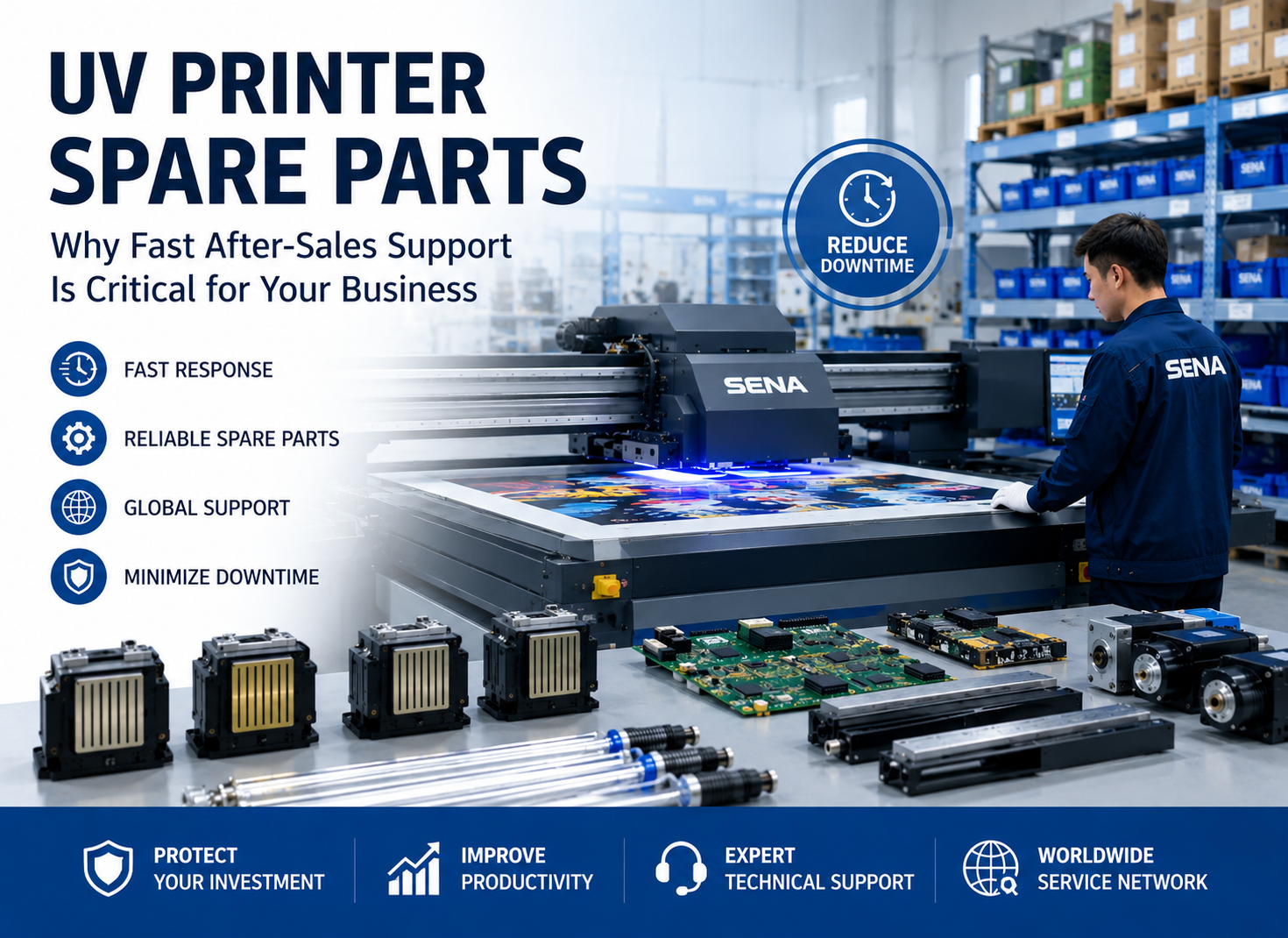
- Common spare parts supply
- Customized production suggestions
By combining reliable equipment, practical training and responsive technical support, SENA helps customers reduce learning costs and start production more efficiently.
We do not simply deliver a UV printer. We help customers establish a stable and repeatable printing process.
Frequently Asked Questions About UV Printer Operation and Maintenance
Is a UV printer suitable for beginners?
Yes. A UV printer can be suitable for beginners when the supplier provides complete training, clear operating instructions and technical support. New operators should follow standard procedures and avoid changing unfamiliar parameters without guidance.
How long does it take to learn UV printing?
Basic operation can usually be learned faster than advanced color management and special printing processes. The actual learning time depends on the operator’s experience, machine model and application requirements.
Does a UV printer require maintenance every day?
Yes. Basic daily checks such as nozzle testing, platform cleaning, ink level inspection and correct shutdown are important. However, deep cleaning is not required every day.
What is the most important part of UV printer maintenance?
Printhead condition, ink supply, white ink circulation, capping station condition, platform cleanliness and correct shutdown procedures are all important for stable operation.
How do I clean a UV printer printhead?
Printhead cleaning should follow the machine supplier’s instructions. Normally, operators should first run a nozzle test, inspect the capping station and use the recommended cleaning process. Do not touch or wipe the nozzle surface with unsuitable materials.
Can a UV printer supplier provide remote training?
Yes. Professional suppliers can provide remote training through video calls, online messaging, operation videos and remote desktop support.
What happens if a UV printer operator makes a mistake?
Minor mistakes may cause material waste, poor print quality or excessive ink consumption. Serious mistakes, such as incorrect material height, may cause a printhead collision or machine downtime.
Co-dhùnadh
A UV printer is not difficult to operate when users receive professional training and follow a clear maintenance process. The real learning cost depends on machine design, software usability, training quality and the supplier’s ability to provide timely support.
By following the correct UV printer operation process, using a practical UV printer maintenance guide and avoiding common beginner mistakes, companies can reduce downtime, protect important components and improve production stability.
Before purchasing a machine, choose a supplier that can provide complete UV printer training, material testing, maintenance instructions and reliable after-sales service.
Looking for an Easy-to-Operate UV Printer?
Contact SENA to receive machine recommendations, sample testing, printing parameter suggestions and a complete UV printer training plan.