

 Russian
  English
  Arabic
  German
  French
  Spanish
  Turkish
  Italian
  Persian
  Bengali
  Hebrew
  Persian (Afghanistan)
  Scottish Gaelic
  Panjabi
  Croatian
  Slovenian
  Greek
Greek  Afrikaans
  Czech
Czech  Korean
  Japanese
  Portuguese






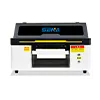
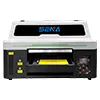
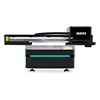
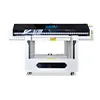
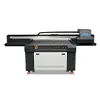
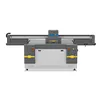
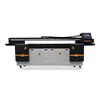
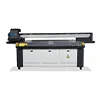
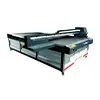
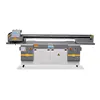



UV Printer Vacuum Table Explained: Why Vacuum Strength and Table Design Matter
When choosing a UV flatbed printer, buyers often focus on the printhead, printing speed, ink configuration and software. However, one important component is sometimes overlooked: the UV printer vacuum table.
A well-designed vacuum table can help keep sheets flat, reduce material movement, maintain a consistent distance between the printhead and substrate, and improve overall printing stability. For materials such as acrylic, PVC, metal sheets, wood boards and other rigid substrates, these factors can directly affect the final printing result.
But does stronger vacuum always mean better printing? Not necessarily. The goal is not maximum suction. The goal is stable, uniform and controllable suction that matches the material being printed.
In this guide, we will explain how a UV printer vacuum table works, why vacuum strength matters, how different table designs compare, and how to choose the right vacuum configuration for different materials and production requirements.
1. What Is a Vacuum Table on a UV Printer?
A vacuum table is a flat printing platform equipped with a vacuum suction system. It uses negative pressure to hold the printing material against the table surface during the printing process.
Depending on the printer design, the system may include a vacuum fan or blower, vacuum chambers, suction holes, filters, air channels, valves and independently controlled vacuum zones.
The basic working principle is simple:
Vacuum Fan → Vacuum Chamber → Vacuum Holes → Printing Material → Stable Printing Surface
When the vacuum system is activated, air is pulled through the holes in the table. The pressure difference helps hold the substrate against the flatbed surface.
This is especially useful when printing on large sheets or relatively thin materials that may otherwise lift, warp or move during printing.
How Does a UV Printer Vacuum Table Work?
The performance of a vacuum table depends on more than the fan itself. The complete airflow path must work together.
- Vacuum fan or blower generates airflow and negative pressure.
- The vacuum chamber distributes airflow underneath the table.
- Suction holes allow air to pass between the material and chamber.
- Sealing around the material helps reduce air leakage.
- Vacuum zones allow operators to activate only the required areas.
A well-designed system provides relatively uniform suction across the printing area rather than concentrating suction in only a few locations.
What Does the Vacuum System Actually Do?
The main purpose of a vacuum table is not simply to “hold the material down.” It helps create a more stable printing environment.
- Keep materials flat during printing.
- Reduce material movement caused by vibration or airflow.
- Maintain a more consistent printhead-to-material distance.
- Improve printing stability and repeatability.
For more information about UV flatbed printer configurations and applications, visit:
Планшетный УФ-принтер.
2. Why Vacuum Strength Matters for UV Printing
Vacuum strength affects how effectively the printing material remains in contact with the table. However, vacuum performance should not be evaluated by a single pressure number.
Actual performance depends on the relationship between:
- Vacuum pressure
- Airflow
- Vacuum chamber design
- Suction hole distribution
- Table sealing
- Material size
- Material thickness
- Material flatness
Therefore, a printer with a larger vacuum fan does not automatically have a better vacuum table.
Vacuum Strength and Material Flatness
One of the most important functions of a vacuum table is keeping the substrate as flat as possible.
If a sheet is warped or its edges are lifted, the distance between the printhead and the material can change during printing. Even relatively small changes in this distance can affect ink drop placement and image consistency.
The basic relationship can be understood as:
Material Flatness → Printhead Distance → Ink Drop Placement → Print Quality
A stable vacuum system therefore helps create a more predictable printing surface.
Vacuum Strength and Printhead Safety
A vacuum table does not directly protect the printhead. Instead, it can reduce the risk of material lifting or movement that may bring the substrate too close to the printhead.
This is particularly important for large-format sheets, thin boards and materials that tend to curl at the edges.
However, the vacuum table is only one part of printhead protection. Printhead height adjustment, carriage design, anti-collision systems and correct material loading are also important.
Vacuum Strength and Printing Accuracy
Material movement can affect registration, fine lines, small text and repeated printing. This becomes increasingly important when a job requires precise positioning or multiple printing passes.
A stable vacuum table can help reduce unwanted movement and maintain consistent contact between the substrate and printing platform.
3. Does Stronger Vacuum Always Mean Better?
No. Stronger vacuum does not automatically mean better UV printing.
This is one of the most important points to understand when comparing UV flatbed printers.
The ideal vacuum level depends on the material, thickness, size, weight and surface condition. A setting that works well for a thick acrylic sheet may not be appropriate for a thin PVC sheet.
What Happens When Vacuum Is Too Weak?
If suction is insufficient, the material may not remain completely flat or stable.
- Edges may lift.
- Thin sheets may curl upward.
- The material may move during carriage travel.
- The printhead-to-material distance may change.
- Image alignment may become less consistent.
- In extreme cases, lifted material can increase the risk of contact with the printhead.
Weak suction can therefore cause both quality and operational problems.
What Happens When Vacuum Is Too Strong?
Excessive suction can also create problems, especially with thin or flexible materials.
- Thin plastic sheets may deform.
- Flexible materials may be pulled toward vacuum holes.
- Very light materials may become difficult to position.
- Air leakage may increase when the material does not fully cover the table.
- Fan noise and energy consumption may increase.
For this reason, the best vacuum system is not necessarily the one that generates the strongest possible suction.
The goal is stable and uniform suction, not maximum suction.
4. UV Printer Vacuum Table Design: What Is the Difference?
Different UV printer manufacturers use different vacuum table structures. Four common design concepts are zoned vacuum tables, honeycomb tables, aluminum tables and multi-fan vacuum systems.
4.1 Zoned Vacuum Table
A zoned vacuum table divides the printing platform into multiple independent suction areas. Depending on the machine design, a printer may have several independently controlled zones.
For example, a large flatbed printer may use four, six or more vacuum zones.
The main advantage is flexibility. When printing a small sheet, the operator can activate only the required area instead of opening the entire vacuum platform.
- Better control for different material sizes
- Reduced air leakage
- More efficient use of the vacuum system
- Useful for mixed-size production
Zoned vacuum systems can be particularly useful for shops that frequently switch between small and large substrates.
4.2 Honeycomb Vacuum Table
A honeycomb vacuum table uses a structured internal pattern to support the material while allowing airflow through the platform.
A honeycomb structure can provide a large number of airflow paths and can be useful for distributing suction across a large surface.
However, it is important to understand that a honeycomb structure alone does not guarantee strong or uniform vacuum performance.
Actual performance also depends on:
- Vacuum fan capacity
- Air chamber design
- Sealing
- Hole size
- Hole distribution
- Vacuum zone layout
- Overall table flatness
4.3 Aluminum Vacuum Table
Aluminum is commonly used in industrial flatbed platforms because it can provide a rigid and stable structure.
Potential advantages include:
- Good structural rigidity
- Stable flatness
- Прочность
- Easy surface cleaning
- Suitability for industrial production environments
However, aluminum construction does not automatically mean better suction. The mechanical structure and vacuum system should be evaluated separately.
4.4 Single-Fan and Multi-Fan Vacuum Systems
Some UV printers use a single vacuum fan, while larger industrial machines may use multiple fans or independent vacuum systems.
| Configuration | Typical Advantage | Best Consideration |
|---|---|---|
| Single fan | Simple structure | Suitable for appropriately sized tables |
| Dual fans | Greater flexibility | Useful for larger or zoned platforms |
| Multiple fans | Independent airflow control | Useful for large industrial tables |
The number of fans should not be used as the only measurement of vacuum performance. The fan configuration should match the table size, chamber design, airflow requirements and expected materials.
5. Vacuum Fan Configuration: Why Does It Matter?
The vacuum fan or blower is an important part of the complete suction system. But its performance cannot be considered independently from the vacuum chamber and table structure.
One Vacuum Fan vs Multiple Vacuum Fans
For a relatively small printer, one appropriately sized fan may be sufficient. Larger flatbed printers may benefit from multiple fans because the printing platform has a much larger surface area.
Multiple fans can also support independent zones or different airflow paths, depending on the machine architecture.
The important question is not simply:
“How many fans does the printer have?”
A better question is:
“How is the vacuum system designed to match the printing area and materials?”
Vacuum Pump vs Vacuum Fan
Different manufacturers may use different terminology for the equipment that creates the required airflow or negative pressure.
Depending on the machine design, terms such as vacuum fan, vacuum blower или vacuum pump may be used.
When comparing machines, buyers should focus on the actual system performance and application rather than comparing the terminology alone.
6. UV Printer Vacuum Table Performance for Different Materials
The ideal vacuum configuration changes according to the material being printed. A rigid metal sheet, a thin PVC sheet and a lightweight foam board have very different mechanical characteristics.
| Материал | Main Challenge | Recommended Vacuum Approach |
|---|---|---|
| Акрил | Warping or slight curvature | Strong and evenly distributed suction |
| PVC Sheet | Thin sheets may deform | Controlled suction |
| Aluminum Sheet | Rigid but may have slight bowing | Stable distributed suction |
| Wood Board | Surface unevenness | Strong zoned suction |
| Пенокартон | Lightweight structure | Moderate controlled suction |
| Thin Plastic | Easy to deform | Lower and controlled suction |
| Flexible Material | Can be pulled into suction holes | Carefully controlled suction and suitable table design |
| Corrugated Board | Uneven contact surface | Zoned suction and suitable support |
7. Vacuum Table for Thin Materials
Thin materials usually require more careful vacuum control than thick rigid boards.
For example, thin PVC, plastic sheets and lightweight boards may bend or deform when excessive suction is applied.
This means three factors become particularly important:
- Uniform suction distribution
- Appropriate vacuum strength
- Correct suction hole and zone design
For thin sheets, controlled and even suction can be more important than maximum vacuum strength.
The material should remain flat without being excessively pulled toward the vacuum holes.
8. Vacuum Table for Acrylic, PVC and Metal Sheets
8.1 Acrylic
Acrylic is widely used in signage, displays, decoration and customized products. Although acrylic is relatively rigid, large sheets can still have slight curvature or warping.
A stable vacuum table can help maintain better contact between the sheet and printing platform.
When printing acrylic, operators should also consider protective film, sheet thickness and whether the material completely covers the active vacuum zone.
8.2 PVC
PVC sheets are available in many thicknesses and grades. Thin PVC can be more sensitive to excessive suction than thick rigid sheets.
For thin PVC, the objective should be to keep the material flat without creating visible deformation.
Independent vacuum zones can be useful when printing smaller PVC sheets because unnecessary zones can be turned off.
8.3 Metal Sheets
Metal sheets are generally more rigid and heavier than thin plastic materials. However, large metal sheets can still have slight bowing or surface irregularities.
A stable vacuum platform can help improve contact between the sheet and the printing table.
For metal printing, the overall flatness and mechanical rigidity of the table are particularly important.
9. Common UV Printer Vacuum Table Problems and Troubleshooting
Why Is the Material Not Being Held Down?
If the substrate is moving or lifting during printing, check the entire vacuum system instead of immediately assuming that the fan is too weak.
Possible causes include:
- Vacuum leakage
- Blocked filters
- Vacuum fan problems
- Unused vacuum zones left open
- Insufficient material coverage over the suction holes
- Damaged seals
- Blocked vacuum channels
- Poor vacuum chamber design
Why Does Vacuum Suction Become Weak?
A practical inspection sequence is:
Fan → Filter → Hose → Chamber → Sealing → Vacuum Holes
If any part of this airflow path is blocked, leaking or damaged, the effective suction at the printing surface may decrease.
Why Does the Material Move During Printing?
Material movement does not always mean that the vacuum fan is underpowered.
Other possible causes include:
- Warped material
- Insufficient contact area
- Incorrect vacuum zone selection
- Improper vacuum setting
- Material vibration
- Uneven table surface
- Material not properly positioned before printing
A good troubleshooting approach is therefore to inspect the material, table and vacuum system together.
10. How to Choose the Right UV Printer Vacuum Table
When purchasing a UV flatbed printer, buyers should evaluate the vacuum table according to their actual production requirements.
1. Consider the Printing Size
A 60 × 90 cm UV printer and a large-format 2513 UV printer have very different vacuum table requirements.
As the table becomes larger, airflow distribution, vacuum chamber design, sealing and fan configuration become increasingly important.
2. Consider the Materials You Print
Make a list of your main substrates before choosing the machine.
For example:
- Акрил
- ПВХ
- Aluminum
- Metal sheets
- Wood boards
- Foam board
- Plastic sheets
- Corrugated board
- Other rigid or flexible materials
3. Consider Material Thickness
If your production includes many thin sheets, controlled vacuum suction should receive special attention.
Do not evaluate the machine only by the maximum advertised vacuum pressure.
4. Check the Vacuum Zone Design
Ask the manufacturer:
How many independent vacuum zones does the printer have?
Also ask whether each zone can be controlled independently.
5. Check the Fan Configuration
Ask about:
- Fan quantity
- Airflow capacity
- Vacuum pressure
- Independent zone control
- Filter configuration
- Maintenance requirements
6. Check Table Flatness
A powerful vacuum system cannot compensate for a poorly flat printing table.
Table flatness, structural rigidity and machining quality should therefore be considered together with the vacuum system.
11. UV Printer Vacuum Table vs Standard Flatbed Table
A vacuum table is designed to actively hold the substrate against the printing platform. A standard flatbed surface relies more heavily on the material’s own weight, mechanical positioning or additional fixing methods.
| Особенность | Vacuum Table | Standard Flatbed |
|---|---|---|
| Material flattening | Высокий | Середина |
| Thin sheet handling | Generally better | More dependent on material |
| Material positioning | High stability | Medium, depending on setup |
| Small material production | Very useful with zoning | Depends on fixing method |
| Material movement control | Высокий | Середина |
| Production consistency | Generally higher | Depends on material and setup |
12. How to Maintain a UV Printer Vacuum Table
Regular maintenance helps maintain consistent vacuum performance and prevents small problems from becoming production interruptions.
Ежедневное обслуживание
- Remove printing debris from the table.
- Keep vacuum holes clean.
- Check for obvious suction loss.
- Remove dust and material particles.
Weekly Maintenance
- Inspect the vacuum filter.
- Clean accessible vacuum channels.
- Check for abnormal fan noise.
- Inspect the table surface for damage.
Monthly Maintenance
- Inspect vacuum hoses and connections.
- Check sealing components.
- Inspect the vacuum chamber.
- Check fan or blower performance.
- Check whether suction remains consistent across different zones.
For more information about UV printer maintenance and troubleshooting, visit:
UV Printer Maintenance Guide.
13. 5 Questions to Ask Before Buying a UV Printer
Before purchasing a UV flatbed printer, do not only ask about printing speed and printhead configuration. The vacuum table can also have a significant impact on daily production.
- How many vacuum zones does the table have?
- What type of vacuum fan, blower or pump is used?
- Can each vacuum zone be controlled independently?
- Is the vacuum table suitable for thin PVC and acrylic sheets?
- How are the vacuum chamber, airflow channels and sealing system designed?
These questions can help buyers understand the actual vacuum system instead of comparing machines only by advertised specifications.
14. Frequently Asked Questions About UV Printer Vacuum Tables
Why does a UV printer need a vacuum table?
A UV printer uses a vacuum table to help hold the printing material flat and stable. This can reduce material movement, maintain a more consistent printhead-to-substrate distance and improve printing stability.
Does stronger vacuum mean better UV printing?
No. Stronger vacuum does not automatically produce better results. The ideal suction level depends on the material, thickness, size and table design. Thin materials may require more controlled suction.
What vacuum table is best for acrylic?
Acrylic generally benefits from a flat and stable vacuum platform with evenly distributed suction. The appropriate configuration also depends on acrylic thickness, sheet size and whether the material has any warping.
Can a vacuum table hold thin PVC sheets?
Yes. A vacuum table can be useful for thin PVC sheets, but the suction should be controlled to avoid excessive deformation. Zoned suction can also help when printing smaller sheets.
What is a zoned vacuum table?
A zoned vacuum table divides the printing platform into multiple suction areas. Operators can activate only the zones covered by the material, which can improve vacuum efficiency and reduce unnecessary air leakage.
Is a honeycomb vacuum table better than an aluminum table?
Neither design is automatically better in every application. Honeycomb structures can provide useful airflow paths, while aluminum tables can provide rigidity and durability. The actual performance depends on the complete table, vacuum chamber, airflow system and manufacturing quality.
How often should a UV printer vacuum table be cleaned?
The surface and vacuum holes should generally be checked and cleaned regularly. Daily cleaning is recommended in dusty production environments, while filters, hoses, seals and vacuum components should be inspected according to the manufacturer’s maintenance schedule.
Why is my UV printer vacuum suction weak?
Weak suction may result from a blocked filter, vacuum leakage, damaged hose, blocked vacuum holes, open unused zones, sealing problems or fan performance issues. Inspect the complete airflow path before replacing the fan.
15. Conclusion: The Best Vacuum Table Is Not the Strongest One
The UV printer vacuum table is an important part of a UV flatbed printer because it affects material flatness, positioning stability, printhead clearance and overall printing consistency.
However, maximum suction should not be the goal. The best vacuum system is one that provides stable, uniform and controllable suction for the materials and production conditions you actually use.
When comparing UV printers, look beyond the advertised vacuum pressure. Evaluate the complete system, including:
- Vacuum strength
- Airflow capacity
- Vacuum zone design
- Vacuum chamber structure
- Suction hole distribution
- Fan or blower configuration
- Table flatness
- Material compatibility
A properly designed vacuum table can help your UV printer handle different sheet materials more consistently and reduce avoidable production problems.
If you are comparing UV flatbed printers for acrylic, PVC, metal, wood or other materials, choosing the right vacuum table configuration should be part of the machine selection process—not an afterthought.
Need Help Choosing the Right UV Printer?
Tell us what materials you plan to print, your required printing size and your expected production volume. Our technical team can recommend a suitable UV printer and vacuum table configuration based on your application.
Technical Resources
For additional technical information related to UV printing, inkjet technology and industrial printing systems, see:
News Summary
UV Printer Vacuum Table Explained: Why Vacuum Strength and Table Design Matter — A well-designed vacuum table plays an important role in UV flatbed printing by keeping substrates flat, reducing material movement and supporting consistent printing accuracy. This guide explains vacuum strength, zoned and honeycomb table designs, fan configurations and material-specific requirements for acrylic, PVC, metal and thin sheets. It also provides practical advice for troubleshooting suction problems and selecting the right vacuum table before purchasing a UV printer.