

 Czech
Czech  English
  Arabic
  German
  French
  Spanish
  Turkish
  Italian
  Russian
  Persian
  Bengali
  Hebrew
  Persian (Afghanistan)
  Scottish Gaelic
  Panjabi
  Croatian
  Slovenian
  Greek
Greek  Afrikaans
  Korean
  Japanese
  Portuguese





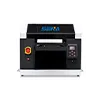
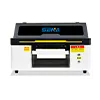
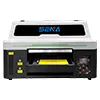
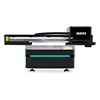
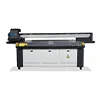
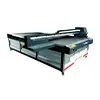
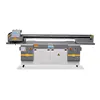
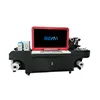


CCD Visual Positioning UV Printer: Is It Worth the Investment?
A UV printer can produce excellent colors, sharp details, and durable prints, but print quality is not the only factor that determines production efficiency. For many customized products, one of the biggest challenges is positioning the product accurately before printing.
Phone cases, personalized gifts, promotional products, acrylic items, and irregular-shaped objects may not always be placed in exactly the same position. When operators have to align every product manually, production can become slower and more dependent on operator experience.
This is where a CCD visual positioning UV printer can make a difference. By using a camera-based visual positioning system, the printer can detect product edges, contours, reference points, or other visual features and use this information to determine where the design should be printed.
But does every UV printing business actually need CCD positioning? Not necessarily.
For businesses producing large quantities of identical products, a well-designed jig may still be the most economical solution. For businesses handling multiple SKUs, customized orders, irregular products, and frequent job changes, however, CCD positioning can provide significant workflow advantages.
In this guide, we will explain how CCD visual positioning works, compare it with traditional jigs, examine real-world applications, discuss potential efficiency and ROI, and provide a practical checklist for choosing a CCD UV printer.
1. What Is a CCD Visual Positioning UV Printer?
A CCD visual positioning UV printer is a UV printing machine equipped with a camera-based vision system that helps identify the actual position of a product before printing.
CCD stands for Charge-Coupled Device. In practical UV printing applications, however, customers do not need to focus on the electronic structure of the sensor. The important point is what the camera and software can do as part of the printing workflow.
Instead of relying entirely on the operator to visually align a product with a fixed printing position, the CCD system captures an image of the product and provides visual information to the printer’s control software.
Depending on the system design, the software can identify:
- Product edges
- Product contours
- Reference points
- Predefined visual features
- Product orientation
- Printing areas
The system can then calculate the product’s position and orientation so that the digital artwork can be aligned with the actual product.
The basic workflow can be summarized as:
Capture → Recognize → Calculate → Align → Print
This makes CCD positioning particularly useful when products are not placed in exactly the same location every time.
2. How Does CCD Visual Positioning Work?
Understanding the workflow is important because CCD positioning is not simply a camera added to a UV printer. The camera, image-recognition software, printer control system, and mechanical movement system need to work together.
Step 1: Place the Product
The operator places the product on the printing platform. Depending on the application, the product may be positioned freely or placed inside a fixture or jig.
A jig can still be useful because it physically prevents the product from moving during printing. CCD positioning and physical fixtures are not mutually exclusive technologies.
Step 2: Capture the Product Image
The CCD camera captures the product or its relevant positioning area.
The system needs sufficient image quality and an appropriate field of view to recognize the target product. Lighting conditions can also affect image recognition, especially when the product surface is reflective, transparent, dark, or visually complex.
Step 3: Detect Edges, Contours, or Reference Points
The software analyzes the captured image and identifies the features required for positioning.
For example, a phone case may have a recognizable outer contour and camera opening. A shaped acrylic product may have an irregular external edge. A custom promotional item may use predefined reference marks.
Step 4: Calculate the Actual Position
Once the relevant visual features have been identified, the software can determine the product’s actual position relative to the expected printing coordinates.
This may involve calculating:
- X-axis position
- Y-axis position
- Rotation angle
- Printing area
- Reference-point offset
Step 5: Align the Artwork With the Product
The printing system uses the detected information to adjust the relationship between the artwork and the physical product.
Instead of asking the operator to manually make every product line up with a fixed reference position, the visual positioning workflow allows the system to use the detected product location as a reference.
Step 6: Start UV Printing
After positioning is confirmed, the printer performs the UV printing process.
This is why CCD positioning is best understood as a workflow automation and alignment technology, rather than a replacement for the printer’s mechanical accuracy.
3. What Can a CCD Visual Positioning System Recognize?
The exact capabilities of a CCD system depend on its camera, software, lighting, algorithms, and printer configuration. However, several recognition functions are particularly useful in UV printing.
Edge Detection
Edge detection allows the system to identify the boundary of a product or printing area.
This can be useful for products such as:
- Pouzdra na telefony
- Acrylic panels
- Wooden signs
- Propagační produkty
- Flat decorative items
When the physical position of the product changes slightly, the detected edge can provide a new reference for print alignment.
Contour Recognition
Contour recognition is particularly valuable for irregular-shaped products.
Traditional positioning methods often work best when products have predictable dimensions and can be placed into standardized fixtures. When product shapes become more complicated, manual alignment becomes more time-consuming.
CCD contour recognition can help identify the actual shape and position of the target object, making it more suitable for customized production.
Reference Point Recognition
Some visual positioning workflows use specific reference marks or predefined features.
Reference points can help the system establish a relationship between the artwork and the physical product before printing.
Position and Rotation Detection
Another useful capability is detecting changes in product orientation.
For example, if a product is placed at a slight angle, manual positioning may require the operator to visually correct it. A suitable CCD system can detect the orientation difference and use that information during alignment.
However, customers should not assume that every CCD system provides the same recognition functions. Before purchasing a printer, it is important to test the actual products that will be printed.
4. CCD Positioning vs. Traditional Printing Jigs
One of the most common questions from UV printing businesses is whether they should invest in CCD positioning when traditional jigs can already position products.
The answer depends largely on the production model.
| Funkce | Traditional Jig | CCD Visual Positioning |
|---|---|---|
| Initial investment | Spodní | Vyšší |
| Manual alignment | More | Less |
| Fixed product shapes | Vynikající | Vynikající |
| Multiple SKUs | Less convenient | More flexible |
| Irregular products | More limited | Better suited |
| Product rotation compensation | Usually manual | Can be automated |
| Job changeover | May require fixture changes | Generally more flexible |
| Small-batch customization | Less efficient | More efficient |
| Operator dependence | Vyšší | Spodní |
| Best suited for | Stable repetitive production | Flexible customized production |
When a Traditional Jig Makes More Sense
If a factory produces one identical product continuously, a dedicated jig can be extremely effective.
For example, imagine a production line printing the same phone case model thousands of times. Once a high-quality fixture has been developed, the operator can place each case into the same physical position.
In this situation, investing in a more advanced vision system may not provide enough additional value to justify the cost.
When CCD Becomes More Valuable
The situation changes when the business handles many different products.
Consider a customization shop producing ten different phone case models, acrylic gifts, promotional products, and personalized nameplates in the same day. Creating, changing, and maintaining a dedicated jig for every product can increase setup time.
In this environment, the main value of CCD is not necessarily a higher maximum print speed. Its value is flexibility and reduced positioning work.
In other words, jigs are not obsolete. The right technology depends on the production model.
5. Which Businesses Actually Need a CCD UV Printer?
CCD visual positioning is especially useful for businesses where product variety, customization, and frequent job changes are more important than simple repetitive production.
Phone Case Printing
Phone cases are one of the most obvious applications for visual positioning.
Different phone models can have different dimensions, camera openings, edges, and printable areas. A customization business may also receive small orders containing several different models.
A CCD UV printer for phone cases can reduce the amount of manual positioning required when the product changes frequently.
This is particularly useful for businesses offering personalized phone cases, photo cases, corporate gifts, or short-run customized products.
Personalizované dárky
Personalized gift production often involves high SKU variety and short production runs.
Typical products may include:
- Keychains
- Nameplates
- Photo gifts
- Propagační produkty
- Acrylic decorations
- Personalized accessories
- Small plaques
When every order is slightly different, reducing setup and alignment time can have a meaningful effect on daily productivity.
Irregular-Shaped Products
Irregular products can be difficult to position using simple fixed references.
A product may have a curved, angled, asymmetrical, or custom-designed contour. In these situations, visual recognition can provide a more flexible reference than relying only on a fixed jig.
However, the product must still be stable during printing. CCD positioning does not eliminate the need for good mechanical support.
Small-Batch, Multi-SKU Production
This is one of the strongest use cases for CCD technology.
Imagine a customization business receives the following order:
- 20 black phone cases
- 15 transparent phone cases
- 10 acrylic signs
- 8 promotional gifts
With a traditional jig-based workflow, each product type may require a different fixture or setup procedure.
With a suitable visual positioning system, the business can potentially reduce repeated manual alignment and make frequent product changes easier.
The advantage is therefore not simply printing faster. It is changing jobs faster.
Custom Printing Shops
Custom printing businesses frequently deal with orders that are difficult to standardize.
Customers may request different names, images, logos, shapes, materials, and quantities. A flexible positioning system can help reduce the operational burden created by this variety.
Fixture and Jig Printing
CCD does not necessarily have to replace a jig.
In many applications, combining the two technologies can be more effective:
Jig = physical stability
CCD = visual alignment
The jig keeps the product from moving, while the camera provides visual information about its actual position.
6. When a CCD UV Printer May NOT Be Necessary
A balanced buying guide should also explain when CCD positioning may not be the best investment.
High-Volume Identical Products
If your production consists mainly of one product with stable dimensions, a dedicated fixture may provide excellent repeatability at a lower cost.
Products Are Already Precisely Fixed
If your existing jig positions every product quickly and accurately, adding CCD may provide only a limited improvement.
Limited Product Variety
If your business handles only a few product types and rarely changes designs, the flexibility of visual positioning may not be a major requirement.
Budget Is the Main Concern
For a new business with very low production volume, it may be more practical to start with a standard UV printer and upgrade later when order volume and SKU complexity increase.
The correct question is therefore not:
“Is CCD better?”
Instead, ask:
“Does my production workflow create enough positioning work to justify CCD?”
7. How Much Efficiency Can CCD Actually Improve?
Customers sometimes see claims such as “3× faster” or “50% higher productivity.” These numbers should not be accepted without understanding the test conditions.
The real efficiency improvement depends on:
- Product type
- Number of SKUs
- Operator experience
- Jig design
- Number of products per order
- Frequency of job changes
- Camera and software performance
- Mechanical positioning accuracy
A more useful way to evaluate CCD is to measure the time spent on positioning.
Traditional Workflow
Place → Align → Check → Print → Replace → Align Again
Visual Positioning Workflow
Place → Scan → Detect → Align → Print
Suppose an operator spends 30 seconds manually positioning one product and prints 100 products per day.
The daily positioning time would be:
30 seconds × 100 products = 3,000 seconds
That equals approximately 50 minutes per day.
If a CCD workflow reduces the average positioning time, the saved time can be calculated directly.
Daily Positioning Time = Positioning Time per Piece × Number of Pieces
Potential Labor Saving = Traditional Positioning Time − CCD Positioning Time
This approach provides a more realistic basis for evaluating the investment than simply comparing theoretical printer speeds.
8. What Is the ROI of a CCD UV Printer?
The ROI of a CCD system depends on how much positioning labor and setup time it can eliminate from your actual production workflow.
CCD is more likely to provide a strong return when your business has:
- Many different SKUs
- Frequent product changes
- Short production runs
- Irregular-shaped products
- Personalized products
- High labor costs
- Frequent manual alignment
- Expensive positioning errors
On the other hand, CCD may provide a lower return when:
- One SKU dominates production
- Products are extremely easy to fixture
- Orders are highly repetitive
- Manual positioning already takes very little time
- Production volume is very low
Another important factor is the cost of errors.
If a misaligned print causes an expensive product to be rejected, the real cost includes not only ink and printing time, but also material cost, labor, reprinting time, and potentially lost delivery time.
For customized businesses, reducing positioning-related mistakes can therefore have value beyond simple labor savings.
9. How to Choose a CCD Visual Positioning UV Printer
Not every CCD UV printer offers the same capabilities. When comparing machines, buyers should evaluate the complete positioning system rather than looking only at the presence of a camera.
1. Camera Resolution
Camera resolution affects how clearly the system can capture the target features.
However, higher resolution alone does not guarantee better positioning. The camera must work together with suitable optics, software, lighting, and mechanical systems.
2. Camera Field of View
The field of view should be appropriate for the products you intend to print.
A camera with a limited viewing area may not be suitable for larger products, while an unnecessarily large field of view may affect recognition detail.
3. Edge and Contour Recognition
Ask whether the system can recognize the actual products you plan to print.
Do not evaluate this feature using only a standard demonstration sample. Ideally, provide your own products for testing.
4. Software Workflow
Good visual positioning software should make the process easy for operators.
Important functions may include:
- Image capture
- Automatic recognition
- Reference detection
- Position adjustment
- Rotation compensation
- Artwork matching
5. Positioning Accuracy
Do not evaluate accuracy based only on a single advertised number.
Ask how the accuracy was measured, what product was used, what print size was tested, and under what operating conditions.
6. Lighting System
Lighting is an often-overlooked part of machine vision.
Reflective, transparent, dark, or highly textured products can be more challenging for image recognition. A well-designed lighting environment can help the camera capture more consistent images.
7. Mechanical Accuracy
This is one of the most important points in the entire article:
CCD cannot compensate for poor mechanical accuracy.
The camera can identify where the product is, but the printer still needs a stable platform and accurate motion system to move the printhead to the correct position.
For more information about UV printer motion systems, see our guide to UV printer motion systems.
10. CCD + Vacuum Table + Motion System: Why the Whole System Matters
A CCD camera is only one part of a precision UV printing system.
For consistent results, several systems need to work together.
| System | Main Function |
|---|---|
| CCD Camera | Visual positioning and product recognition |
| Software | Image processing and print alignment |
| Vacuum Table | Product stability and flatness |
| Systém pohybu | Accurate mechanical movement |
| Tisková hlava | Inkjet printing performance |
| Software RIP | Artwork and print data processing |
A stable vacuum platform can help prevent products from shifting during printing. For a deeper explanation of vacuum table design, see our article on UV printer vacuum tables.
Similarly, the motion system affects how accurately the printhead executes the calculated position. You can learn more about lead screws, belts, linear guides, and magnetic levitation systems in our UV printer motion system guide.
This leads to an important principle:
Visual positioning accuracy and mechanical printing accuracy are complementary, not interchangeable.
11. Real-World Example: A Small Custom Printing Business
Consider a hypothetical customization business that prints approximately 100 products per day and handles several different SKUs.
Suppose manual alignment takes an average of 30 seconds per product.
The operator would spend approximately:
100 × 30 seconds = 3,000 seconds
That is approximately 50 minutes per day spent only on positioning.
Now assume the business frequently changes between product types and designs. The time required to prepare fixtures and visually check alignment can further increase the actual setup burden.
A suitable CCD workflow could reduce part of this manual positioning work.
The exact saving must be measured using the customer’s actual products and workflow. The purpose of this example is not to promise a fixed percentage improvement, but to show how a business can calculate whether visual positioning has economic value.
There is another potential benefit: the operator can spend less time repeatedly checking alignment and more time preparing orders, loading products, inspecting finished prints, or handling customers.
Therefore, the value of CCD should be evaluated based on the entire production workflow, not just printer carriage speed.
12. CCD UV Printer Buying Checklist
Before purchasing a CCD visual positioning UV printer, use the following checklist:
- What products will I print?
- How many SKUs do I handle?
- How often do products change?
- Are the products regular or irregular?
- How much time is currently spent on manual alignment?
- Can my existing jigs solve the positioning problem?
- What is the camera resolution?
- What is the camera field of view?
- Can the system recognize product edges?
- Can it recognize irregular contours?
- Can it detect rotation?
- Can it work with different product sizes?
- Can CCD work together with a physical jig?
- How accurate is the complete mechanical system?
- How stable is the printing platform?
- How easy is the positioning software to operate?
- Can the supplier test my actual products?
- What is the expected labor saving?
- What is the expected ROI?
Testing your own products is particularly important. A machine that performs well with a standard demonstration sample may not necessarily provide the same positioning performance with your specific materials, colors, shapes, or surface conditions.
13. CCD UV Printer Applications: When Does It Make the Most Sense?
To summarize the practical applications, CCD visual positioning is particularly attractive when the business model combines customization, product variety, and frequent job changes.
| Aplikace | Why CCD Can Help |
|---|---|
| Pouzdra na telefony | Many models and frequent design changes |
| Personalized gifts | High customization and short production runs |
| Irregular products | More difficult to align manually |
| Propagační produkty | Many product types and designs |
| Small-batch production | Frequent job changes |
| Custom printing shops | High SKU variety and individual orders |
Businesses focused on these applications should evaluate CCD based on how much manual positioning currently costs them in time, labor, and rejected products.
14. CCD UV Printer vs. Standard UV Printer: Which Should You Choose?
A standard UV printer can be an excellent choice for businesses with straightforward production requirements. CCD should not automatically be treated as a mandatory upgrade.
Choose a standard UV printer when:
- Your products are easy to position.
- You use dedicated jigs.
- Your SKU range is small.
- Your production is highly repetitive.
- Your budget is limited.
Consider a CCD visual positioning UV printer when:
- You print many different products.
- You frequently change designs.
- You produce personalized items.
- You print irregular-shaped products.
- You handle many small orders.
- Manual positioning consumes significant labor time.
- Positioning mistakes create expensive waste.
- Production flexibility is a competitive advantage.
In many cases, the decision is less about which printer is technically superior and more about which workflow matches the business model.
15. Final Verdict: Is a CCD Visual Positioning UV Printer Worth It?
Yes—if your business genuinely needs flexible, repeatable, and efficient product positioning.
A CCD visual positioning UV printer can be particularly valuable for phone cases, personalized gifts, irregular products, promotional products, small-batch production, and businesses handling multiple SKUs.
Its main advantage is not necessarily that the printer itself prints faster. The bigger advantage can be reducing repeated manual positioning, simplifying job changes, and making customized production easier to manage.
However, if your business mainly produces one or a few identical products in high volume, a well-designed jig may remain a more economical solution.
The best solution may also be a combination of both technologies:
Jig for physical stability + CCD for visual positioning + accurate motion system for execution.
Ultimately, the question is not whether CCD is better than a traditional jig.
The real question is whether your production requires the flexibility and automation that CCD provides.
If your business is moving from simple repetitive printing toward customized, multi-SKU, short-run production, CCD visual positioning is a configuration worth seriously evaluating.
Frequently Asked Questions About CCD UV Printers
What is a CCD visual positioning UV printer?
A CCD visual positioning UV printer uses a camera and image-processing software to detect a product’s position, edges, contours, or reference points before printing. The detected information helps align the artwork with the actual product.
How does CCD positioning work on a UV printer?
The basic process is to place the product, capture an image, detect relevant visual features, calculate the product’s position and orientation, align the artwork, and then perform UV printing.
Is a CCD UV printer worth the investment?
It can be worth the investment for businesses with multiple SKUs, frequent product changes, irregular products, personalized orders, or significant manual positioning work. Businesses with highly repetitive production may find traditional jigs more economical.
Do I need a CCD UV printer for phone case printing?
Not every phone case printer requires CCD. However, CCD can be especially useful when a business prints many phone models, handles small batches, or frequently changes designs and products.
Can CCD positioning print irregular-shaped products?
A suitable CCD system can recognize product edges or contours and help align artwork to irregular shapes. Actual performance depends on the camera, software, lighting, product surface, and machine configuration, so testing the target product is recommended.
What is the difference between CCD positioning and a printing jig?
A jig physically positions and holds the product, while CCD uses visual information to identify the product’s actual position. They can also be used together: the jig provides stability and CCD provides visual alignment.
Does a CCD camera improve UV printing accuracy?
CCD can improve positioning consistency, but it does not replace mechanical accuracy. Overall print accuracy also depends on the motion system, platform stability, software, printhead alignment, and other printer components.
What businesses benefit most from CCD UV printers?
Businesses that benefit most typically include custom printing shops, phone case printers, personalized gift manufacturers, promotional product businesses, and companies producing irregular or small-batch products with many SKUs.
Related UV Printing Resources
- UV Printer Motion Systems Explained: Lead Screw, Belt, Linear Guide and Magnetic Levitation
- UV Printer Vacuum Table Explained: Why Vacuum Strength and Table Design Matter
- UV Printer Applications: A Complete Guide to Materials, Products and Business Opportunities
- UV Printing ROI and Pricing Strategy Guide
- UV Printer Maintenance and Troubleshooting Guide
Learn More About Machine Vision
CCD positioning is part of the broader field of machine vision, where cameras and image-processing systems are used to identify and analyze objects for automated processes. For additional background on machine vision technology, see this machine vision resource.
For technical information related to image sensors and camera technologies, readers can also consult this authoritative image sensor resource.